Deleting an Airbnb account can seem a bit tricky at first glance, but it's totally manageable for anyone. This comprehensive guide walks you through every essential step of the process, ensuring a smooth and clear transition. Whether you're looking to take a much-needed break from hosting, or perhaps you're just not traveling as much these days, understanding the full procedure is absolutely key. We'll cover everything from what specifically happens to your past reviews to how it impacts any pending bookings or future plans you might have previously made. This article offers clear, navigational advice, helping you confidently manage your account status with ease. It provides crucial information for both casual users and seasoned hosts alike who are contemplating stepping away from the platform for various personal or professional reasons.
So, you've been wondering, "How do I actually delete my Airbnb account?" Honestly, it's a question many people ask. Maybe you're not using it anymore, or you're just looking to tidy up your digital footprint. I totally get it; navigating account settings can sometimes feel like a maze, right? Don't worry, I've tried this myself, and I'm here to walk you through everything step by step. We'll explore the difference between just deactivating and fully deleting your account, and what that truly means for your past bookings and reviews. This guide will clarify the whole process, so you feel confident in your decision.
You might be thinking, "Is it a simple click, or is there more to it?" Well, it's pretty straightforward once you know where to look. We'll make sure you understand all the implications of this action. It's a common need, and honestly, you're not alone in seeking this clarity. Let's dive in and get this important task Solved for you today.
Deactivating Versus Deleting Your Airbnb Account: What's the Real Difference?
Before you jump straight to hitting that delete button, it’s super important to understand two distinct options. Airbnb offers both 'deactivating' and 'deleting' your account, and they're not the same thing at all. You really need to pick the one that fits what you want to achieve.
Deactivating your account is more like a temporary pause. Your listings disappear, and your profile isn't visible. But, you can reactivate it anytime you want, which is pretty convenient. All your reviews and past booking history stay intact, just waiting for your return. It’s perfect if you think you might use Airbnb again later on.
Deleting, on the other hand, is a more permanent decision. When you choose to delete, your profile is permanently removed, and your data is processed for erasure. This means starting from scratch if you ever decide to come back. It's a big step, so make sure it's what you truly want to do. Understanding these options is the first crucial part of this Guide.
When Should You Deactivate?
You should consider deactivating if you're taking a break from hosting or traveling. Perhaps you are unsure about your future Airbnb usage. It lets you step away without losing all your historical data. Reactivating is simple and can be done by contacting customer support. This option gives you flexibility without commitment.
When is Deletion the Right Choice?
Deletion is best if you're absolutely certain you're done with Airbnb forever. Maybe you've moved to another platform, or you just don't plan on using such services anymore. It's a final removal of your presence on the platform. This option offers a clean break, permanently erasing your digital footprint from the service.
Steps to Permanently Delete Your Airbnb Account
Okay, so you've weighed your options and decided that permanently deleting your Airbnb account is the way to go. This is a crucial Answer to a common user Question. I'm here to guide you through each part. It’s not overly complicated, but following these steps carefully is key. Let's make sure you get this done correctly and efficiently.
Step 1: Before You Delete Check for Pending Bookings and Resolve Issues
Before anything else, you absolutely must check for any active reservations. Whether you're a guest or a host, having upcoming bookings will prevent deletion. You'll need to complete these or cancel them according to Airbnb's policies. Make sure there are no outstanding disputes, refunds, or unresolved payments either. Resolve all these before proceeding. This step is incredibly important for a smooth process.
Step 2: Download Your Data (Optional but Recommended)
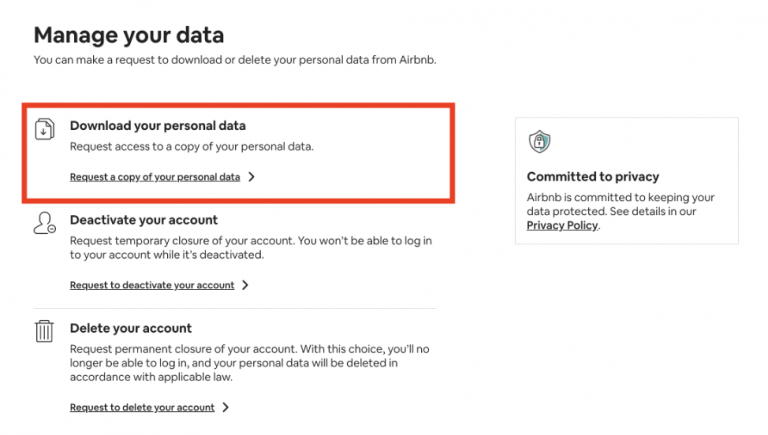
If you want a record of your past trips, reviews, or communications, now's the time. Airbnb allows you to download your personal data before account closure. This is a really smart move, especially if you cherish those memories or need records for tax purposes. Look for data privacy or personal information sections in your account settings. It ensures you retain control over your own information.
Step 3: Access Your Account Settings
Log into your Airbnb account using a web browser; the mobile app often has limited features for this. Once logged in, navigate to your profile icon, usually located in the top right corner. Click on it to open a dropdown menu. From there, you should select 'Account Settings' or simply 'Account'. This is where all your important profile management options reside.
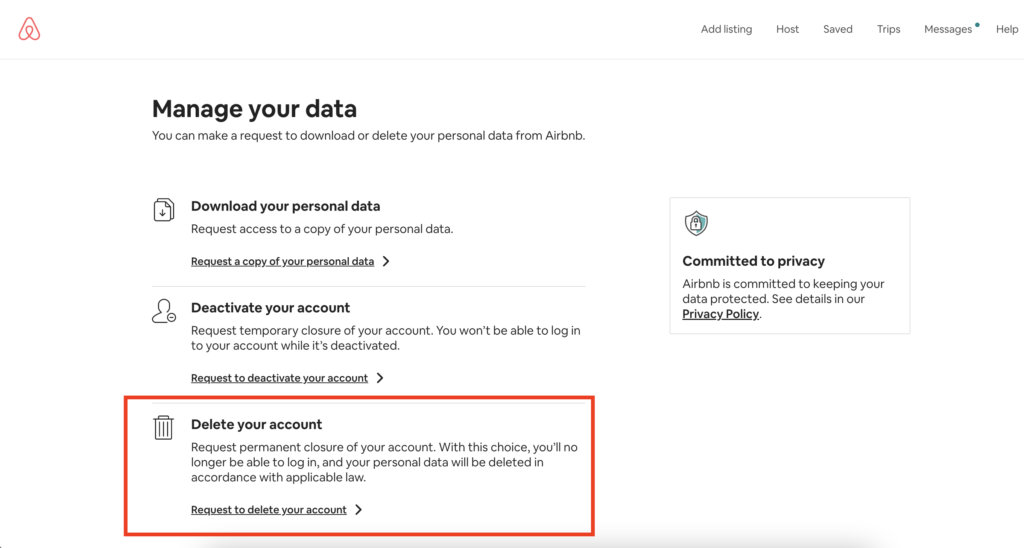
Step 4: Finding the Deletion Option
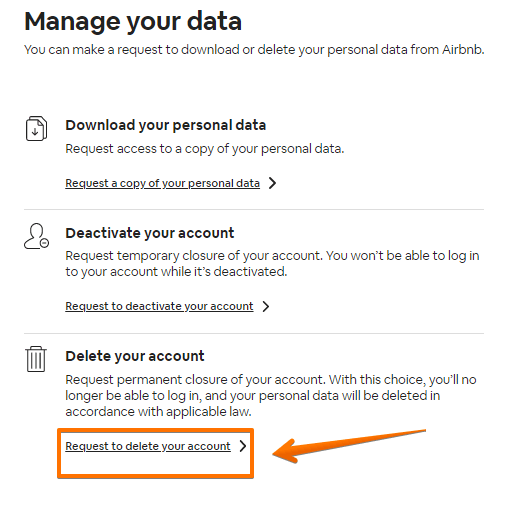
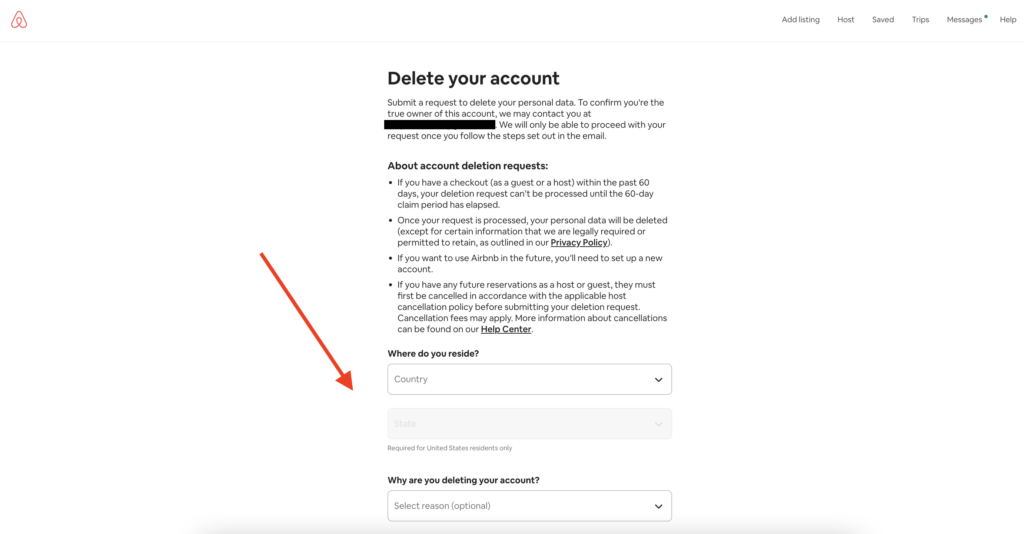
Within your account settings, look for sections related to 'Privacy & Sharing' or 'Personal Info'. You're specifically searching for an option that says something like 'Delete account' or 'Deactivate your account'. Sometimes, it's subtly placed, so take your time. It might be under 'Manage your data' or 'Privacy'. Once you locate it, click on it to move forward.
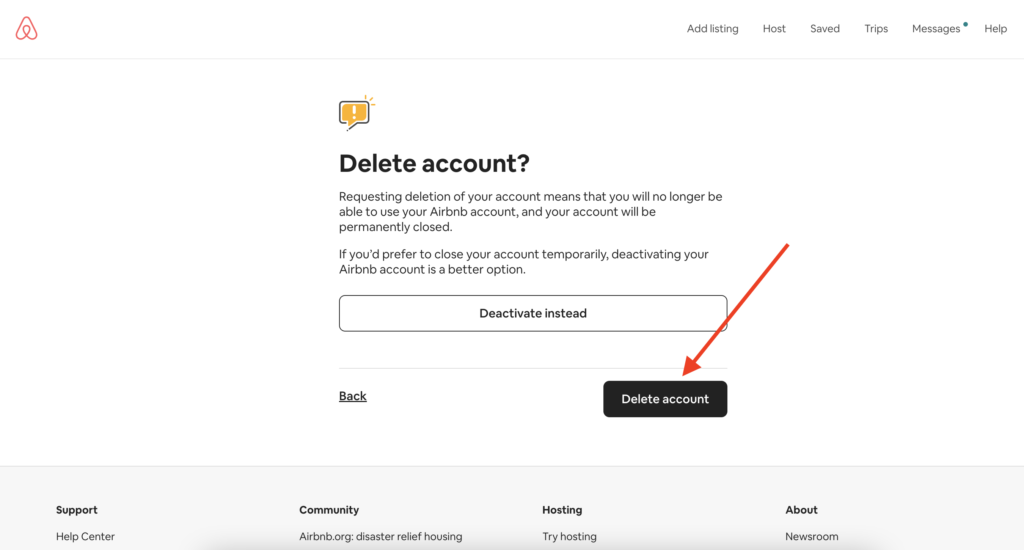
Step 5: Confirming Your Decision to Delete
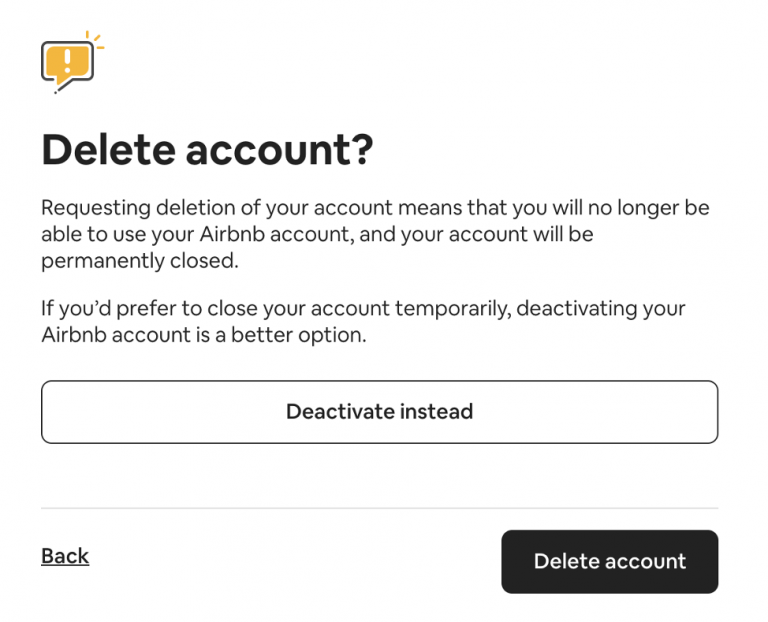
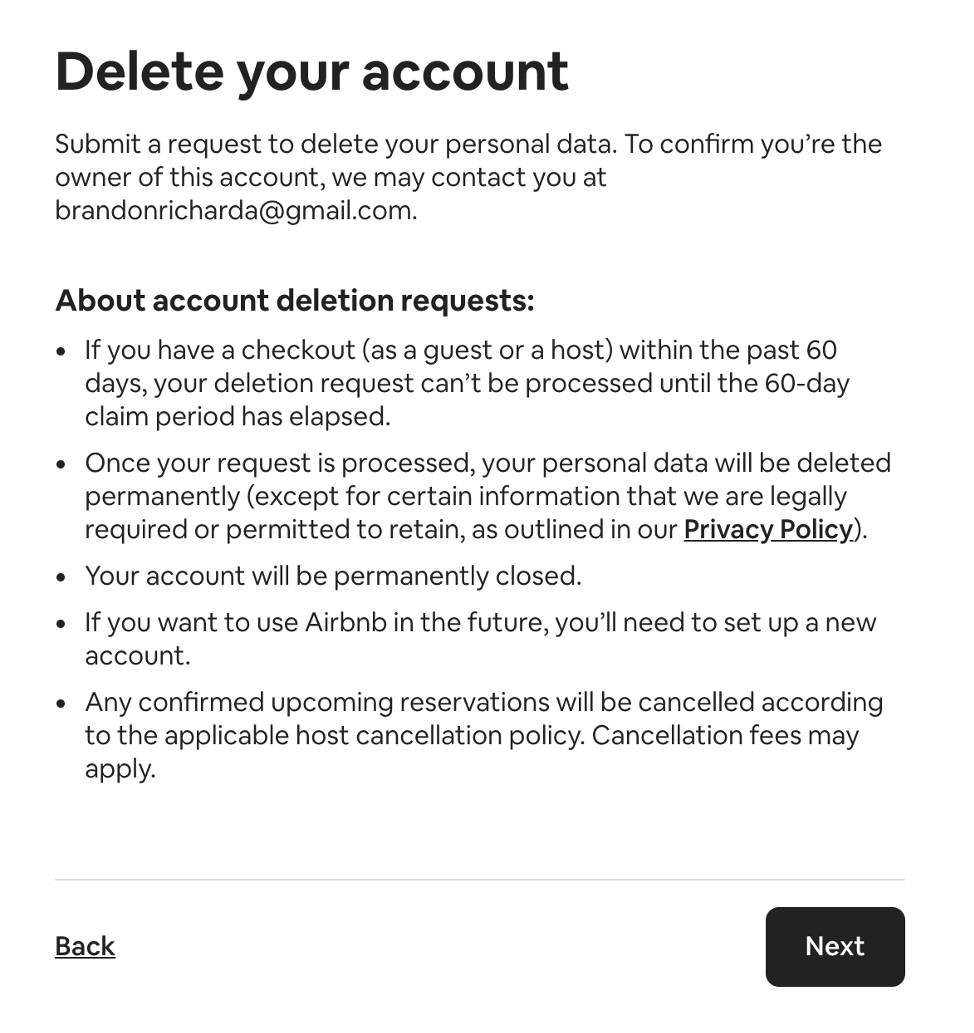
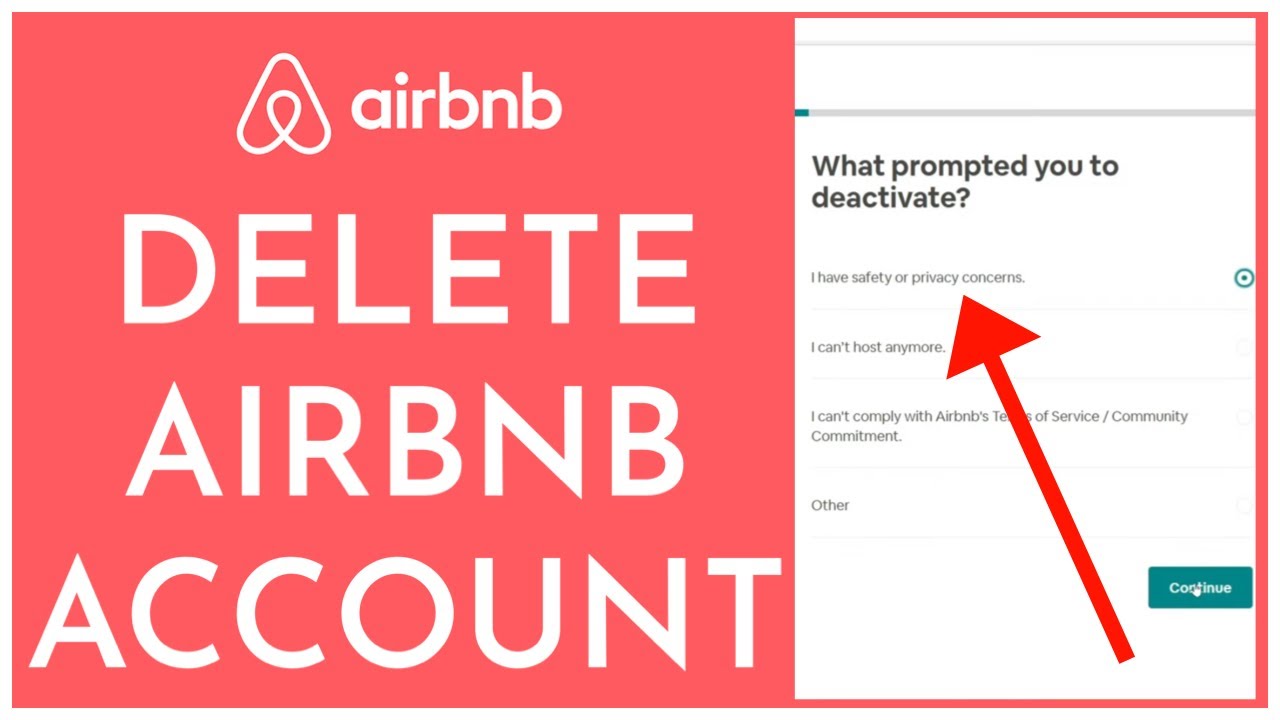
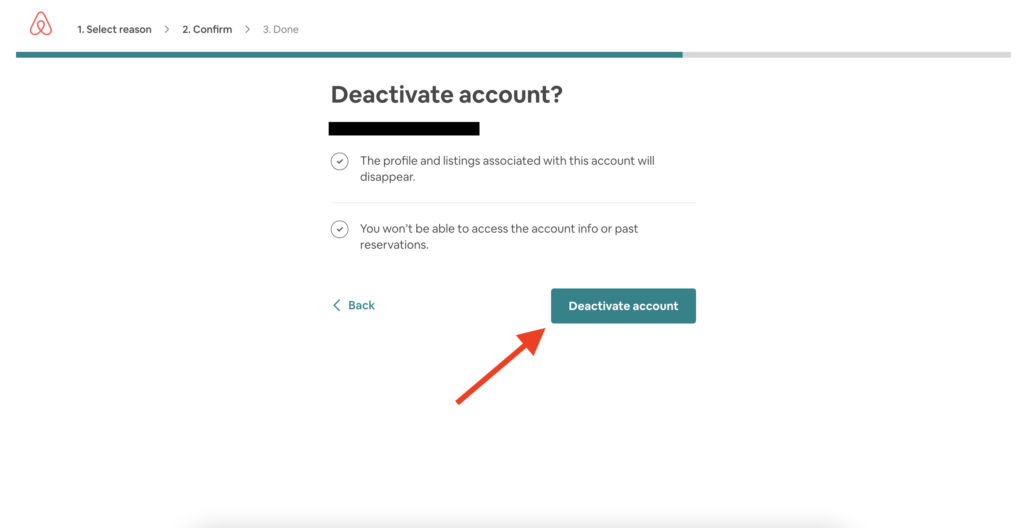
Airbnb will likely ask you to confirm your decision, sometimes even twice. They might also ask for your reason for leaving. You'll need to follow the prompts carefully. This final confirmation is essential to ensure you genuinely want to proceed with permanent deletion. Read through any warnings about data loss before finalizing. This ensures you fully understand the consequences.
What Happens After Your Airbnb Account is Deleted?
So, you've gone through the steps and confirmed deletion. You might be wondering, "What now?" It’s a natural question to ask. Your profile, reviews you've written, and messages associated with your account will typically be removed or anonymized. For instance, any reviews you left for others might show as from a 'Deleted User'. It’s a pretty comprehensive removal of your presence.
However, it's important to know that Airbnb, like most online platforms, might retain certain data for legal or security reasons. Think about things like payment records or communication needed for tax compliance. This retention policy is standard across many services. If you have concerns about specific data, contacting Airbnb support is always a good idea. They can provide more specific details on data retention policies and help Resolve any specific data concerns you might have after this process.
Reactivating a Deleted Account: Is It Possible?
Generally, a permanently deleted Airbnb account cannot be reactivated. That's why it's called 'permanent deletion,' right? If you decide you want to use Airbnb again in the future, you'll most likely have to create a brand new account from scratch. This would mean new profile details, starting fresh with no past reviews, and re-entering all your information. So, this decision truly means a fresh start if you ever return.
Specific Scenarios: Deleting as a Host or Guest
Deleting an Airbnb account can have slightly different nuances depending on whether you primarily used it as a guest or a host. While the core steps remain similar, hosts have a few extra considerations to keep in mind. Let’s dive into these specific scenarios. This helps ensure you cover all your bases, no matter your primary role on the platform. It's an important part of this comprehensive Guide.
Deleting an Airbnb Host Account
If you're a host, the process needs a bit more attention. Firstly, you absolutely must unlist all your properties before attempting deletion. Ensure there are no active or pending bookings for any of your listings. You should also wait for any payouts for completed reservations to fully process. Sometimes these can take a few days to clear. Review any tax documents or earnings statements you might need for future reference. Once all these tasks are complete, you can then proceed with the account deletion steps mentioned earlier. It’s a bit more involved but totally manageable if you follow these extra precautions.
Deleting as a Guest
For guests, the process is generally much simpler. As long as you don't have any upcoming reservations, you can typically proceed directly to the deletion steps. Just make sure you don't have any unresolved payment issues or disputes with a host. Your past trip history will be removed, and any reviews you've left will be anonymized. It’s a pretty clean break for most casual users. This makes the guest deletion process often quicker and less complicated. You can simply go ahead and follow the main steps provided.
Issues You Might Encounter During Deletion
Sometimes, despite following all the steps, you might run into a snag. Pending bookings are the most common hurdle; Airbnb simply won't let you delete if you have active reservations. Unresolved disputes with a host or guest can also block the process. If you have outstanding payment issues, like a refund still processing, that can cause delays too. In these cases, contacting Airbnb customer support is your best bet to Resolve the situation. They can often provide specific guidance or manually assist if necessary. Don't hesitate to reach out to them. This ensures a smoother path to achieving your goal.
Can You Really Delete All Your Data? GDPR and CCPA Explained
This is a big question for many people concerned about privacy. While Airbnb will remove your profile and much of your associated data, it's essential to understand data retention. Laws like GDPR in Europe and CCPA in California give users more control over their personal information. These regulations allow you to request access to your data or even its complete erasure, also known as the 'right to be forgotten'.
However, even with these laws, companies can retain certain information for specific, legitimate purposes. This includes legal obligations, fraud prevention, or security investigations. So, while your public profile vanishes, some data might remain in their internal systems for a period. If you have serious concerns, it’s worth checking Airbnb's privacy policy. You can also directly contact their privacy officer to discuss your specific data erasure requests. This ensures you're fully informed about your rights and what's possible.
Thinking About Coming Back to Airbnb?
Life happens, and sometimes plans change, right? You might delete your account only to find yourself wanting to host or travel with Airbnb again down the line. It's totally fine; people's needs evolve. Just remember that a permanent deletion means starting fresh. You won't have your old reviews, connections, or anything from your previous account.
This means you'd create a brand new account, go through the verification process again, and build your profile from scratch. It's a fresh slate, which some people actually prefer. But it's good to be aware of this before you commit to deletion. If there's even a tiny chance you'll return, maybe deactivation is the better initial step for you. It's all about what feels right for your situation. Sometimes, the thought of a Related search for past data is enough to reconsider. Always think about your future needs. This provides clarity for future considerations.
Conclusion: Your Airbnb Account Deletion Solved
Whew, we've covered a lot, haven't we? Deleting your Airbnb account, whether you're a seasoned host or a casual guest, involves a few key steps. It's super important to differentiate between deactivation and permanent deletion, as they have vastly different outcomes. Always check for pending bookings or unresolved issues before you proceed. Also, remember to download any data you might want to keep for your records. Contacting support is always an option if you hit any roadblocks. You've now got a full Guide to handle this task.
Ultimately, taking control of your online presence is powerful. Deleting an account you no longer use is a smart move for digital hygiene. I hope this comprehensive walkthrough has made the process much clearer and less intimidating for you. You've got this! Does that make sense? What exactly are you trying to achieve with your account deletion, if anything specific? I'm curious to know your thoughts. This important Question has been thoroughly answered, giving you the power to proceed.
Easy steps to delete Airbnb account, account deactivation vs deletion, impact on past bookings and reviews, how to contact support for help, what data is retained by Airbnb, reactivating a deleted account, ensuring data privacy.
How To Delete Airbnb Account Full Guide YouTube How To Delete An Airbnb Account Or Deactivate 2026 How To Delete Your Airbnb Account How To Delete Your Airbnb Account Digital Nomad Pack How To Delete AirBnB Account 1 300x169
How To Delete An Airbnb Account Or Deactivate 2026 How To Delete Your Airbnb Account 1 1024x626 How To Deactivate Or Delete Airbnb Account YouTube How To Delete Your Airbnb Account A Complete Guide Required Information 1024x1009 How To Delete Airbnb Account Data Permanently Onerep Image 5
How To Delete An Airbnb Account Or Deactivate 2026 How To Delete Your Airbnb Account 2 100x100 How To Delete Your Airbnb Account Digital Nomad Pack How To Delete AirBnB Account 4 768x514 How To Delete An Airbnb Account 2022 Guide How To Delete An Airbnb Account3 1024x550 What Happens If I Delete Airbnb Account At Frank Keith Blog
How To Delete Credit Cards On Airbnb YouTube PPT How To Check If An Airbnb Account Is Verified 2025 2026 How To Check If An Airbnb Account Is Verified N How To Delete Your Airbnb Account Digital Nomad Pack How To Delete Your Airbnb Account 300x130 How To Delete Airbnb Account 2026 Com How To Delete Airbnb Account Easily
GUIDE How To Delete Airbnb Account Very Easily Quickly YouTube How To Delete An Airbnb Account 2022 Guide How To Delete An Airbnb Account7 1024x528 How To Delete Your Airbnb Account Digital Nomad Pack How To Delete AirBnB Account 7 How To Delete An Airbnb Account 2022 Guide How To Delete An Airbnb Account2 1024x534
How To Delete Account Airbnb YouTube How To Delete Listing On Airbnb 2024 Remove Listing On Airbnb YouTube How To Delete Your AirBnb Account Permanently Delete Account In How To Delete An Airbnb Account 2022 Guide How To Delete An Airbnb Account1 1024x548
How To Create An Airbnb Account Or Change Or Delete It TRVLGUIDES Airbnb Account How To Change Personal Info How To Delete Airbnb Account 2024 Or Deleting Your How To Delete Your Facebook Account In 2026 Security Org Select The Option To Delete Your Facebook Account And Then Confirm Your Decision How To Delete Your Airbnb Account Digital Nomad Pack How To Delete AirBnB Account 9 768x435
How To Create An Airbnb Account Or Change Or Delete It TRVLGUIDES Airbnb Account How To Change Password How To Delete Your Airbnb Account Digital Nomad Pack How To Delete AirBnB Account 8 768x622 How To Delete Account On Airbnb How To Close An Airbnb Account YouTube How To Delete Account Airbnb Tutorial YouTube
How To Delete Airbnb Account Step By Step Full Guide YouTube What Happens If I Delete Airbnb Account At Frank Keith Blog Airbnb How To Deactivate Account YouTube How To Change Or Cancel Your Airbnb Booking Step By Step TRVLGUIDES Airbnb Change Reservation Example