Are you a dedicated gamer balancing life, work, and your passion for virtual worlds? You're not alone. Many US gamers, especially those around 36 years old, appreciate the relaxation and skill-building that gaming offers, but limited free time means every moment counts. If you've ever thought about creating your own experiences within Roblox but felt intimidated by the technical side, this guide on scripts for Roblox Studio is for you. We understand the desire to build something unique, enhance gameplay for your friends, or even just optimize existing experiences without spending countless hours deciphering complex code. This comprehensive resource cuts through the jargon, offering practical, actionable advice on how to leverage scripts to bring your creative visions to life efficiently. Discover how easy it can be to add dynamic elements, automate tasks, and craft engaging interactions that will make your game stand out, fitting seamlessly into your busy schedule. We'll help you navigate the essential tools and concepts, ensuring you get the most value from your game development efforts without the usual hype, focusing instead on real results and tangible skills. Embrace the power of scripting to transform your Roblox adventures today.
How do I create my first script in Roblox Studio?
Creating your first script in Roblox Studio is a fundamental step. First, open Roblox Studio and load a new baseplate or an existing project. In the 'Explorer' window, locate 'Workspace', right-click on it, hover over 'Insert Object', and select 'Script'. This action will automatically create a new server script named 'Script' and open a code editor. You can then replace the default 'print("Hello world!")' with your own Lua code, like 'local part = Instance.new("Part") part.Parent = game.Workspace part.Position = Vector3.new(0, 5, 0)' to make a part appear, then run the game to test it.
What are common errors in Roblox scripts and how do I fix them?
Common errors in Roblox scripts often involve typos, incorrect variable names, attempting to access non-existent objects, or logical flaws. The 'Output' window in Roblox Studio is your best friend for debugging; it displays error messages with line numbers, guiding you to the problem area. For instance, 'attempt to index nil with 'Name'' means you're trying to get a property from something that doesn't exist. To fix this, double-check object paths, ensure variables are properly initialized, and use 'print()' statements to trace values. Utilizing breakpoints can also pause script execution to inspect variable states, offering deeper insight into runtime issues.
Where can I find reliable script examples for Roblox Studio?
For reliable script examples for Roblox Studio, the official Roblox Developer Hub is the primary and most authoritative source. It offers comprehensive documentation, code samples, and tutorials for almost every scripting concept. Beyond that, reputable YouTube channels like TheDevKing, AlvinBlox, and Peaspod often provide well-explained, functional code examples. The Roblox Developer Forum is also a valuable community-driven resource where experienced developers share snippets and solutions. Always prioritize official or well-regarded community sources, and be cautious with scripts from the public Toolbox without thorough review, as some may contain malicious code.
Why is Lua the primary language for Roblox scripting?
Lua is the primary language for Roblox scripting due to its lightweight nature, speed, and ease of integration into applications. It's designed to be simple to learn, making it highly accessible for beginners, including younger developers, while still being powerful enough for complex game logic. For busy adult gamers, its clear syntax and relatively low barrier to entry mean quicker progress and less time spent on language complexities. Its robust features allow for efficient script execution and object-oriented programming paradigms, making it a flexible and performant choice for building a wide array of game experiences on the Roblox platform, supporting the platform's diverse creator base.
Are there performance considerations when writing scripts for Roblox?
Yes, performance considerations are crucial when writing scripts for Roblox, especially for busy adult gamers who value smooth, lag-free gameplay. Inefficient scripts can significantly impact frame rates and server responsiveness. Key considerations include minimizing unnecessary loops, especially those running on 'Heartbeat' or 'RenderStepped' events. Avoid repeatedly referencing objects or properties that can be cached. Use 'WaitForChild()' sparingly and where absolutely necessary. Optimize network traffic by only sending essential data between the client and server. Effective garbage collection and proper memory management, though largely handled by Lua, also contribute. Profiling tools within Roblox Studio can help identify performance bottlenecks, ensuring your game remains enjoyable and responsive for all players.
How can scripts enhance player interaction and social elements in my game?
Scripts are the backbone of player interaction and social elements in Roblox games. They enable real-time chat systems, facilitate player-to-player trading or gift-giving, and manage competitive features like leaderboards or team selections. For instance, a script can track player proximity to trigger dialogue, allow players to collaboratively build structures, or implement custom emote systems. RemoteEvents and RemoteFunctions are essential for secure client-server communication, allowing players' actions to be synchronized across the server for everyone to experience. By carefully crafting scripts, you can create dynamic social hubs, foster teamwork, and build memorable shared experiences that drive engagement and retention, aligning with current social gaming trends.
What are the essential scripting tools within Roblox Studio?
Roblox Studio provides several essential tools for scripting. The 'Script Editor' is where you write and edit your Lua code, offering syntax highlighting and auto-completion. The 'Explorer' window allows you to navigate the game's hierarchy and find objects to script. The 'Properties' window lets you modify an object's attributes, which can often be manipulated by scripts. Crucially, the 'Output' window displays script errors, warnings, and messages from 'print()' statements, vital for debugging. The 'Command Bar' is useful for quick script testing during runtime. For performance analysis, the 'Developer Console' provides metrics, while 'Breakpoints' allow for detailed step-through debugging. Together, these tools form a powerful integrated development environment for creating robust Roblox experiences.
Are you a dedicated gamer balancing a demanding job, family life, and your passion for virtual worlds? You're far from alone. In the US, approximately 87% of gamers play regularly, often dedicating 10 or more hours per week, with a significant portion being adults who seek both relaxation and skill-building from their digital adventures. We understand that your gaming time is precious, and while you love exploring new titles or reconnecting with friends, there's also a unique satisfaction in creating something yourself. That's where scripts for Roblox Studio come into play, offering a powerful yet accessible way to turn your game ideas into reality without demanding a full-time commitment.
Many adult gamers, often in their mid-thirties, appreciate the depth and creativity that platforms like Roblox offer. However, the thought of coding can feel daunting. You want to enhance your games, create unique experiences for your friends, or even just tweak existing ones, but you also need solutions that are practical, efficient, and respect your limited time. This article is your guide to demystifying scripts for Roblox Studio. We'll cut through the technical jargon, providing clear, actionable insights into how you can harness the power of scripting to build, customize, and optimize your Roblox games. Whether you're looking to fix performance glitches, add engaging new features, or just understand how those cool social mechanics work, we're here to help you level up your game development skills, one script at a time.
What exactly are scripts for Roblox Studio?
Scripts for Roblox Studio are essentially sets of instructions written in a programming language called Lua that tell your game what to do. Think of them as the brain of your Roblox experience. When you want a door to open, a character to jump, a score to update, or a custom game mechanic to activate, you use a script. These tiny but powerful code snippets allow you to add dynamic behavior to objects, create intricate game systems, and respond to player actions. Without scripts, your Roblox world would be static, but with them, it becomes a vibrant, interactive playground. They are fundamental to creating anything beyond a basic static model.
Why should a busy gamer learn scripting in Roblox Studio?
For gamers balancing life's demands, learning scripts for Roblox Studio offers immense value. Firstly, it empowers you to personalize your gaming experience, creating custom content that truly fits your vision, rather than relying solely on what's available. Secondly, it's a fantastic skill-building exercise that enhances problem-solving and logical thinking, skills that transfer to other areas of your life and even professional development. Many adult gamers enjoy the intellectual challenge. Thirdly, scripting allows you to optimize performance, addressing common pain points like lag or inefficient game mechanics that can ruin a brief gaming session. Lastly, it fosters social play; imagine building a unique game for your friend group, enhancing your social gaming connections which are vital for many, especially with the rise of social gaming on mobile and PC/console cross-play.
How do I get started with my first script in Roblox Studio?
Getting started with scripts for Roblox Studio is more straightforward than you might think. You'll need Roblox Studio installed on your PC, which is free. Once inside, open a new baseplate. In the Explorer window, right-click on 'Workspace' and insert a 'Script'. This will open a new script editor where you can write your Lua code. A classic first script is 'print("Hello World")', which simply outputs text to the Output window when the game runs. To make something happen in the game, you might try a script like 'game.Workspace.Part.BrickColor = BrickColor.new("Really red")' after inserting a Part into your Workspace. Always start small, experiment with basic commands, and watch tutorials to see how others structure their first scripts.
What are the most common types of scripts used in Roblox Studio?
Scripts for Roblox Studio cover a wide range of functionalities. Server Scripts run on the Roblox servers and handle game logic that affects all players, like leaderboards, saving data, and managing game rounds. Local Scripts run only on a player's device and are used for client-side effects like UI animations, camera manipulation, or local player input. Module Scripts act as reusable code libraries that can be called by both Server and Local Scripts, promoting organized and efficient coding. Beyond these categories, common script applications include character movement, inventory systems, damage mechanics, interactive objects (doors, buttons), custom GUIs, and handling player-to-player interactions crucial for the social gaming experiences so popular today.
How can I debug and fix errors in my Roblox Studio scripts?
Debugging scripts for Roblox Studio is a crucial skill. When your script isn't working, Roblox Studio provides an 'Output' window that displays error messages, warnings, and messages from your 'print()' statements. These error messages often tell you the line number and type of error, which is your first clue. Common errors include typos, incorrect variable names, trying to access an object that doesn't exist, or logical flaws. Use 'print()' statements generously to check variable values at different points in your script. The 'Breakpoints' feature allows you to pause script execution at a specific line and inspect the state of your variables. Patience and systematic checking are your best tools here. Remember, everyone makes mistakes, even seasoned developers; it's part of the learning process.
Are there free resources to learn scripts for Roblox Studio effectively?
Absolutely! The Roblox Developer Hub is the official and most comprehensive resource, offering detailed documentation, tutorials, and API references for scripts for Roblox Studio. YouTube is packed with free video tutorials, ranging from beginner introductions to advanced concepts; channels like AlvinBlox, TheDevKing, and others provide excellent content. Online communities like the official Roblox Developer Forum and various Discord servers are invaluable for asking questions and getting help from experienced creators. Many gamers, especially those seeking to build skills, appreciate these free, community-driven resources. Leveraging these platforms allows you to learn at your own pace and connect with a vibrant community of fellow creators without spending a dime.
How do scripts for Roblox Studio impact game performance and player experience?
Scripts for Roblox Studio play a huge role in both game performance and player experience. Well-optimized scripts run efficiently, minimizing lag and ensuring smooth gameplay, which is critical for busy gamers who value their limited play time. Poorly written or inefficient scripts, however, can cause significant performance bottlenecks, leading to dropped frame rates, slow loading times, and a frustrating experience. For example, a script that constantly loops through thousands of objects unnecessarily will consume more resources than one that only updates when needed. The player experience is directly tied to this; responsive controls, dynamic environments, and engaging interactions are all products of effective scripting. Thoughtful scripting creates a seamless and enjoyable environment, vital for keeping players engaged in a competitive F2P market where social and cozy games thrive.
Can I use pre-made scripts for Roblox Studio safely?
Using pre-made scripts for Roblox Studio can be a fantastic way to accelerate your development and learn from existing code, but it comes with a significant caveat: safety. Scripts found in the Roblox Toolbox or from unverified sources can sometimes contain malicious code (e.g., 'backdoors' that allow exploiters into your game, or scripts that spam your game with unwanted content). Always exercise extreme caution. Only use scripts from trusted creators or those you can thoroughly review and understand yourself. Open suspicious scripts in a test place first, not your main project. Look for simple, well-commented code, and if it seems too complex for what it does, or if it asks for strange permissions, it's best to avoid it. Your game's integrity and player trust are paramount.
What are some advanced scripting techniques for Roblox Studio creators?
Once you're comfortable with the basics, advanced scripts for Roblox Studio open up a world of possibilities. Consider implementing object-oriented programming (OOP) principles to create modular, reusable, and maintainable code. Data stores are essential for saving player progress, inventory, and other persistent data across game sessions. Remote events and functions are vital for secure and efficient communication between client-side Local Scripts and server-side Server Scripts, allowing for complex multiplayer interactions. Understanding raycasting is crucial for hit detection, line of sight, and environmental interactions. You might also delve into advanced UI manipulation, procedural generation of worlds, or custom physics simulations. These techniques allow you to craft truly unique and professional-grade Roblox experiences that stand out.
How do scripts for Roblox Studio support social and multiplayer game mechanics?
Scripts for Roblox Studio are the backbone of social and multiplayer experiences. They manage player connections, synchronize actions across all clients, and handle interactions between players. For instance, a script can track who is in a specific zone, enable player-to-player trading, or implement a global chat system. Leaderboards and achievement systems, which are essential for competitive social gaming, are entirely script-driven, storing and displaying player data. Even something as simple as a shared inventory or a collaborative building tool relies on scripts to ensure all players see the same state and their actions are processed correctly on the server. With mobile gaming dominating and social connections being a primary driver for many gamers, scripting these multiplayer elements effectively is key to creating engaging, long-lasting experiences.
You've taken the first step toward transforming your Roblox experience, moving from player to empowered creator. Scripts for Roblox Studio are not just for seasoned developers; they're for any passionate gamer who wants to build, customize, and optimize their virtual worlds efficiently. We've explored everything from getting started to understanding advanced techniques, all designed to fit into your busy life while still offering immense satisfaction. The ability to craft dynamic gameplay, enhance social interactions, and debug issues means you're not just playing games; you're building them. This month, social gaming trends continue to highlight the importance of player interaction and shared experiences, and with scripting, you're at the forefront of creating those moments.
What's your biggest gaming challenge when it comes to creating something new in Roblox? Comment below! Share your project ideas or your first scripting success stories.
FAQ
What programming language do scripts for Roblox Studio use?
Scripts for Roblox Studio primarily use Lua, a lightweight, powerful, and easy-to-learn scripting language. Its simplicity makes it ideal for beginners, yet its capabilities allow for complex game development.
Is scripting for Roblox Studio difficult for absolute beginners?
While it has a learning curve, scripting for Roblox Studio is surprisingly accessible. Many resources, including official documentation and community tutorials, break down concepts into manageable steps, making it achievable for beginners to start creating within a few hours of dedicated effort.
How often does Roblox update its scripting features and APIs?
Roblox Studio receives frequent updates, often weekly, which can include new scripting features, API changes, and bug fixes. Staying current with the Roblox Developer Hub announcements is recommended to leverage the latest tools and best practices.
Can I earn Robux by creating games with scripts for Roblox Studio?
Yes, you can earn Robux by creating popular games using scripts for Roblox Studio through the Developer Exchange (DevEx) program. If your game attracts enough players and engagement, you can monetize it through in-game purchases or premium payouts, and then exchange earned Robux for real-world currency.
Where can I find community help and support for Roblox Studio scripts?
The Roblox Developer Forum is the official hub for community support, where you can ask questions, share knowledge, and collaborate. Discord servers dedicated to Roblox development are also excellent places to find immediate help and connect with other creators who are eager to assist.
Are there limitations to what scripts can do in Roblox Studio?
While scripts for Roblox Studio are incredibly powerful, they operate within the confines of the Roblox engine's capabilities and safety measures. For example, direct access to a player's local computer files or external websites is restricted for security reasons. However, within the Roblox environment, the possibilities are vast.
What's the difference between a Server Script and a Local Script?
A Server Script runs on the Roblox server and affects all players in a game, handling core game logic like data saving or global events. A Local Script runs only on a specific player's client (their device) and manages client-side effects like UI animations, camera controls, or player-specific input, providing a personalized experience without burdening the server.
Unlock game creation potential with scripts for Roblox Studio learn essential Lua coding enhance gameplay and optimize performance easily debug and find resources for robust game development.
35


How To Add Script In Roblox Studio YouTube . How To Open A Script In Roblox Studio YouTube . Roblox Studio Roblox Studio Script Dersleri Roblox Stusio Dersleri . How To Use Scripts In Roblox 2 Copy 2 . Roblox Studio Scripting Tutorial Basics Of Coding YouTube
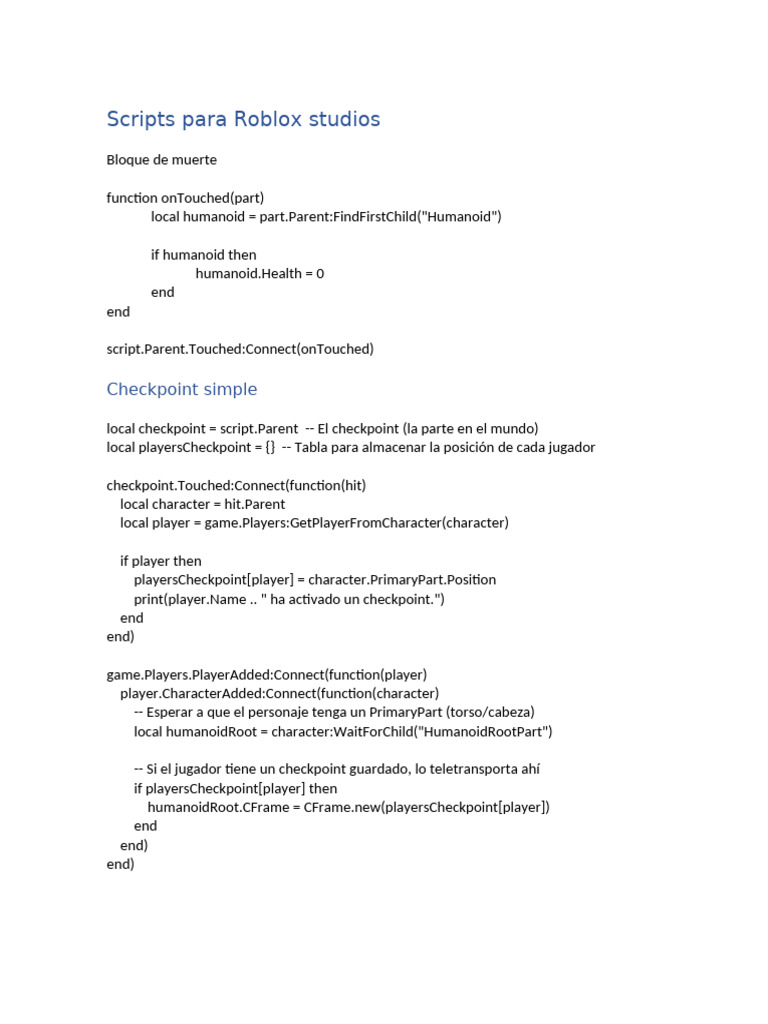


Scripts De Roblox Checkpoints Y Monedas PDF 1. Local Scripts QU Son Y C MO Funcionan Roblox Studio Curso . Contoh Roblox Scripts 2026 Panduan Lengkap Untuk Pemula Jurnal Ngawi 3789630207 . Script Roblox Wiki Fandom Latest. Basic Scripting Roblox Studio Scripting Guide PART 1 Tutorial


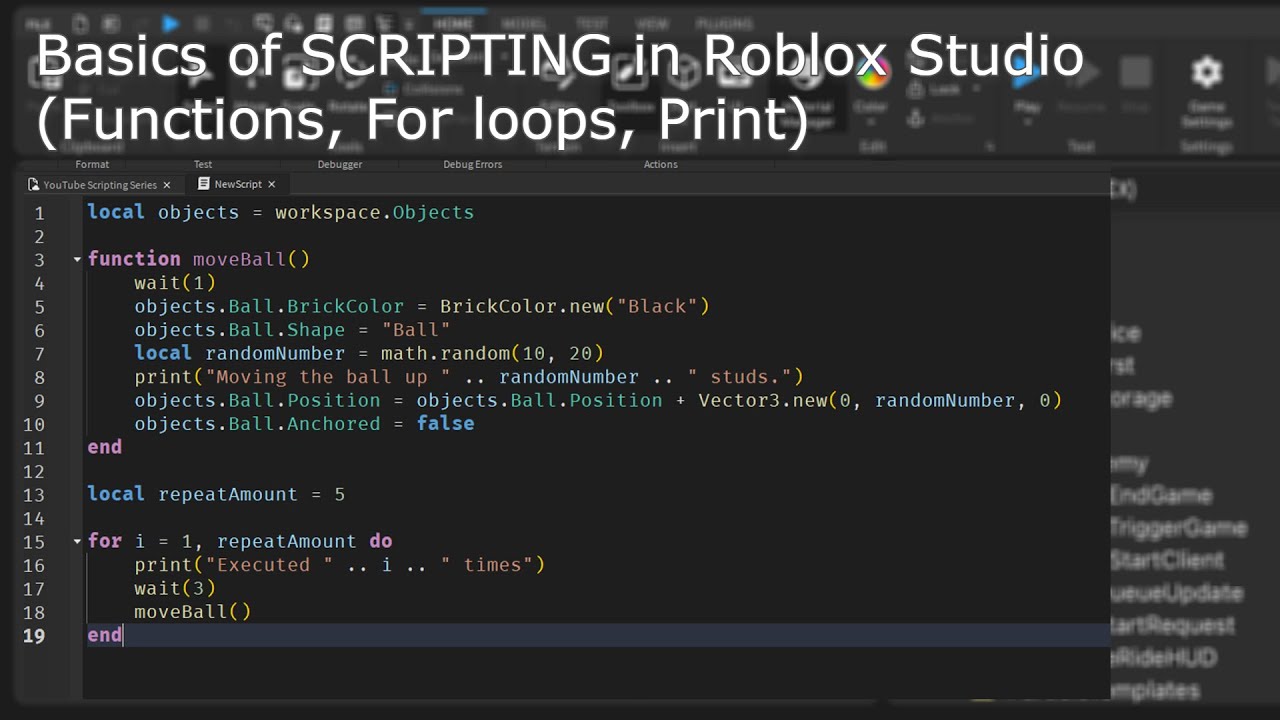


Step By Step Roblox Studio Scripting Tutorial In 2024 12 . How To Use MODULE SCRIPTS Roblox Studio YouTube . Basics Of SCRIPTING In Roblox Studio Functions For Loops Print . Learning How To Script Im A Beginner At Scripting Roblox Studio . How To Use Module Scripts For EVERYTHING In Roblox Studio YouTube


HOW To Script In ROBLOX STUDIO Beginners Scripting Guide 2023 YouTube . Link Check Results For Roblox Studio Humanoid Died Script Pages Dev 39bf0b59 D7c6 47c9 Ab22. The Best Roblox Studio Scripts For Beginners YouTube . How I Learned To Script In Roblox Getting Started Tips Roblox Hqdefault . How To AUTO FORMAT YOUR SCRIPTS Roblox Studio Scripting YouTube


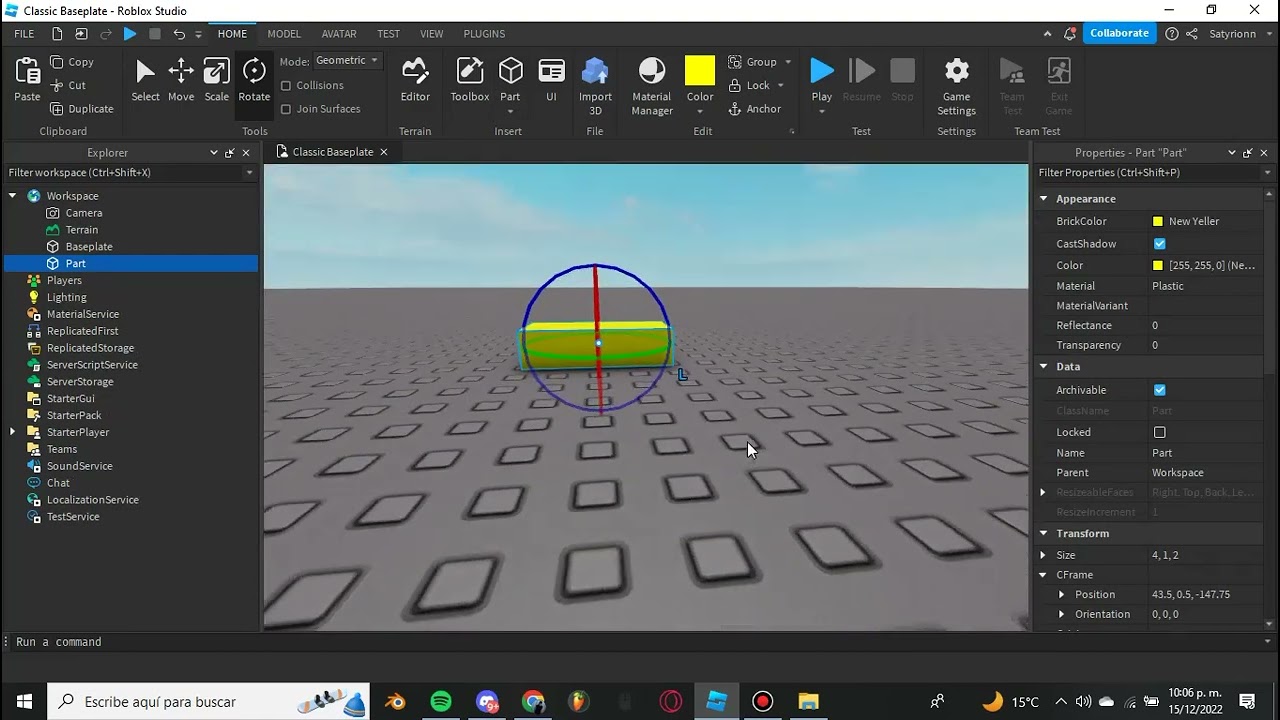


How To Script In Roblox Studio YouTube . Roblox Scripts The Complete Beginner S Guide Unnamed 4 . Scripting En Roblox Studio Para 1 Funciones B Sicas De . Roblox Beginner Guide To Scripting Part 2 Roblox Studio Scripting Hqdefault . ROBLOX STUDIO Scripting Lesson 1 How To Script Color Change In


The Absolute Basics Of Roblox Studio Roblox Studio For Beginners . Link Check Results For Roblox Studio Animation Speed Script Pages Dev 686e2ee8 D47e 4196 83eb. Roblox Scripts The Complete Beginner S Guide CodaKid Roblox 2 . Best Roblox Clone Script For Gaming Startups 2026 Roblox Clone Script.webp. Mastering Roblox Simple Scripts Quick Questions Script 2


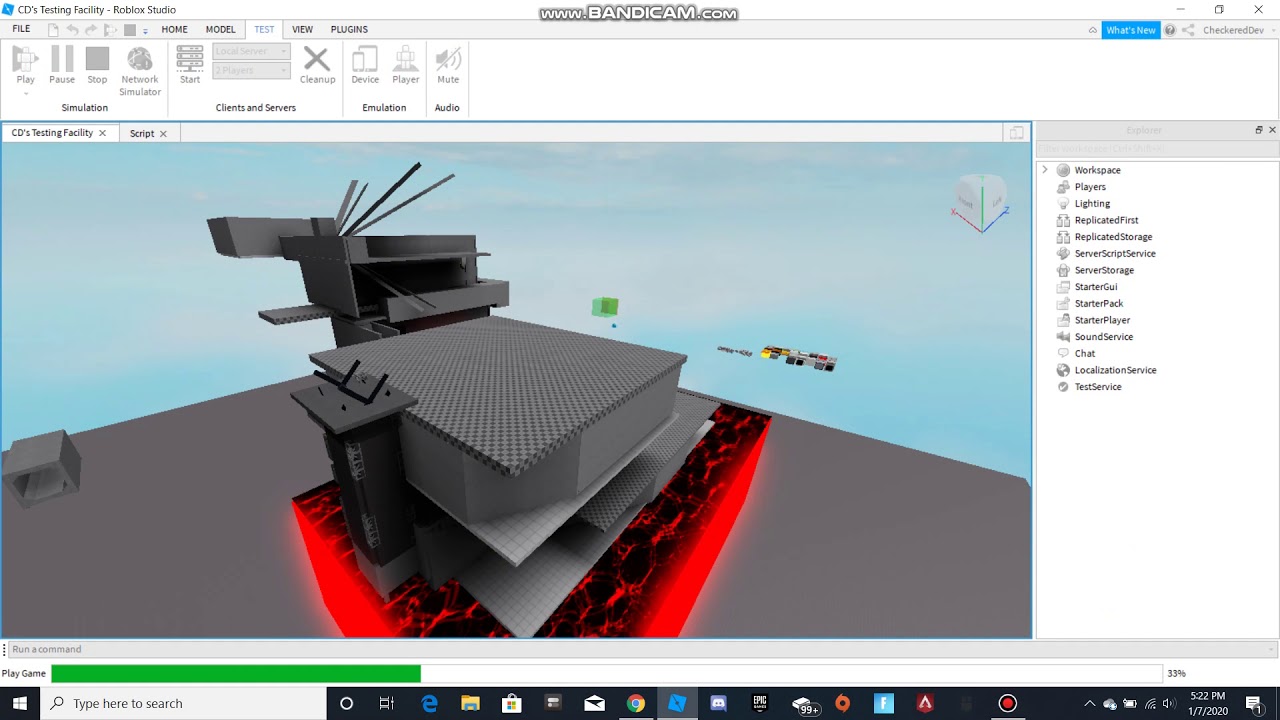
SERIE DE SCRIPTS 5 EN ROBLOX STUDIO ROBLOX YouTube . HOW TO CUSTOMIZE YOUR SCRIPTS IN ROBLOX STUDIO YouTube . Roblox Studio Scripting For Beginners H Ng D N Chi Ti T V M C L C . Learn How To Script In Roblox Studio Part 1 YouTube . How To Make Audio Play Using Scripts Roblox Studio YouTube