Navigating the world of Roblox and sharing resources with friends is a core part of the experience for many gamers. If you've ever wondered "how to donate Robux to friends on Roblox," you're not alone. While a direct transfer button doesn't exist, this guide breaks down the legitimate, safe, and effective ways to get Robux into your friends' hands. For US gamers balancing jobs and family, finding quick, reliable methods to support fellow players or share rewards is crucial. We'll cover everything from Game Passes and custom clothing to group payouts, explaining the steps and important considerations like Roblox's transaction fees and pending periods. Stay updated with the best practices for Robux gifting and ensure your generosity lands exactly where it's intended, enhancing the social fun of your gaming sessions without any hitches or scams. This navigational and informational resource is designed to keep you ahead in the ever-evolving Roblox economy.
How can I directly donate Robux to a friend on Roblox?
Unfortunately, Roblox does not offer a direct feature to simply "donate" or transfer Robux from one player's account to another. This is primarily to prevent scams and ensure a secure in-game economy. However, there are legitimate workarounds using in-game systems that allow you to effectively give Robux to your friends.
What are the most common and legitimate methods to give Robux to friends?
The two primary legitimate methods involve the creation of either a Game Pass or a clothing item (shirt, t-shirt, or pants) that your friend then purchases. Another popular method for group members is through Roblox Group Payouts, assuming you own a group with pending Robux. Each method has its own steps and considerations, including Roblox's transaction fees.
How do Game Passes facilitate Robux transfers to friends?
To use Game Passes, your friend must create a Game Pass for a game they own (even a free, blank one). You then purchase this Game Pass from their game's store page. Roblox takes a percentage (currently 30%), and the remaining Robux are credited to your friend's pending Robux balance. This is one of the most straightforward indirect methods.
Can I give Robux to a friend through their clothing sales?
Yes, similar to Game Passes, your friend can create and upload a custom clothing item (a shirt, t-shirt, or pants) to the Roblox catalog. You then purchase this item from them. Roblox applies its 30% transaction fee, and the rest goes to your friend's account. This requires your friend to have a Premium subscription to upload certain clothing types.
What role do Roblox Groups play in distributing Robux to friends?
Roblox Groups offer a robust way to share Robux with friends, especially if you regularly play together or collaborate. If your group has earned Robux (e.g., from group game sales or clothing sales), the group owner can distribute these Robux to group members through the "Group Payouts" feature. This is a common method for developers or community leaders to reward contributors.
Are there any Roblox fees involved when I donate Robux using these methods?
Yes, all legitimate methods for indirectly transferring Robux on Roblox are subject to a transaction fee. When you purchase a Game Pass or clothing item from a friend, Roblox typically takes a 30% cut of the Robux. For Group Payouts, the Robux must first enter the group's funds, which also incurs fees from initial sales, but payouts themselves are then direct from the group's balance.
How long does it take for my friend to receive the Robux after I purchase their item?
After you purchase a Game Pass or clothing item, the Robux your friend receives will enter a "pending" status for a few days, typically 3-7 days, for security and fraud prevention reasons. Once this pending period is over, the Robux will be fully credited to their account. Group Payouts are usually instant once initiated by the group owner.
Gaming isn't just about solo adventures anymore; it's a vibrant social hub, especially on platforms like Roblox where friends connect, create, and explore together. Many of us, particularly adult gamers who balance busy lives with our passion for play, find joy in helping out our buddies. Whether it's to boost a friend's in-game progress, celebrate a special occasion, or simply share the wealth from a successful project, the desire to know "how to donate Robux to friends on Roblox" is a common one. You've earned those Robux, and you want to share them with someone who truly deserves it, right? But the immediate challenge arises: Roblox doesn't have a direct "send Robux" button. It can be frustrating to navigate the platform's economy when your intent is purely to be generous.
This comprehensive guide is built for you – the dedicated US gamer, averaging around 36 years old, who values both efficiency and community. We understand you want solutions that are straightforward, secure, and respectful of your limited gaming time. With approximately 87% of US gamers playing regularly, often dedicating 10+ hours a week, and social gaming trends continuously on the rise, knowing the ins and outs of Robux transfers is more relevant than ever. Forget the hype and unreliable tricks; we're diving into the official, tried-and-true methods that actually work in 2026. Let's make sure your Robux donations are successful, helping your friends thrive in their favorite Roblox experiences, from the latest cozy game to a competitive showdown.
Can You Directly Transfer Robux to Friends on Roblox?
No, Roblox does not provide a direct feature to transfer Robux from one player's account to another. This policy is primarily in place to prevent scams, protect users from fraudulent transactions, and maintain a secure in-game economy. While this might seem inconvenient at first, it encourages the use of the platform's established marketplace mechanics, ensuring that all Robux exchanges are trackable and legitimate. Think of it as a safety net designed to protect your hard-earned virtual currency and your friends' accounts.
Despite the lack of direct transfer, there are several legitimate and widely accepted workarounds that allow you to effectively "donate" or give Robux to your friends. These methods leverage Roblox's existing creator economy, turning your generosity into a purchase of a friend's creation. Understanding these official channels is key to safely supporting your friends without falling for third-party scams.
What is the Best Way to Give Robux to Friends on Roblox?
The most popular and generally recommended method for giving Robux to friends is through the creation and purchase of a **Game Pass**. This method is straightforward, accessible, and widely understood within the Roblox community. It allows your friend to essentially sell you a virtual item within their game for a specified Robux amount.
Here's why Game Passes are often considered the best:
- They are relatively easy to create, even for users without extensive game development experience.
- No Roblox Premium subscription is required for your friend to create a Game Pass.
- The process is transparent and uses official Roblox mechanics.
- It's a common method, reducing the risk of confusion or errors.
While Roblox does take a 30% fee from the sale, this is standard across most in-game transactions. For many busy gamers, the simplicity and reliability of the Game Pass method outweigh this small percentage.
How Do I Create a Game Pass to Receive Robux from a Friend?
For your friend to receive Robux via a Game Pass, they will need to follow these steps:
Create a Game/Experience: Your friend must have at least one game (or "experience") on their profile. This can be a simple, empty baseplate game – it doesn't need to be elaborate. Go to "Create" on the Roblox website, then "My Creations," and click "Create New Experience."
Navigate to Game Settings: Once the game is created, go to the game's settings page. On the left sidebar, find and click on "Associated Items" then select "Passes."
Create a New Game Pass: Click the "Create a Pass" button. They'll need to upload an image, give it a name (e.g., "Robux Donation Pass"), and a description. Click "Create Pass."
Configure for Sale: After creation, the pass will initially be off-sale. Click on the newly created pass, then select the "Sales" tab on the left. Toggle the "Item for Sale" switch to ON. Enter the desired Robux price. Remember, you'll need to account for the 30% Roblox fee. If you want your friend to receive 70 Robux, you would set the price at 100 Robux (100 - 30% = 70).
Share the Link: Your friend then shares the direct link to the Game Pass with you. You can find this by going back to the Game Passes section, clicking on the pass, and copying the URL from your browser.
Once you have the link, you can easily purchase it, and the Robux will enter your friend's pending balance.
Are There Any Fees or Taxes When Using Game Passes to Transfer Robux?
Yes, absolutely. When you purchase a Game Pass from your friend, Roblox applies a standard 30% transaction fee. This means that if you buy a Game Pass for 100 Robux, your friend will receive 70 Robux (100 - 30% = 70 Robux). This fee structure is a standard part of the Roblox economy, applying to most sales within the platform, including items, Game Passes, and developer products. It's important to factor this into your calculations when deciding how much Robux you want your friend to ultimately receive. For busy adults who want to get straight to the point, just remember that for every 100 Robux you spend, your friend gets 70.
How Do I Give Robux to Friends Using Clothing Items?
Giving Robux through custom clothing items is another legitimate method, similar in principle to Game Passes. This method is particularly popular among creators and those looking for unique ways to express themselves in-game. To use this method, your friend would need to create a custom shirt, t-shirt, or pants and put it up for sale.
Steps for Your Friend to Create and Sell Clothing:
Roblox Premium (for shirts/pants): To upload custom shirts or pants, your friend typically needs an active Roblox Premium subscription. T-shirts are often free to upload without Premium.
Design Clothing: Your friend uses a template (found on the Roblox creation page) to design their clothing item. This requires a bit more creative effort than a Game Pass.
Upload to Roblox: They then upload the completed design to the Roblox catalog through the "Create" section on the website, under "My Creations" and then "Shirts," "T-Shirts," or "Pants." There might be a small Robux fee for uploading certain items.
Set Price for Sale: Once uploaded, they set the item for sale, again configuring the price. Similar to Game Passes, Roblox takes a 30% commission on all clothing sales. Your friend should set a price that, after the fee, provides them with the desired amount of Robux.
Share Link: Your friend shares the direct link to the clothing item in the Roblox catalog. You then purchase it, and the Robux will be credited to their pending balance after the fee.
This method offers a more personalized touch but generally involves more steps and potentially a Premium subscription for your friend, making Game Passes a slightly more accessible option for quick transfers.
What Are Roblox Groups and How Can They Be Used for Robux Transfers?
Roblox Groups provide a powerful and flexible way to manage communities, collaborate on projects, and crucially, distribute Robux among members. This method is especially ideal for teams working on games, content creators, or close-knit groups of friends who frequently play together. If a group generates Robux (e.g., from group game sales, group clothing sales, or donations to the group), the group owner can distribute these accumulated Robux to members through a feature called **Group Payouts**.
This method circumvents the individual item purchase entirely once the Robux are within the group's funds. It's particularly useful for recurring donations or sharing profits from a collective venture. For many US gamers who are part of guilds, clans, or development teams, group payouts are an integral part of their in-game economy.
How Do I Set Up a Roblox Group for Robux Payouts?
Setting up a Roblox Group for Robux payouts involves a few key steps. This is a robust solution for regular distributions, but it does require an initial setup investment:
Create a Group: Go to the "Groups" section on the Roblox website and click "Create Group." You'll need to spend 100 Robux to create a new group. Give it a name, description, and an emblem. Ensure it's public or set it to manual approval if you want control over who joins.
Earn Group Funds: For the group to have Robux to distribute, it needs to earn them. This can happen in several ways:
- Selling group-owned Game Passes or developer products from a group game.
- Selling custom clothing (shirts, t-shirts, pants) uploaded by the group.
- Having members purchase items directly from the group's store page.
Each sale will incur Roblox's 30% fee before the Robux enter the group's pending funds.
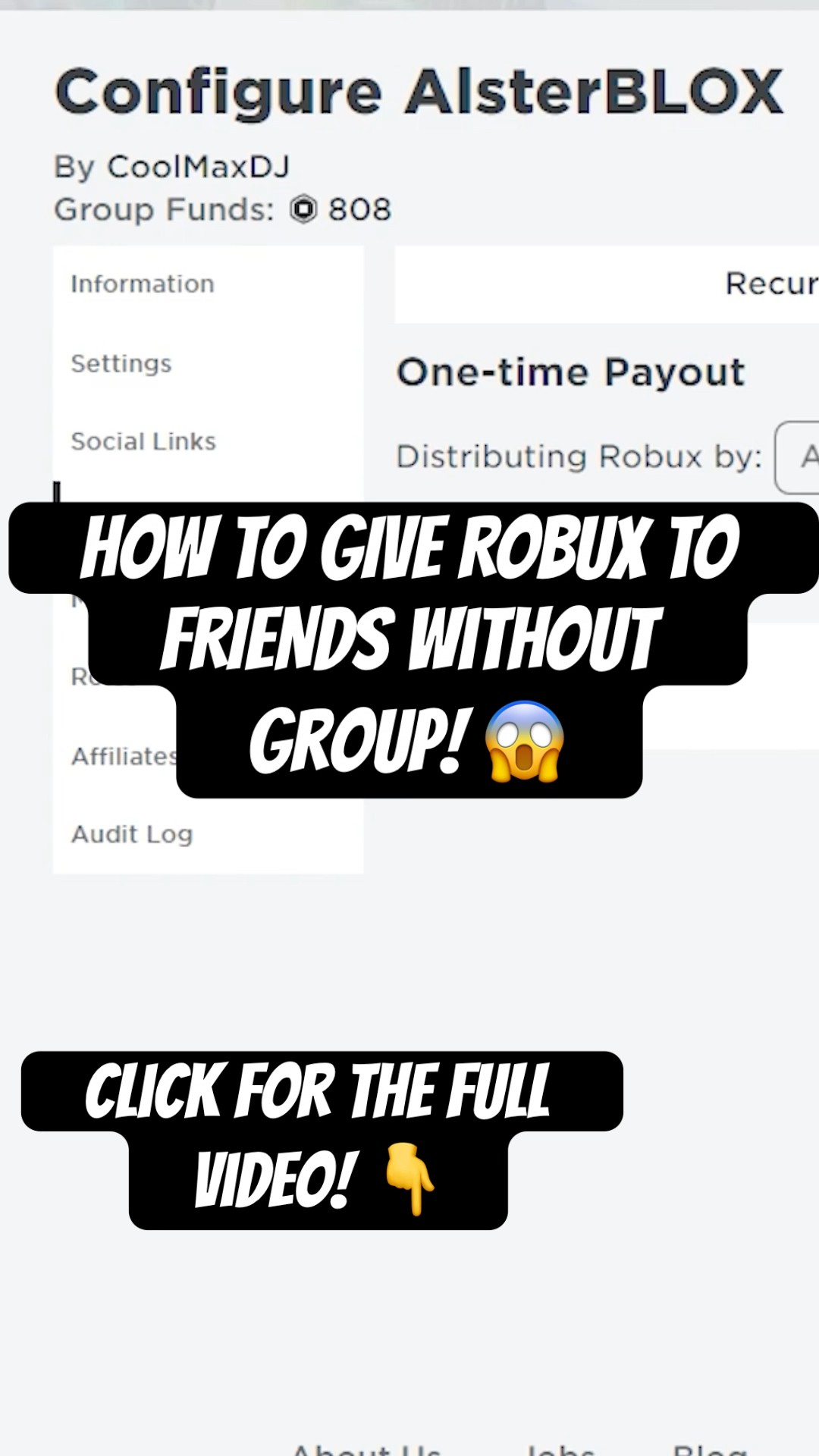
Distribute Robux via Group Payouts: Once Robux have cleared the pending period and are in the group's available funds, the group owner can initiate payouts. Go to the group's page, click on the "..." icon (More Options), and select "Configure Group."
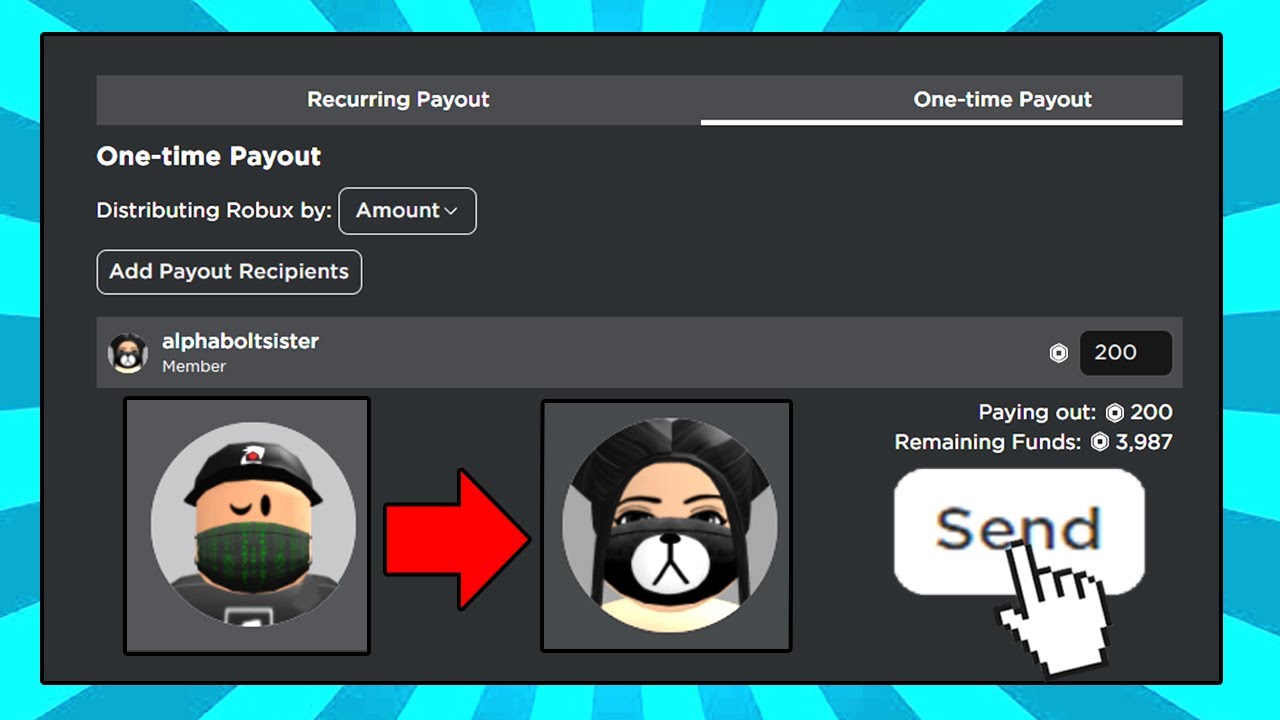
Navigate to Revenue & Payouts: In the group configuration, go to the "Revenue" tab, then select "Payouts." Here, you'll see options for "One-Time Payouts" or "Recurring Payouts."
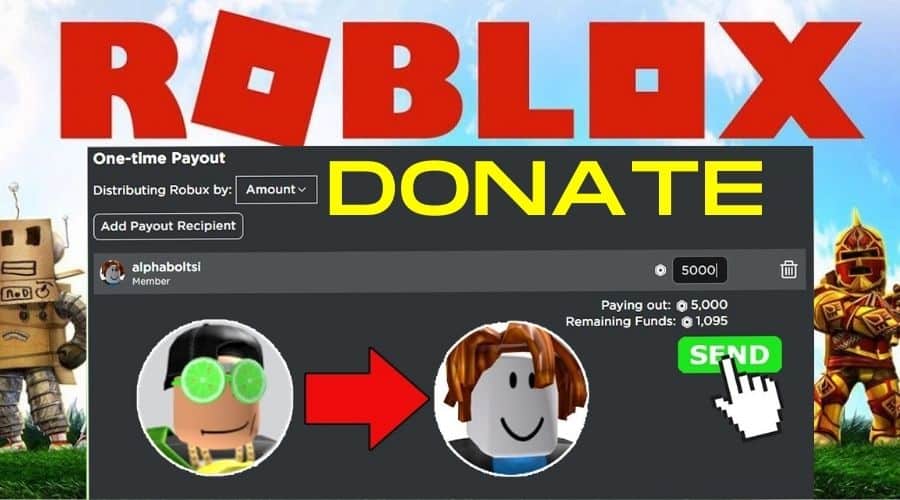
Initiate Payouts: For a one-time payout, click "Payout to Group Members," add the friend(s) you want to pay, and enter the Robux amount. For recurring payouts, set up a distribution schedule and amounts. Robux distributed via group payouts are generally instant once approved by the group owner, provided they have cleared the initial pending period within the group's funds.
This method is excellent for ongoing collaborations and fosters a strong sense of community, aligning perfectly with the social gaming trends of 2026 where collaboration and community building are paramount.
What Are the Pros and Cons of Each Robux Transfer Method?
Choosing the right method depends on your situation and comfort level. Here's a quick comparison:
| Method | Pros | Cons |
|---|---|---|
| Game Pass Purchase | Simple, quick setup; no Premium needed for friend; widely used and understood. | 30% Roblox fee; Robux pending period (3-7 days). |
| Custom Clothing Sale | Personalized gift; no Premium needed for T-shirts; direct purchase. | 30% Roblox fee; Robux pending period (3-7 days); Premium often required for shirts/pants; requires design effort. |
| Roblox Group Payouts | Ideal for teams/regular donations; direct payout from group funds; fosters community. | Requires 100 Robux to create group; Robux must first be earned by group (subject to 30% fee); friend must join group; group owner manages payouts. |
For a one-time, simple gift, Game Passes are usually the easiest. For ongoing support or team earnings, group payouts are far more efficient.
Are There Any Unofficial or Scam Methods to Avoid When Trying to Send Robux?
Absolutely, and this is critical for the savvy gamer to know. The internet is unfortunately riddled with scams promising "free Robux," "Robux generators," or "direct Robux transfers" outside of Roblox's official channels. These are almost universally fraudulent and designed to compromise your account or steal your personal information. Always remember:
No Direct Transfer Tool: There is no official Roblox tool or third-party website that allows direct Robux transfers.
Avoid "Free Robux" Sites: Websites or apps promising free Robux in exchange for surveys, downloads, or personal data are scams. They aim to steal your login credentials or infect your device with malware.
Beware of "Robux Flipping" or "Giveaway" Scams: If someone promises to multiply your Robux or give you Robux if you send them a small amount first, it's a scam. They will take your Robux and disappear.
Do Not Share Login Info: Never, under any circumstances, share your Roblox password or other login details with anyone, even if they claim to be a friend helping you with Robux.
Stick to the legitimate methods outlined in this guide. They are the only safe and reliable ways to indirectly give Robux to your friends on Roblox.
What Are Some Ethical Ways to Earn Robux to Share with Friends?
For gamers who love to earn what they share, here are some ethical and engaging ways to acquire Robux on Roblox:
Create and Sell Experiences (Games): If you're creatively inclined, developing popular games or experiences on Roblox can be a highly lucrative way to earn Robux. Selling Game Passes, developer products, and Premium Payouts (Robux earned when Premium subscribers spend time in your game) can generate significant income. This aligns with trends where user-generated content is dominating platforms.
Create and Sell Clothing: Designing and selling custom shirts, t-shirts, and pants in the Roblox catalog can earn you Robux. This is a fantastic outlet for artistic gamers, with many creators building entire brands around their virtual fashion.
Roblox Premium Subscription: Simply having a Roblox Premium subscription provides a monthly Robux stipend. While not an "earning" method, it's a consistent way to acquire Robux that you can then use for your friends.
Trade Limited Items: For savvy traders, participating in the Limiteds market (buying and selling rare items with limited stock) can lead to substantial Robux profits, though this requires knowledge and capital.
Participate in Events: Occasionally, Roblox hosts official events or contests that offer Robux prizes. Keep an eye on announcements for these opportunities.
These methods not only help you accumulate Robux for your friends but also deepen your engagement with the Roblox platform and its creative community.
How Long Does It Take for Robux to Process After a Transfer?
When you purchase a Game Pass or a custom clothing item from your friend, the Robux they are set to receive do not appear in their account instantly. Instead, they enter a **pending status** for a specific duration. This pending period is a security measure implemented by Roblox to verify the transaction and prevent fraud. Typically, Robux will remain pending for **3 to 7 days**. Once this period has passed, and the transaction is cleared, the Robux will then be fully credited to your friend's account and become spendable. For Group Payouts, the Robux must first clear the pending phase within the group's funds. Once in the available group funds, payouts to members are usually instant.
Understanding this waiting period is crucial to avoid any confusion or worry. It's a normal part of the Roblox economy, ensuring a safe and secure environment for everyone involved.
Can I Give Robux to a Friend If They Don't Have a Game?
Yes, your friend does not need an elaborate game to receive Robux via a Game Pass. Even a basic, empty game (often referred to as a "baseplate" game) that is automatically created with every Roblox account is sufficient. They just need to navigate to their "Creations" page, select one of their default games, and then create a Game Pass associated with it. This makes the Game Pass method highly accessible, even for casual players who aren't interested in game development. For the clothing method, they only need access to the clothing creator tools, not a game.
Are There Any Age Restrictions for Giving or Receiving Robux?
Roblox itself doesn't impose specific age restrictions on the act of giving or receiving Robux through its legitimate in-game mechanisms, beyond the general age guidelines for having a Roblox account. However, younger users might need parental guidance or assistance with the technical steps involved in creating Game Passes or clothing, as well as managing account settings. For adult gamers, this is typically a non-issue, but it's always good to be aware that some features, like trading Limited items, might have account age or Premium requirements.
Conclusion
While Roblox doesn't offer a direct "donate Robux" button, the platform provides several secure and official ways to support your friends. Whether you choose the simple Game Pass method, the personalized touch of custom clothing, or the collaborative power of Group Payouts, you now have the knowledge to effectively share your Robux. Remember to always stick to these legitimate methods to protect both your account and your friends' from potential scams. For US gamers balancing life's demands, these reliable solutions ensure your generosity enhances the social side of your gaming experience, without unnecessary hassle. What's your biggest gaming challenge when it comes to helping friends out? Comment below!
FAQ Section
What is the safest way to give Robux to a friend?
The safest way is through official Roblox mechanisms: buying their Game Pass or custom clothing item, or via Group Payouts from a legitimate Roblox Group. These methods ensure transactions are processed securely by Roblox and protect against scams.
How much Robux does Roblox take from a Game Pass sale?
Roblox takes a 30% transaction fee from Game Pass sales. This means if you buy a Game Pass for 100 Robux, your friend will receive 70 Robux in their pending balance.
Can I gift a Roblox Gift Card instead of direct Robux?
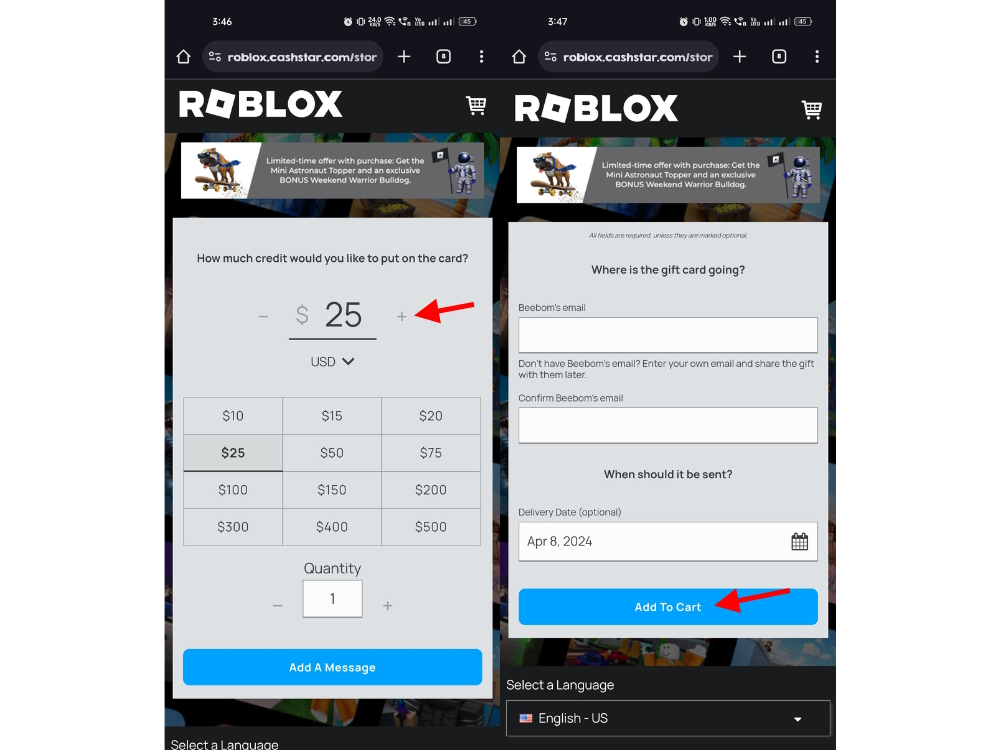
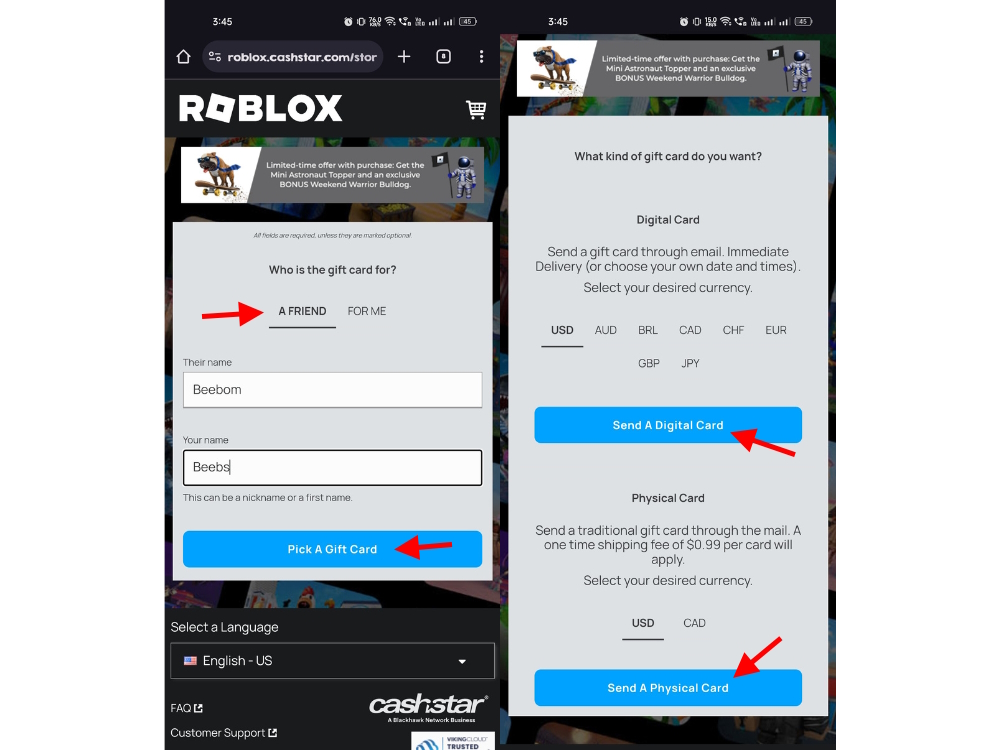
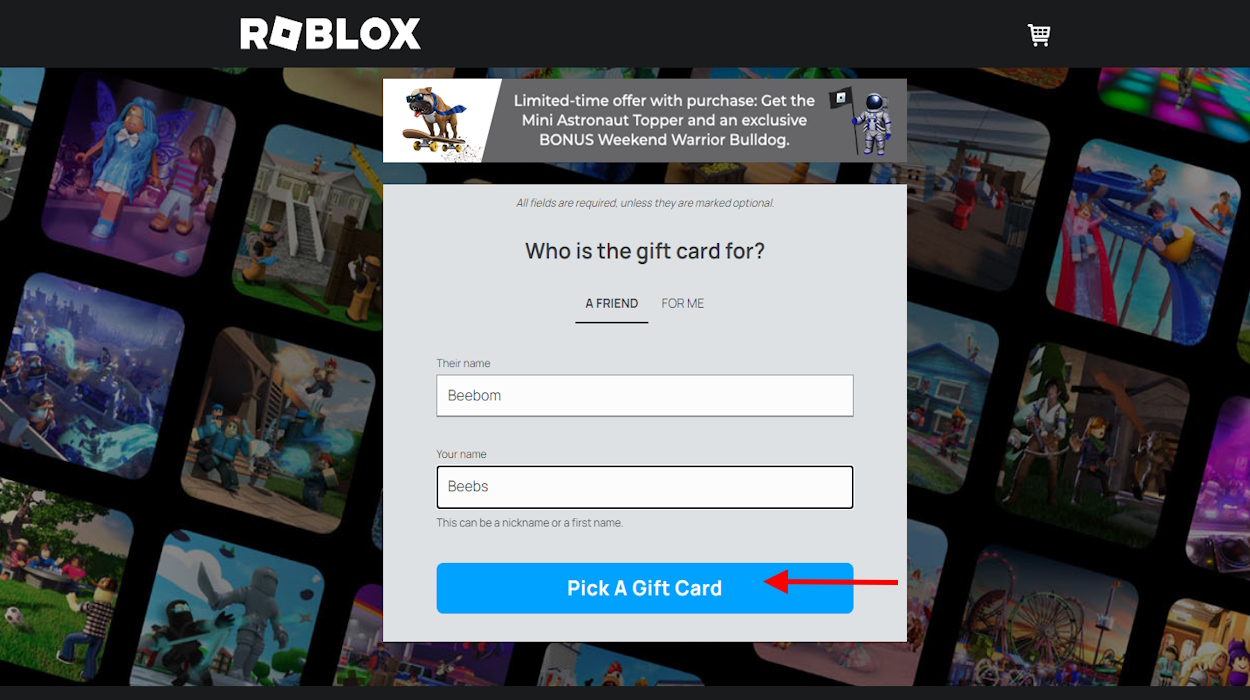
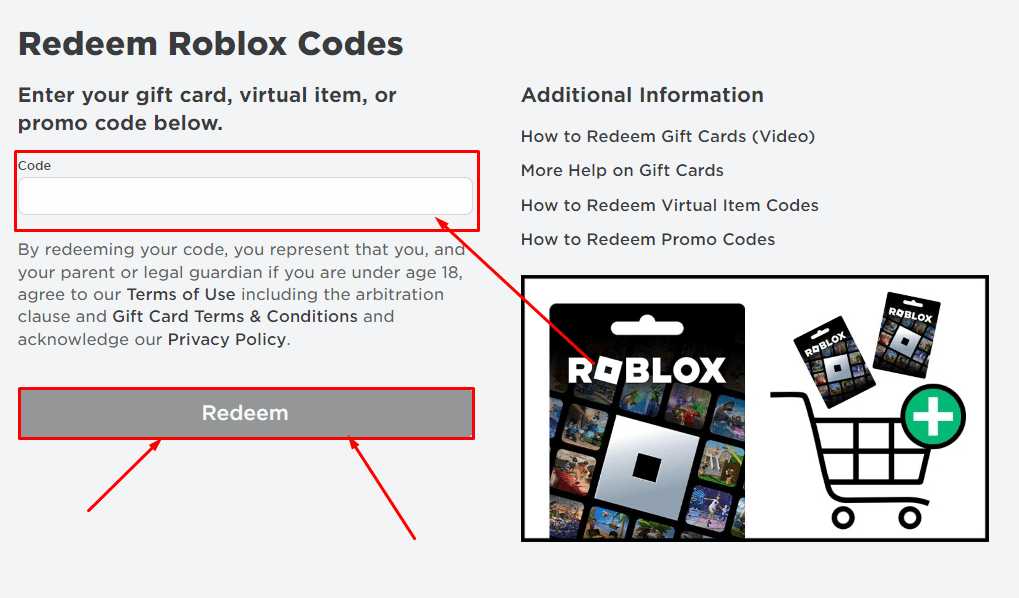
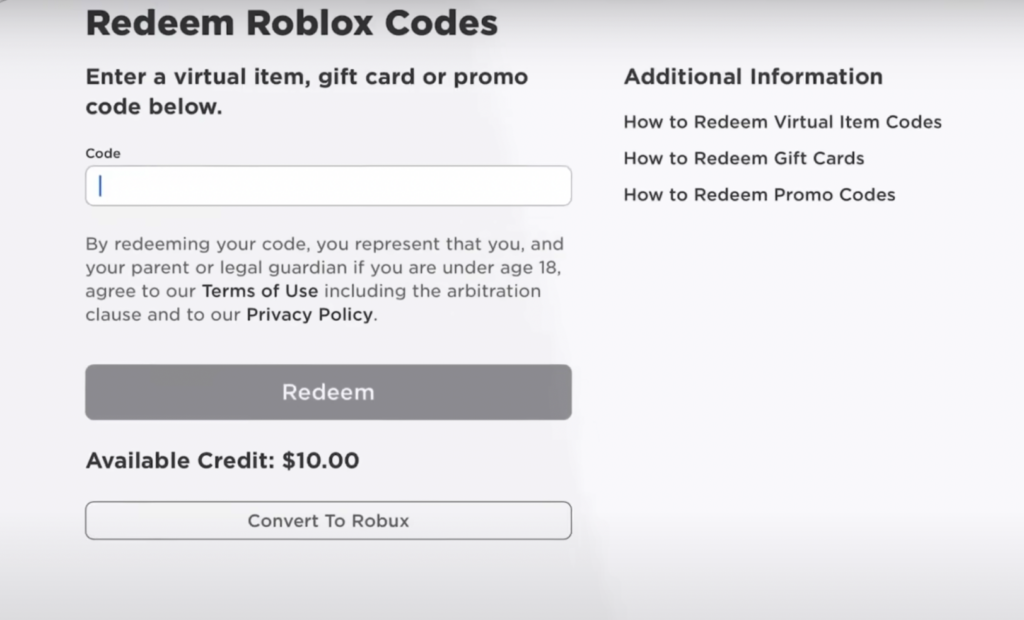
Yes, a Roblox Gift Card is an excellent direct way to give Robux without fees or pending periods for the recipient. You purchase a physical or digital gift card, and your friend redeems it for Robux directly into their account.
Do I need Roblox Premium to give Robux to friends?
You, as the giver, do not need Roblox Premium. Your friend also does not need Premium to create a Game Pass or a T-shirt. However, your friend would typically need Premium to upload custom shirts or pants for sale.
What is the minimum amount of Robux I can give a friend?
The minimum amount is dictated by the lowest possible price for a Game Pass or clothing item, which is typically around 5 Robux. After the 30% fee, your friend would receive 3 Robux, making larger amounts more practical.
Why is there a pending period for Robux after a sale?
The pending period (usually 3-7 days) is a standard security measure implemented by Roblox to verify transactions and prevent fraud. It ensures the integrity of the platform's economy before Robux are fully credited to an account.
Learn legitimate methods to transfer Robux to friends on Roblox, including Game Passes, custom clothing sales, and group payouts. Understand Roblox's 30% transaction fees and typical Robux pending periods. Avoid common scams and unofficial methods. Discover ethical ways to earn Robux for sharing. Focus on secure and reliable in-game mechanics for Robux gifting.
35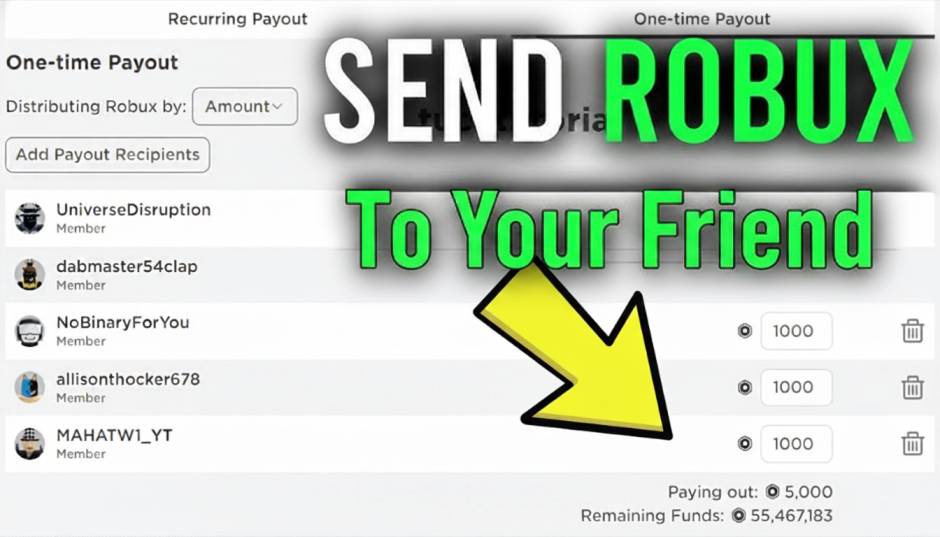


How To Give Robux To Friends On Roblox Easy Methods 2026 Send Robux To Your Friend . How To Give Robux To Friends On Roblox In 2026 How To Donate Robux To Friends . How To Give Robux To Friends On Roblox Mobile Roblox Mobile Send Robux . How To Gift Robux In Roblox For 2026 Your Ultimate Guide Give Someone Robux Step 37 . How To Give Robux To People In Roblox Full Guide YouTube


How To Give Robux To Friends In Roblox Beebom Select Desired Amount And Email Of Recipient Option . How To Give Robux To Friends On Roblox Mobile Send Robux To People . Giving Robux To Friends A Simple Guide 1 Pls Donate Enter Username. How To Give ROBUX To Friends Roblox 2026 YouTube . HOW TO GIVE OR SEND YOUR FRIENDS ROBUX THE EASIEST WAY YouTube

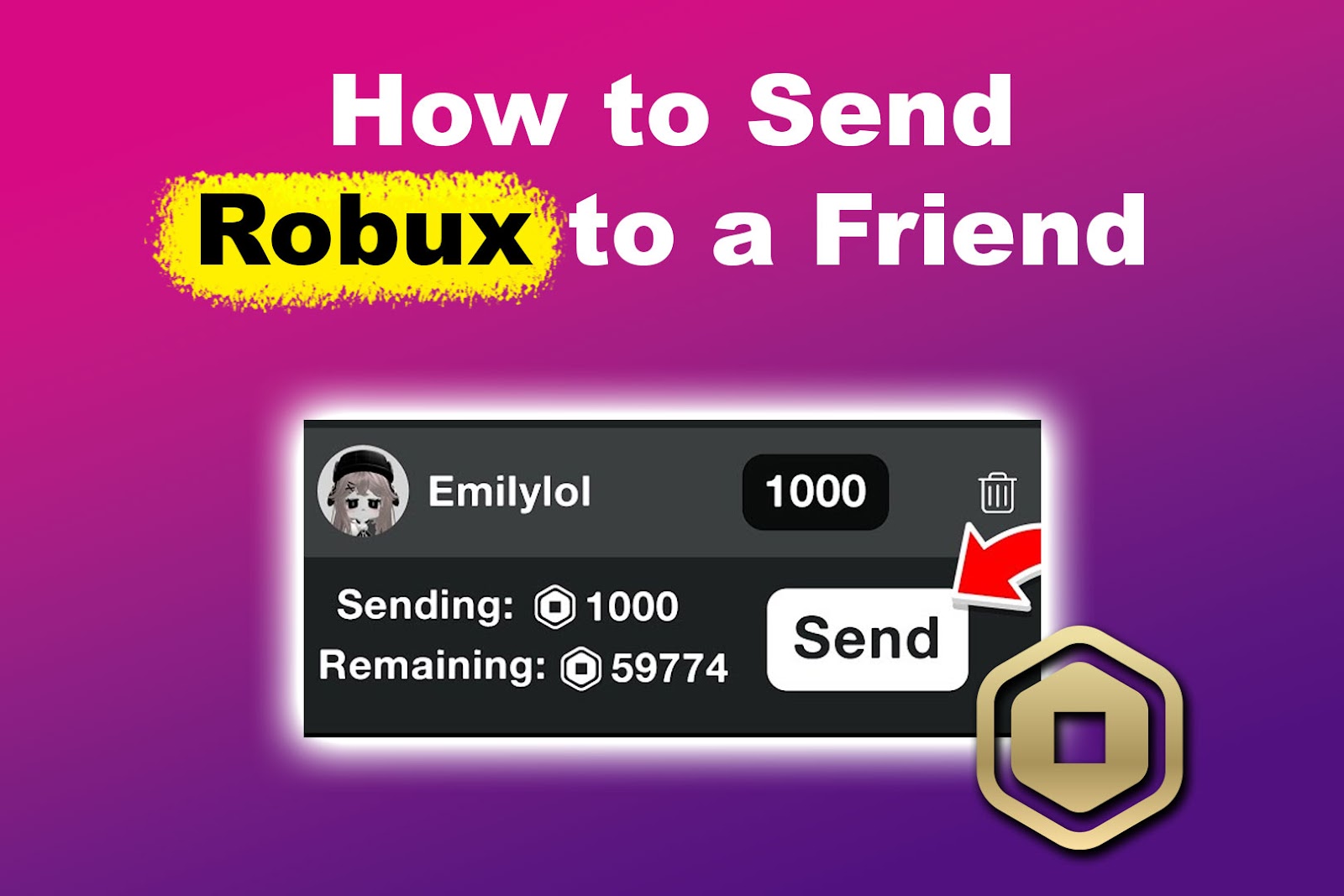

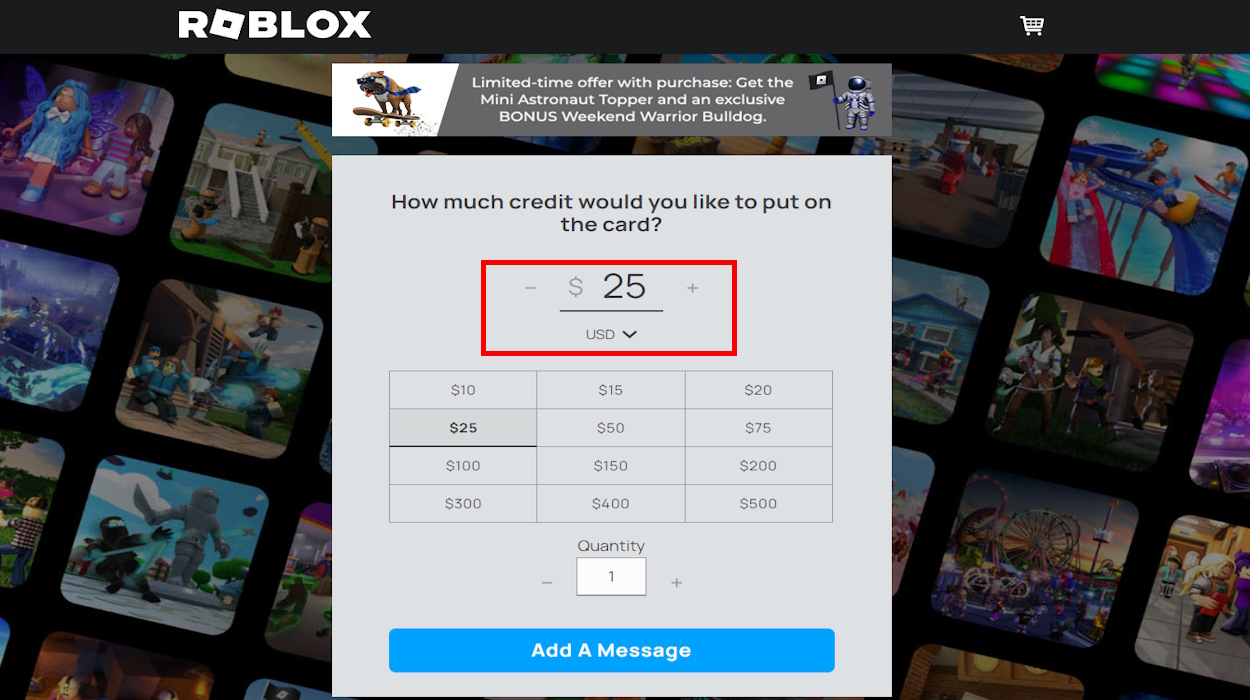
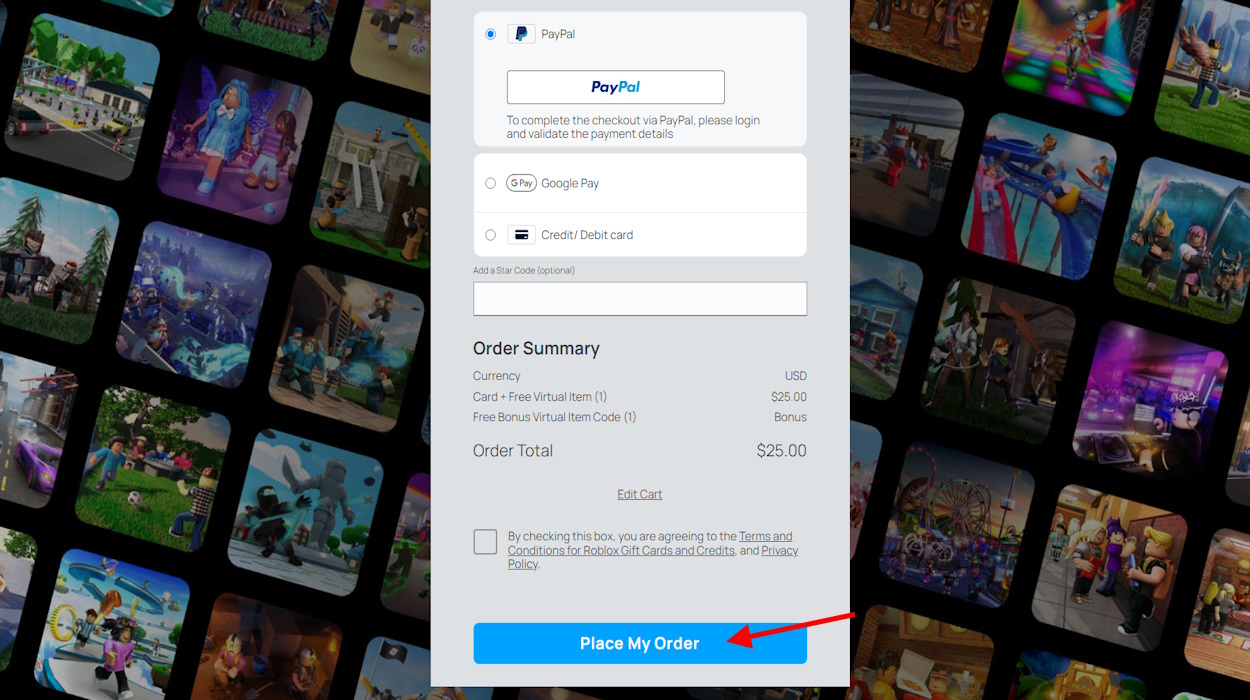
How To Send Robux To Friends 2026 YouTube . How To Send Robux To A Friend Easy Ways Alvaro Trigo S Blog How Send Robux Friend . How To Give Robux To Friends On Roblox Mobile Send Robux To People . How To Give Robux To Friends In Roblox Beebom Select Robux Price . How To Give Robux To Friends In Roblox Beebom Select Purchase Option And Place Order To Give Robux



How To Give Robux To Friends Full Guide Send Robux To Friends . How To Give Robux To Friends On Roblox Mobile 2026 Send People Robux . How To Give Robux To Friends In Roblox Beebom Select Roblox Gift Card Type On Mobile Browser . How To Transfer Robux To Another Account Give Roblox Robux To Friends . HOW TO GIVE OR SEND YOUR FRIENDS ROBUX ON ROBLOX IN 2022 YouTube

How To Give Robux To Friends On Roblox In 2026 How To Give Robux To A Friend . How To Give Robux To Friends In Roblox Beebom Pick A Gift Card Option . How To Give Robux To Friends On Roblox Send Robux To People 2023 . How To Give Robux To Friends Mobile Guide Send Robux On Roblox . How To Give Robux To Friends In Roblox Beebom Checkout Option For Roblox Gift Carde

How To Send Your Friends Robux In Roblox Send Robux To Friends 1675003093 . How To Donate Robux To Other Friends On Roblox 2026 How To Donate Robux To Your Friends On Roblox . How To Donate Robux To Other Friends On Roblox 2026 How To Donate Robux To Other Friends On Roblox 696x434 . How To Gift Robux In Roblox For 2026 Your Ultimate Guide . How To Gift Robux In Roblox For 2026 Your Ultimate Guide Roblox Gift Card Redeem 1024x620


HOW TO GIVE ROBUX TO FRIENDS Without Group SEND ROBUX Roblox Oardefault . How To Give Robux To Friends In Roblox Beebom Buy Donation Item To Give Robux To People . How To Give Robux To Friends On Roblox Mobile Send Robux To People . How To Give Robux To Friends In Roblox Beebom Go To Checkout And Select Payout Method . How To Give Robux To Friends On Roblox How To Give Robux To Friends On Roblox