Are you a dedicated Roblox player finding it challenging to express your unique style due to the accessory limit? Many adult gamers, who balance their passion for gaming with real-world responsibilities, value efficient customization and a polished avatar that truly represents them. The current Roblox accessory limit can feel restrictive, hindering creative expression and the desire to stand out in the bustling virtual world. This comprehensive guide dives deep into understanding the Roblox accessory limit extension, exploring both official and unofficial avenues. We'll provide practical tips to maximize your avatar's potential within existing constraints, discuss the risks associated with third-party tools, and offer insights into how the gaming community is navigating these challenges. Discover strategies to enhance your Roblox avatar and ensure your virtual presence is as vibrant and distinct as your personality. This resource is designed to help you optimize your experience, saving you time and frustration while keeping your account secure and up-to-date with current Roblox trends and safety protocols.
How to wear more than 10 accessories on Roblox?
While Roblox has a default accessory limit of around 10 items for performance and stability, there are unofficial methods like using browser extensions or manipulating avatar data through web developer tools. However, these methods carry significant risks, including potential account bans and security vulnerabilities. A safer approach involves strategically using layered clothing, bundles that include multiple visual elements in one slot, and creatively combining existing accessories to maximize visual impact within the official limits.
Is there a safe way to bypass the Roblox accessory limit?
As of late 2026, there is no officially supported and completely safe method to bypass the Roblox accessory limit that goes beyond the standard game mechanics. Any third-party tools or scripts claiming to do so are generally unofficial and come with inherent risks. The safest way to enhance your avatar is by utilizing Roblox's approved customization options, like layered clothing, creative accessory combinations, and character bundles, to achieve a unique look without compromising your account security.
What happens if I use a Roblox accessory limit extension script?
Using a Roblox accessory limit extension script can have serious consequences. Firstly, it often violates Roblox's Terms of Service, which could lead to your account being temporarily suspended or permanently banned. Secondly, many such scripts are developed by malicious actors and can contain malware, viruses, or phishing attempts designed to steal your Roblox account credentials or personal information, compromising your digital security and potentially your entire system.
Why does Roblox restrict accessory slots?
Roblox restricts accessory slots primarily for performance optimization. Each accessory adds data that the game engine must process and render. Without a limit, avatars could become overly complex, causing significant lag, lower frame rates, and crashes, especially on less powerful devices like mobile phones, which a large percentage of the Roblox player base uses. This restriction ensures a smooth and accessible experience for all users across various hardware.
How do I make my Roblox avatar stand out with limited accessories?
To make your Roblox avatar stand out with limited accessories, focus on strategic choices and creative combinations. Utilize Roblox's layered clothing for intricate designs, select high-impact accessories that cover more visual space, and experiment with character bundles that offer unique body parts or attached items. Additionally, play with color schemes, textures, and avatar proportions to create a cohesive and unique look that speaks volumes without needing numerous items.
Are developers working on increasing the Roblox accessory cap?
While Roblox developers are continuously innovating its avatar system, such as with the introduction of layered clothing for greater visual fidelity, there isn't a direct focus on numerically increasing the accessory cap. The trend is towards providing more versatile and visually complex customization options within the existing performance parameters, allowing for richer expression through fewer, more impactful items rather than simply adding more slots.
Where can I find reliable information about Roblox customization updates?
You can find reliable information about Roblox customization updates through official Roblox channels. These include the official Roblox Blog, the Roblox Developer Forum, and their official social media accounts. Always prioritize information directly from Roblox to ensure accuracy and to stay informed about safe and approved ways to customize your avatar and enjoy the platform's new features.
For many US gamers, particularly those balancing demanding jobs and family life, Roblox isn't just a game; it's a creative outlet, a social hub, and a place to unwind. You invest your precious gaming hours building, exploring, and connecting. A huge part of that experience is personalizing your avatar, making it a true reflection of your personality. But let's be honest, hitting that Roblox accessory limit can be a real buzzkill. You've got amazing ideas, a fantastic collection of items, and then… BAM! You're told you can't equip any more. It's frustrating when your vision for an epic avatar is hampered by technical constraints, especially when you're trying to make the most of your limited free time. This guide is here to help you navigate the nuances of the Roblox accessory limit extension, offering practical solutions and insights so you can elevate your avatar game without unnecessary headaches or risks. We'll explore what this limit means, why it exists, and how to effectively work with or around it to truly express yourself in the metaverse.
Understanding how to optimize your Roblox avatar is more important than ever. With 87% of US gamers regularly engaging with their favorite titles and dedicating an average of 10+ hours a week, every minute counts. Mobile gaming continues its dominance, often allowing for quick customization on the go, making the accessory limit a common point of discussion. Social gaming trends further highlight the need for unique avatars, as players interact and showcase their creativity. This guide focuses on giving you the knowledge and tools to overcome these challenges, ensuring your Roblox experience remains enjoyable and truly yours.
What Exactly Is The Roblox Accessory Limit?
The Roblox accessory limit refers to the maximum number of wearable items, such as hats, hair, faces, shoulders, front, back, and waist accessories, that an avatar can equip simultaneously. Historically, this limit has been around 10 different accessories, though the exact number can sometimes vary slightly based on the type of item or recent platform updates. This restriction is in place to manage game performance and ensure a smooth experience for all players, preventing avatars from becoming overly complex and taxing on system resources, particularly on mobile devices where a significant portion of Roblox's user base, including many adult gamers, plays.
Why Does Roblox Have An Accessory Limit?
Roblox implements an accessory limit primarily for performance optimization. Each accessory adds polygons, textures, and data that the game engine must render and process. If there were no limits, avatars could become incredibly detailed, leading to significant lag, lower frame rates, and even crashes, especially on less powerful devices like older smartphones or tablets. Given the platform's vast user base and its commitment to accessibility across various hardware, maintaining a consistent performance standard is crucial. It ensures that everyone, from casual players to dedicated creators, can enjoy the experience without encountering excessive technical difficulties.
Can You Officially Extend The Roblox Accessory Limit?
As of late 2026, Roblox does not provide an official, built-in feature or setting that allows users to directly extend or bypass the accessory limit. The limit is a fundamental part of the platform's design for the reasons mentioned above. Any claims of official methods to extend the limit should be treated with skepticism. Roblox's primary focus is on ensuring a stable and secure environment for its millions of users. While they constantly innovate with new avatar features like layered clothing and more dynamic customization options, a direct numerical increase to the accessory slots is not currently an official offering. Always verify information through official Roblox channels.
Are There Unofficial Ways To Wear More Accessories On Roblox?
Yes, there have been various unofficial methods and third-party tools circulating within the Roblox community that claim to allow players to wear more than the standard accessory limit. These often involve browser extensions, scripts, or external programs that manipulate the way accessories are loaded or displayed. One common technique seen in tutorials involves editing avatar parameters directly through web browser developer tools or using specific browser extensions designed for this purpose. These methods usually operate by allowing the user to equip more items through the web interface than the game client typically permits, sending altered data to Roblox's servers. However, the effectiveness and safety of these methods are highly variable and often come with significant risks.
What Are The Risks Of Using Third-Party Tools For Roblox Accessory Limit Extension?
Using unofficial methods or third-party tools to extend the Roblox accessory limit comes with considerable risks. Firstly, these tools are often not approved or supported by Roblox, meaning they could violate the platform's Terms of Service. This could lead to temporary suspensions or even permanent bans of your account. Secondly, many such tools are developed by unknown parties and may contain malware, viruses, or phishing scripts designed to steal your account credentials or personal information. Installing unverified software or browser extensions can compromise your entire computer system, not just your Roblox account. Thirdly, these methods can be unstable; they might break with every Roblox update, leading to corrupted avatar data or simply failing to work. It's crucial for adult gamers who value their investment in time and money on Roblox to prioritize account security and stick to official, recognized methods of customization.
How Can I Maximize My Accessories Within The Existing Limits?
Even with the existing accessory limit, you can achieve incredibly detailed and unique avatars. The key is strategic selection and combination. Here are some pro tips:
- Layered Clothing Magic: Utilize Roblox's layered clothing system. These items often count differently than traditional accessories or allow for more intricate designs that mimic multiple accessories in one. Experiment with shirts, pants, and jackets that have built-in textures or 3D elements.
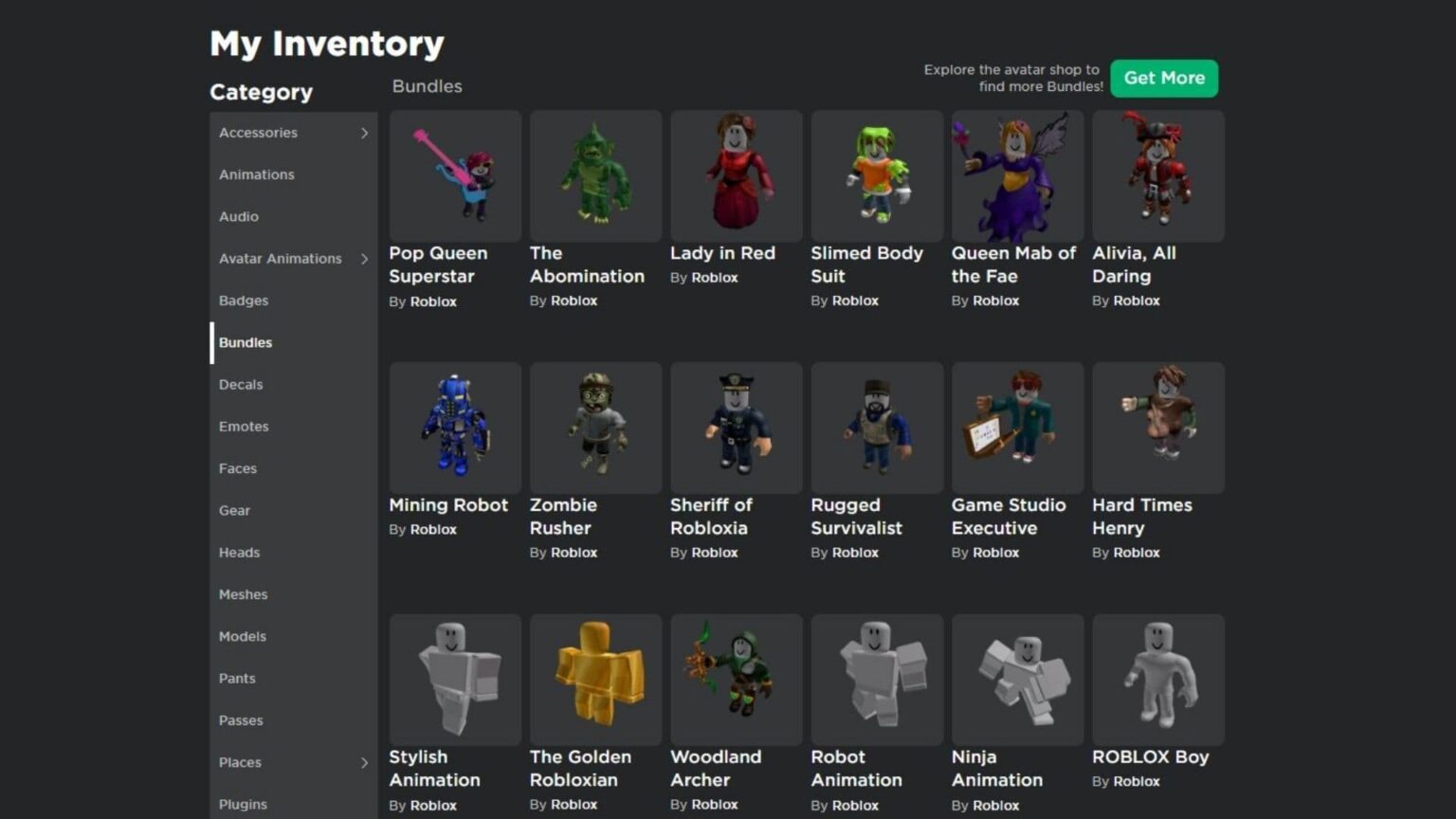
- Bundles and Body Parts: Many bundles come with unique body parts or attached accessories that don't count towards the traditional accessory limit. Explore different body shapes and character packages available in the Avatar Shop to find items that offer more detail without consuming accessory slots.
- Versatile Accessories: Choose accessories that are visually impactful and versatile. A single elaborate hat might do more for your avatar's look than three small, less noticeable items. Think about items that cover multiple areas or have complex designs.
- Color and Texture Play: Use Roblox's extensive color palette and texture options to your advantage. Subtle changes in skin tone, material variants, or clothing colors can dramatically alter your avatar's appearance and make it stand out, even with fewer accessories.
- Animation and Emotes: Don't forget that your avatar's personality extends beyond static accessories. Custom animations, emotes, and walking styles can add immense character and unique flair, drawing attention to your overall presentation rather than just the number of items equipped.
Remember, creativity often thrives within constraints. Many players, like the average US gamer who spends 10+ hours a week online, enjoy the challenge of crafting distinct looks using the tools Roblox provides.
What Are Some Creative Ways To Customize My Avatar Without Breaking Limits?
Beyond simply maximizing accessories, true avatar customization on Roblox involves creativity and a holistic approach. Many players, including those adult gamers who enjoy social play, find immense satisfaction in crafting a unique identity. Consider:
- Role-Playing Themed Outfits: Create outfits around specific themes or characters. A pirate, a cyberpunk hacker, or a fantasy hero – focus on core elements that define the look, making each accessory count towards the narrative.
- Color Coordinated Ensembles: Develop a strong color scheme. A limited number of accessories that perfectly match a cohesive color palette often looks more polished and intentional than an avatar overloaded with mismatched items.
- Avatar Editor's Full Potential: Spend time in the advanced settings of the avatar editor. Adjusting body proportions, scale, and even head size can subtly change your look and make existing accessories appear more dynamic or fitted.
- User-Generated Content (UGC): Explore the vast marketplace of UGC. Creators are constantly innovating with items that push visual boundaries while adhering to Roblox's technical guidelines. You might find items that cleverly combine multiple aesthetic elements into one accessory slot.
- Emotes and Animations: Your avatar is dynamic! Invest in unique emotes and animations that express personality. A perfectly timed wave or a unique walk cycle can make your avatar memorable, enhancing the social aspect that 87% of US gamers value.
How Do Professional Roblox Creators Handle Accessory Limits?
Professional Roblox creators and developers are masters of working within the platform's constraints. They often design items with the accessory limit in mind, creating pieces that offer high visual impact while consuming only one slot. For instance, a complex hair piece might include elements that would typically be separate accessories, but are merged into a single item. They also understand the importance of optimization, ensuring their creations look great and perform well across all devices. When building games, they might even implement custom avatar systems that allow for unique cosmetic options specific to their experience, sometimes overriding or supplementing the standard Roblox accessory system for in-game use, though these are typically not transferrable to a player's general avatar.
What Is The Future Of Roblox Avatar Customization?
Roblox is continuously evolving its avatar system. The introduction of layered clothing was a significant step towards more realistic and versatile customization, allowing for more dynamic outfits that adapt to different body shapes. We can anticipate further advancements in this area, potentially including more sophisticated physics for clothing, improved material options, and even AI-driven customization tools. While a direct 'Roblox accessory limit extension' in terms of raw numbers might not be a priority, the trend is towards making each accessory more impactful and allowing for greater visual complexity within existing performance parameters. The metaverse vision points towards increasingly immersive and personalized experiences, with avatars at the core. Keeping an eye on official Roblox developer blogs and community updates is key to staying ahead.
How Does This Impact Social Gaming and Community Engagement?
The ability to customize your avatar, even with an accessory limit, profoundly impacts social gaming. Your avatar is your digital identity; it's how you represent yourself to friends, fellow players, and the broader Roblox community. For many adult gamers, especially those seeking relaxation and fun, a unique avatar enhances self-expression and contributes to a stronger sense of belonging. Trends from this month consistently show that social interaction is a primary driver for engagement in games. When players feel confident in their avatar's appearance, they're more likely to engage in social activities, join groups, and participate in events. It fosters creativity, encourages unique fashion trends within the platform, and ultimately strengthens the bonds within the vibrant Roblox ecosystem. Adapting to the accessory limit with creative solutions becomes part of the shared experience, leading to discussions, tips, and showcases among friends.
We understand that navigating Roblox's customization options can sometimes feel like a puzzle, especially when you're balancing gaming with other life commitments. The goal isn't just to wear more accessories, but to wear the *right* accessories that make your avatar truly shine. By understanding the 'Roblox accessory limit extension' landscape, focusing on official tools, and leveraging creative strategies, you can achieve a look that's both stunning and secure. Remember, your avatar is your story in the metaverse, and there are countless ways to tell it brilliantly.
FAQ Section
What is the current accessory limit on Roblox?
The standard Roblox accessory limit is generally 10 items, covering categories like hats, faces, shoulders, front, back, and waist accessories. This limit is set to ensure optimal performance across various devices.
Is it safe to use browser extensions for Roblox accessory limit extension?
No, using unverified browser extensions or third-party tools for Roblox accessory limit extension is generally not safe. They can violate Roblox's Terms of Service, potentially leading to account bans, and may harbor malware or phishing scams.
Will Roblox ever increase the accessory limit officially?
While Roblox consistently updates its avatar system with features like layered clothing for more realistic customization, there's no current official announcement to directly increase the numerical accessory limit. Their focus is on enabling more complex visuals within existing performance parameters.
How can I make my Roblox avatar unique despite the limit?
To make your Roblox avatar unique despite the limit, focus on strategic accessory choices, utilize layered clothing, explore bundles with attached items, and experiment with colors, textures, and body proportions. Creativity and thematic consistency are key to standing out.
What should I do if a friend recommends an unofficial Roblox accessory tool?
If a friend recommends an unofficial Roblox accessory tool, it's best to politely decline and inform them of the potential risks. Always prioritize your account security and stick to official Roblox customization options to avoid issues like account compromise or bans.
Are there premium benefits that extend the Roblox accessory limit?
No, there are no premium benefits, such as Roblox Premium, that officially extend the numerical accessory limit on Roblox. All users adhere to the same base accessory constraints for platform stability.
Your journey to creating the perfect Roblox avatar is an ongoing one, filled with creativity and strategic choices. What's your biggest gaming challenge when it comes to avatar customization? Comment below and let's share solutions!
Understanding the Roblox accessory limit, official versus unofficial methods for extending accessories, risks associated with third-party solutions, maximizing avatar customization within current game rules, future outlook for Roblox personalization features, community best practices for safe avatar creation.
35


How To Wear Multiple Accessories On Roblox Mobile 2025 YouTube . How To Add More Than One Accessory In Roblox 2024 YouTube . How To Do ACCESSORY ADJUSTMENT On Roblox 2025 Tutorial YouTube . Max Out Your Roblox Look Equip ALL The Accessories . Roblox Paradox Accessories Guide April 2026 Complete List Stats Roblox Paradox Accessories Guide


Roblox Paradox Accessories Guide April 2026 Roblox Paradox Accessories Guide . Make It Easier To Wear 10 Avatar Accessories Website . How To Put Extra Accessories In Roblox Lawod How To Put Extra Accessories In Roblox 1536x864 . How To Put On Multiple Accessories In Roblox YouTube . How To Equip Multiple Accessories In Roblox 2026 Full Guide YouTube



How To Equip Multiple Accessories In Roblox Mobile Web Guide 2026 . Roblox Back Accessory Codes June 2026 Page 7 Roblox ID Roblox Back Accessory Ids . How To Remove Spending Limit On Roblox 2026 Parental Controls Guide . Definitive Guide To Roblox 2026 TM 07169 AU 19 60 Football Heaven TM 07169 Definitive Guide To Roblox 2026 . Roblox Annual 2026 Toys And EB Games Australia Large


How To Put Extra Accessories In Roblox Lawod Advanced Accessory Tips In Roblox 2 1536x864 . Change The Accessory Limit To A Hard Limit Of 10 Website Features 2 690x388 . How To Wear Multiple Shoulder Accessories On Roblox 2024 YouTube . How To Put On Multiple Accessories In Roblox Easy Guide 2026 YouTube . How To Add Accessories In Roblox Studio Full Guide YouTube


How To Add More Than One Accessory In Roblox 2025 YouTube . How To UPLOAD ACCESSORIES In Roblox FULL GUIDE 2026 YouTube . A Mother Or Father S Information To Utilizing Roblox In 2026 Ivugangingo 2026 Parental Guide For Roblox Usage UnicMinds . How To Equip Multiple Accessories In Roblox 2026 Full Guide YouTube . How To Add Accessories In Roblox Studio Lawod How To Add Accessories In Roblox Studio.webp


Ability To Edit The Offset Of Accessories Website Features 2 531x499 . The BEST Roblox Extensions You NEED To Add On JULY 2021 YouTube . How To Wear MULTIPLE Accessories AT ONCE In ROBLOX Tutorial 2023 Hqdefault . How To Message On Roblox 2026 A Quick Guide . Is Roblox Banned In The US Unpacking The Rumors 800x450


RoPlus Roblox Get This Extension For Firefox En US 351746 . How To Put On Multiple Accessories On Roblox Equip Roblox Multiple . Customize Your Look Edit Roblox Accessories . How To Get The New Roblox Accessory Scaling Adjustment Update Early . Limits In Roblox What Are They How To Get Them Where To Find