Ever wondered if you could transform your smartphone into a game development powerhouse for Roblox? This comprehensive guide dives deep into the possibilities and challenges of using Roblox Studio on your phone. For the average gamer juggling work, family, and life, the idea of creating on the go is incredibly appealing. We explore various methods, from cloud streaming solutions to mobile-friendly alternatives, ensuring you can maximize your creative output even with limited time. Discover tips for optimizing your workflow, understand the current limitations, and glimpse the exciting future of mobile Roblox development. We address common pain points like setup issues and performance concerns, helping you make informed decisions. Whether you're a seasoned developer or just starting, this article provides practical, actionable advice to help you build your dream experiences directly from your mobile device. Stay current with trends, balance your passion, and unlock new creative potential today. This is your essential resource for mobile Roblox creation.
Is Roblox Studio available on phones?
No, Roblox Studio is fundamentally a desktop application for Windows and macOS, not natively available as an app for mobile devices like iPhones or Android phones. It requires the robust processing power, larger screen real estate, and precise input methods of a traditional computer to function effectively for game development.
How to download Roblox Studio on mobile?
You cannot directly download Roblox Studio as an application onto your mobile device from app stores. Instead, users interested in mobile access typically utilize cloud streaming services or remote desktop applications. These methods allow you to run Roblox Studio on a powerful remote computer or your home PC and then stream its interface to your phone, giving you control without a local installation.
What are the requirements for Roblox Studio on phone?
For mobile access to Roblox Studio via streaming, the primary requirements are a modern smartphone with a stable, high-speed internet connection (preferably Wi-Fi or 5G). While not strictly necessary, a Bluetooth keyboard and mouse are highly recommended to replicate the desktop experience and provide the necessary precision for coding and object manipulation.
Can I develop games fully on a phone with Roblox Studio?
While technically possible to perform development tasks via remote access, fully developing a complex game exclusively on a phone with Roblox Studio is highly challenging and inefficient due to screen size limitations, touchscreen input imprecision, and potential streaming latency. It's best suited for minor edits, debugging, testing, or conceptual work rather than extensive building and scripting.
Are there any apps like Roblox Studio for mobile?
There are no direct mobile app equivalents that offer the comprehensive visual building and scripting features of Roblox Studio. However, there are general-purpose code editors for Lua scripting (Roblox's language) that can be used on mobile. These allow you to write and edit code, which you can then transfer to Roblox Studio when you have desktop access.
How can I effectively manage my Roblox Studio projects from a phone or tablet?
To effectively manage projects on mobile, focus on specific tasks like checking progress, minor script tweaks using a mobile-friendly text editor, or reviewing UI elements via remote desktop. Utilize cloud storage for file synchronization and prioritize a stable connection for smooth streaming. Break down large tasks into smaller, mobile-doable segments to maximize efficiency during limited on-the-go sessions.
What are the best cloud streaming services to run Roblox Studio on my mobile device?
For running Roblox Studio on your mobile device via cloud streaming, services like Shadow PC or specialized virtual desktop providers (e.g., specific tiers of NVIDIA GeForce NOW if Studio is supported as an application, or general-purpose virtual machines from AWS/Google Cloud) are often recommended. These services offer dedicated cloud computers with robust hardware that you can stream directly to your phone, providing a full desktop environment.
Can I use external peripherals like a keyboard or mouse with my phone for Roblox Studio?
Absolutely, using external Bluetooth keyboards and mice with your smartphone or tablet is highly recommended when accessing Roblox Studio remotely. These peripherals dramatically enhance precision for object manipulation and improve typing speed for scripting, making the mobile development experience significantly more productive and less frustrating.
What are the biggest performance bottlenecks when trying to run Roblox Studio via mobile streaming?
The primary performance bottlenecks when running Roblox Studio via mobile streaming are network latency and bandwidth. A slow or unstable internet connection (both on the mobile device and the remote server/home PC) can lead to significant input lag, low frame rates, and dropped connections, making the experience clunky and difficult to work with.
Are there community-made tools or apps that aid mobile Roblox development?
While direct Roblox Studio alternatives are rare, the community often develops utility tools that can aid specific aspects. These might include mobile-friendly Lua syntax checkers, conceptual design apps, or companion tools for asset management. However, these are generally supplementary and do not offer a comprehensive Studio-like environment.
How do I ensure my mobile connection is stable enough for remote Roblox Studio work?
To ensure a stable mobile connection, prioritize strong Wi-Fi over cellular data whenever possible, as Wi-Fi generally offers lower latency and higher bandwidth. If using cellular, ensure you have a robust 5G connection and minimize background app usage that consumes data. Regularly check your network speed and stability before starting a session.
What are the security implications of accessing Roblox Studio remotely on a phone?
Accessing Roblox Studio remotely, especially if connecting to your home PC, requires careful security considerations. Ensure your remote desktop software is up-to-date, use strong, unique passwords, and enable two-factor authentication. Be cautious about connecting over public Wi-Fi networks, which can be less secure, and always use a VPN if possible to encrypt your traffic.
Life for the modern gamer is a constant juggle. You're balancing work, family, and maybe even a social life, but that passion for gaming and creating never truly fades. You find those precious moments to unwind, socialize, or dive into a new world. But what if those moments could also be used to *build* those worlds? The dream of using Roblox Studio on your phone, transforming your daily commute or a quiet evening into a game development session, is incredibly appealing. With 87% of US gamers regularly spending 10+ hours a week in virtual worlds, and mobile gaming continuing its dominance, unlocking creativity on our primary devices is more relevant than ever. This guide is for you, the busy adult gamer, looking to merge your love for Roblox with your on-the-go lifestyle. We're here to cut through the hype, address real pain points, and offer practical solutions for bringing Roblox Studio to your pocket.
You might be thinking, "Is this even possible?" or "Won't it be too clunky?" We understand those concerns. This article aims to provide clear, actionable insights into how you can approach Roblox development using your mobile device, from understanding current limitations to exploring innovative workarounds and peering into the future of mobile creation. Let's optimize your gaming life and empower your inner developer, wherever you are.
Can You Really Use Roblox Studio On Your Phone
The short answer is: not directly as a native app. Roblox Studio, in its full, robust form, is designed as a desktop application for Windows and macOS. It requires significant processing power, a large screen, and precise input methods (keyboard and mouse) that phones typically don't offer. However, that doesn't mean mobile creation is entirely off the table. Many gamers are finding innovative ways to bridge this gap, leveraging technology to access the power of Studio from their pocket. Think of it less as installing Studio *on* your phone and more as *accessing* it *from* your phone.
This distinction is crucial for setting realistic expectations. While you won't find Roblox Studio in your mobile app store, the rise of cloud computing and remote desktop solutions has opened doors for creators who need flexibility. These methods essentially allow you to run Studio on a powerful remote computer and stream its interface to your phone, giving you control as if it were running locally. This aligns perfectly with the trend of cross-platform play and access that busy gamers crave, offering a solution to continue skill-building and social engagement without being tied to a desk.
What Are The Limitations Of Mobile Roblox Development
Attempting to develop complex games on a phone, even via remote access, comes with inherent limitations. The most significant hurdles include:
- Screen Size and Resolution: Phones offer limited screen real estate, making it challenging to navigate Studio's multi-panel interface, manipulate objects precisely, or view detailed scripts.
- Input Methods: Touchscreens lack the precision of a mouse and the speed of a physical keyboard for coding and manipulating assets. While Bluetooth peripherals can help, they add to the setup complexity.
- Performance Demands: Streaming a demanding application like Roblox Studio requires a stable, fast internet connection. Lag or dropped connections can severely disrupt workflow and frustrate creators.
- Battery Life: Running remote desktop or cloud gaming apps, especially with an active internet connection, can rapidly drain your phone's battery, limiting prolonged creative sessions.
- Storage and Processing: While the heavy lifting is done remotely, your phone still needs to handle the streaming data, which can strain older devices or those with limited RAM.
These limitations highlight why Roblox hasn't released a native mobile version of Studio. The user experience would be significantly compromised. However, knowing these challenges allows us to seek solutions and focus on tasks that are more feasible on mobile, such as quick edits, checking progress, or brainstorming.
How To Access Roblox Studio On A Phone
While there isn't a direct "Roblox Studio for phone" app, several methods allow you to access the desktop version remotely. These approaches cater to different needs and technical comfort levels:
1. Cloud Gaming/Virtual Desktop Services:
This is often the most robust solution. Services like NVIDIA GeForce NOW (for certain apps), Shadow PC, or even more general virtual desktop providers (e.g., AWS WorkSpaces, Google Cloud's virtual machines) allow you to rent a powerful cloud computer and stream its desktop to your phone. You install Roblox Studio on this virtual machine, and then control it from your mobile device.
- Pros: Access to a full-powered desktop experience, often with high-performance GPUs.
- Cons: Can be expensive, requires a very stable and fast internet connection, may have input lag depending on your network.
2. Remote Desktop Applications:
If you have a powerful desktop PC at home, you can use remote desktop software to access it from your phone. Popular options include TeamViewer, AnyDesk, Chrome Remote Desktop, or Microsoft Remote Desktop. You'd leave your home PC running with Roblox Studio open, and then connect to it from your phone.
- Pros: Free or low-cost for personal use, utilizes your existing powerful hardware.
- Cons: Your home PC must be on, requires good home internet upload speed and mobile data/Wi-Fi download speed, potential security considerations if not set up properly.
3. Specialized Mobile Development Environments (Limited):
While not Roblox Studio, some third-party apps or online platforms aim to provide basic coding environments for Lua (Roblox's scripting language) on mobile. These are typically text editors or simple IDEs and won't offer the visual building capabilities of Studio. They are best for quick script tweaks rather than full-blown game design.
For adult gamers who value efficiency and portability, cloud gaming services like Shadow PC offer a compelling pathway. You get the power of a high-end machine streamed directly to your phone, letting you turn a 30-minute break into a productive development sprint.
Are There Any Mobile Friendly Alternatives To Roblox Studio
For those times when a full remote desktop setup is overkill or impractical, you might wonder about mobile-first alternatives. While nothing directly replicates Roblox Studio's comprehensive features, there are tools and approaches that can complement your mobile development workflow:
- Lua Text Editors: Apps like "Code Editor" or "Pydroid 3" (which can often be configured for Lua) allow you to write and edit Lua scripts on your phone. You can then copy and paste these into Roblox Studio when you have desktop access. This is great for brainstorming code logic or fixing small bugs.
- Roblox App Itself: While not Studio, the standard Roblox app on your phone is essential for testing. You can quickly jump into your unpublished experiences to see how changes look and feel from a player's perspective. This is crucial for iterating and ensuring a good user experience.
- Sketching/Concept Apps: Use apps like "Concepts" or simple note-taking apps to sketch out UI designs, level layouts, or game mechanics. This helps in pre-production and can save time when you get back to the full Studio environment.
These alternatives aren't about replacing Studio but about extending your creative reach. They allow you to stay productive and keep your ideas flowing, even when you're away from your main development rig.
Tips For Optimizing Your Mobile Roblox Studio Workflow
To make the most of your mobile Roblox Studio experience, especially when using remote access, consider these optimization tips:
Invest in Peripherals: A portable Bluetooth keyboard and mouse are game-changers. They dramatically improve typing speed for scripting and provide precision for selecting and manipulating objects in Studio.
Stable Internet Connection: Prioritize a strong Wi-Fi connection over mobile data whenever possible. Lower latency and higher bandwidth are crucial for a smooth streaming experience. If using mobile data, ensure you have a robust 5G connection.
Optimize Remote Settings: In your remote desktop or cloud service settings, reduce the streamed resolution and frame rate if performance is an issue. Sacrificing a little visual fidelity can lead to a much smoother, more responsive experience.
Focus on Specific Tasks: Don't try to build an entire game from scratch on your phone. Instead, dedicate mobile sessions to specific, manageable tasks:
- Script debugging or minor edits.
- UI adjustments and positioning.
- Quick asset placement or property changes.
- Testing gameplay flows in your experience.
- Brainstorming and documenting ideas.
Utilize Cloud Storage: If working with local files on a remote PC, ensure they are synced to cloud storage (Google Drive, Dropbox, OneDrive). This provides backup and allows you to easily transfer smaller assets if needed.
Keep It Charged: Remote streaming is battery-intensive. Always have a power bank or charger handy to avoid interruptions during a productive session.
By adopting these strategies, you can transform a potentially frustrating experience into a surprisingly efficient way to keep your Roblox projects moving forward, even when life pulls you away from your main workstation.
What Future Does Roblox Mobile Creation Hold
The landscape of mobile gaming and content creation is constantly evolving. Roblox itself has emphasized cross-platform compatibility and creator empowerment. While a full native Roblox Studio app for phones might still be a distant dream due to technical complexities, we can anticipate several advancements that will make mobile creation more viable:
- Improved Cloud Gaming Performance: As 5G networks become more ubiquitous and cloud infrastructure improves, the latency and visual quality of streamed applications will only get better, making remote Studio access seamless.
- Roblox Creator Tools Expansion: Roblox might introduce more lightweight, web-based, or mobile-friendly creator tools that handle specific aspects of development (e.g., a dedicated UI editor, a simple asset placement tool, or a Lua script editor).
- AI-Assisted Development: Imagine using AI on your phone to generate basic scripts, create simple assets, or even suggest design improvements based on text prompts. This could significantly lower the barrier to entry for mobile creators.
- Enhanced Mobile Peripherals: Accessories that transform phones into more capable workstations (like foldable keyboards with trackpads, or dedicated mobile docks) will continue to improve, offering a more desktop-like experience.
The trend is clear: enabling creators to build anywhere, anytime. Roblox, much like the average gamer today, understands the value of flexibility and maximizing every moment. We're moving towards a future where your phone might not run Studio directly, but it will certainly be a powerful portal to it, or to new, purpose-built mobile creation tools.
Is Mobile Roblox Development Worth Your Time
For the busy adult gamer, time is a precious commodity. So, is dedicating effort to mobile Roblox development a worthwhile endeavor? Absolutely, with the right expectations. It's not about replacing your primary desktop setup, but about augmenting it. Mobile development allows you to:
- Maximize Downtime: Turn commutes, waiting rooms, or lunch breaks into productive creative sessions.
- Stay Connected to Projects: Quickly check on game progress, make minor adjustments, or test new features without needing to boot up your main PC.
- Foster Continuous Creativity: Keep your ideas flowing and prevent creative blocks by being able to work on your projects whenever inspiration strikes.
- Practice and Hone Skills: Even limited mobile sessions contribute to skill-building, especially in scripting or UI design.
- Get Player Perspective: Test your game on a mobile device to understand the player experience firsthand, which is crucial given mobile's dominance in Roblox.
Ultimately, mobile Roblox development is about flexibility and empowerment. It's for the gamer who wants to build worlds but also needs to live a full life. It's about making progress, even in small increments, and keeping that creative spark alive. In a world where 60% of gamers balance their hobby with jobs and families, efficient and portable creative solutions are not just a luxury, but a necessity.
How To Overcome Common Mobile Creator Challenges
Mobile creators often face unique challenges, but with a few smart strategies, you can overcome many of them:
- Problem: Small Screen, Cluttered Interface.
Solution: Learn essential Roblox Studio keyboard shortcuts (even with a Bluetooth keyboard), use Studio's layout options to hide unnecessary panels, and consider using a tablet for slightly more screen real estate if available. Zoom in frequently.
- Problem: Touchscreen Precision Issues.
Solution: Always use a Bluetooth mouse. If not available, rely on Studio's Explorer and Properties windows for precise selection and value input instead of direct manipulation. Utilize the 'Move' and 'Rotate' tools' numerical inputs.
- Problem: Laggy Streaming Performance.
Solution: Ensure you're on the fastest, most stable Wi-Fi or 5G connection possible. Close all other apps on your phone and the remote PC. Reduce streaming quality settings (resolution, frame rate) in your remote desktop client. If using a cloud PC, choose a server region closest to you.
- Problem: Disconnecting or Dropped Connections.
Solution: Save your work frequently in Roblox Studio. Many cloud services have auto-save or session recovery, but manual saves are your best friend. Also, ensure your phone's battery doesn't die mid-session.
- Problem: Input Delays.
Solution: This is often tied to network latency. Optimize your connection as mentioned above. For scripting, try to work on smaller, self-contained functions that don't require constant visual feedback. If the delay is too severe, revert to planning or conceptual work.
By proactively addressing these issues, your mobile Roblox Studio experience can be far more productive and enjoyable, letting you focus on the fun of creation rather than fighting your tools.
So, there you have it. While a direct native Roblox Studio app for your phone remains elusive, the power of cloud technology and remote access means that creating on the go is more than just a pipe dream. For the busy gamer who loves to build, these solutions offer the flexibility to weave their passion into their daily lives. It's about making every moment count, whether you're unwinding with a game or actively shaping the next big Roblox experience. What's your biggest gaming or creation challenge when you're away from your main setup? Comment below!
FAQ Section
Is Roblox Studio Available As An App On My Phone?
No, Roblox Studio is not available as a native mobile app on iOS or Android. It's a desktop application for Windows and macOS, requiring substantial processing power and precise input.
Can I Publish Games Directly From My Phone Using A Remote Connection?
Yes, if you're accessing the full desktop version of Roblox Studio via a remote desktop or cloud streaming service, you can publish your games directly from that virtual environment, just as you would from a physical PC.
What Hardware Do I Need For Mobile Roblox Dev Via Streaming?
You primarily need a modern smartphone with a stable internet connection (Wi-Fi or 5G). While not strictly necessary, a Bluetooth keyboard and mouse are highly recommended to enhance usability and precision.
Are Lua Scripts Editable On Mobile Phones?
You can edit Lua scripts on your phone using generic text editor apps or specialized mobile code editors. However, these standalone editors won't integrate with Roblox Studio directly, so you'd copy and paste scripts when you access Studio remotely.
How Do I Test My Roblox Games On My Phone While Developing?
To test your game on a mobile device, you can publish it to Roblox (even as a private experience) and then open the standard Roblox player app on your phone to join your game. This allows you to experience it exactly as a mobile player would.
Can I Collaborate On Mobile Roblox Studio Projects?
Yes, if you're accessing the full Roblox Studio via a remote desktop, you can utilize Studio's collaborative editing features (Team Create) just as you would on a desktop. Your phone merely acts as the screen and input for the remote Studio session.
Mobile Roblox Studio access, cloud streaming solutions for game development, limitations of phone-based creation, optimizing mobile workflow, future of Roblox mobile tools, balancing creativity with life, practical tips for on-the-go development.
35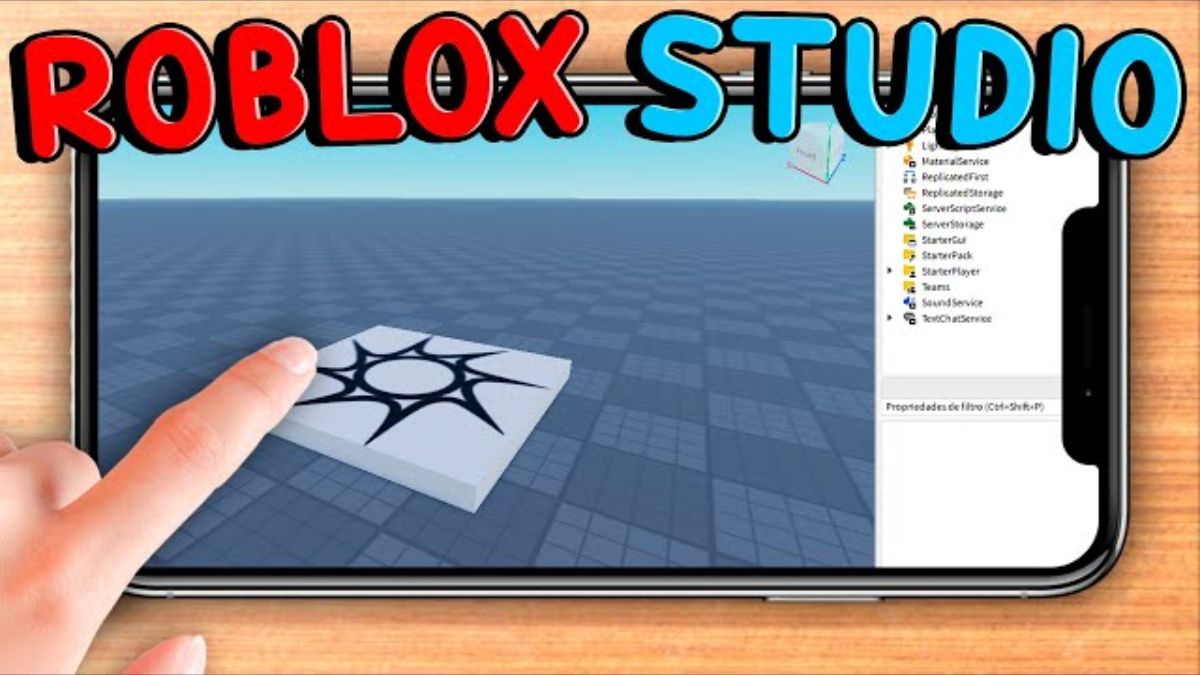



Can You Develop Roblox Games On Your Phone In 2026 Roblox 5 . How To Use Roblox Studio On Mobile In 2024 Phone Tablet YouTube . Roblox On Your Phone Gaming On The Go . How To Use Roblox Studio ON MOBILE YouTube . How To Download Roblox Studio On Android Phone Download Update


How To Download Roblox Studio On Mobile Android IPhone How To Download Roblox Studio On Mobile . How To Download Roblox Studio On Mobile 2026 Android IOS Get . Roblox Studio Mobile How To Install Roblox Studio On Android APK . How To Get Roblox Studio On MOBILE 2025 IOS Android Make . How To Use Roblox Studio On Mobile 2025 YouTube


How To Download Roblox Studio On IPhone Get Roblox Studio On Home . How To Install Roblox Studio On Phone How To Install Roblox Studio On Hqdefault . How To Download Roblox Studio On Your Phone 2024 YouTube . You Can Now Use Roblox Studio On MOBILE YouTube . IPhone 14 Pro Inside Roblox Studio Work In Progress Creations


How To Download Roblox Studio On Your Phone 2024 YouTube . How To Make A Roblox Game On Mobile IPad Phone 2026 Obby Obby Blog. Roblox Studio Phone GUI SYSTEM YouTube . Roblox Edit Body Phone 2026 My Favorite Text Style Effects Meta Default . How To Install Roblox Studio On Phone How To Install Roblox Studio On Hqdefault



Roblox Studio Webp. Roblox Nedir Dok Mantasyon Roblox Yarat C Merkezi Studio . I Built A Phone In Roblox Studio Creations Feedback Developer . Roblox Studio L G C Ch T I V S D Ng Roblox Studio Roblox Studio 8 . Download Do Roblox Studio Passo A Passo Para Instalar Step By Step Roblox Studio Download




How To Publish A Game On Roblox In 2026 Roblox YouTube . Vid O Roblox Studio Roblox Studio Tutorial CBCIFO Screen Shot 2022 12 20 At 1.49.27 PM . Would It Be Cool If Roblox Studios Can Be Available For Phones IPads Would It Be Cool If Roblox Studios Can Be Available For V0 . How Do I Get Roblox Studio Easily Today Roblox Studio How To Play Roblox Studio For Windows . Can You Develop Roblox Games On Your Phone In 2026 Roblox Studio Scaled

How To Download Roblox Studio In 2026 Beginner Setup What Actually O . How To Enable SLIM In Roblox Studio Deltia S Gaming Roblox Studio Interface . The Absolute Basics Of Roblox Studio Roblox Studio For Beginners . Roblox Studio Roblox Studio QAYO Roblox Studio Walkthrough Roblox Studio For Windows . How To Get Roblox Studio On MOBILE 2026 IOS Android Make