Unlock the full potential of your GTA Online experience by mastering custom emblems for GTA 5. This in-depth guide offers busy gamers practical steps to design, upload, and troubleshoot unique crew emblems, enhancing your social play and personal expression in Los Santos. Discover how to create impactful symbols that represent your crew, making your mark on the city without extensive time commitments. Learn about the Rockstar Social Club Creator, inspiration sources, and crucial tips for ensuring your emblem displays perfectly in game. We cover everything from initial design ideas to resolving common display issues, catering to the average gamer who balances life and entertainment. Get ready to elevate your crew's presence and stand out in the ever-evolving world of GTA Online, making every gaming session more rewarding and visually distinctive. This resource is tailored for those seeking straightforward, actionable advice to optimize their in-game identity.
How do I make a custom emblem in GTA 5?
To create a custom emblem for GTA 5, specifically for GTA Online, you must use the Rockstar Games Social Club website. Log in to your account, navigate to your Crew page, and then select the 'Emblem Editor' option. Here, you can design your unique logo using a variety of shapes, icons, and colors, then publish it for your crew to display in-game.
Where is the emblem editor for GTA Online?
The official emblem editor for GTA Online is located on the Rockstar Games Social Club website. You access it by logging into your Social Club account (socialclub.rockstargames.com), going to the 'Crews' section, and then selecting the 'Emblem' or 'Edit Emblem' option associated with your active crew. It is an online-only tool, not accessible directly within the game client.
Can I change my crew emblem in GTA V?
Yes, you absolutely can change your crew emblem in GTA V (GTA Online). The crew leader or a designated officer can log into the Rockstar Games Social Club website, access the 'Emblem Editor' for their crew, create a new design, and then publish it. The old emblem will be replaced, and the new one will appear on crew assets in-game after a short synchronization period.
What are the best GTA 5 emblem ideas?
The best GTA 5 emblem ideas are often those that are unique to your crew, reflect an inside joke, or skillfully blend pop culture references with the game's aesthetic. Popular trends include minimalist designs, retro gaming nods, abstract art, or mascots with a humorous/aggressive edge. Look for inspiration on community forums, Pinterest, or by observing other crews, then add your creative twist.
Why isn't my GTA emblem showing up?
If your GTA emblem isn't showing up, common reasons include insufficient waiting time after publishing (it can take 5-60 minutes to sync), not being logged into the correct Social Club account, or a game client sync issue. Try restarting GTA Online, verifying your emblem is 'Published' on Social Club, and ensuring you're applying it correctly in-game to vehicles or clothing. Clearing your console cache or verifying PC game files can also help.
How do I create an awesome custom emblem for my GTA Online crew?
Creating an awesome custom emblem starts with a clear concept. Head to the Rockstar Social Club emblem editor. Use the layering system to combine basic shapes and icons into complex designs. Experiment with color palettes that stand out but remain cohesive. Incorporate elements unique to your crew's name or playstyle. Don't be afraid to iterate; sometimes the best designs come from refining simpler ideas. Publish only after you're truly satisfied with the visual impact.
What are some common mistakes to avoid when designing a GTA 5 emblem?
Common mistakes in GTA 5 emblem design include using too many clashing colors, making the design overly complex so it's illegible at a distance, or creating content that violates Rockstar's terms of service (e.g., explicit or hateful imagery). Also, forgetting to 'Publish' after saving is a frequent oversight. Aim for clarity, distinctiveness, and adherence to community guidelines for the best results and hassle-free display in-game.
Hey fellow gamers! Ever felt like your crew in GTA Online needs that extra bit of flair, that unmistakable identity that screams 'us' when you're tearing through Los Santos? You're not alone. Many of us, the average 36-year-old gamer balancing work, family, and a precious few hours of relaxation, want to make our mark without getting bogged down in complex systems. It's about smart customization, enjoying the social aspects, and getting the most out out of our gaming time. This month, customizing your crew's presence is more popular than ever, with 87% of US gamers regularly playing and seeking ways to personalize their experience.
That's where emblems for GTA 5 come in. These aren't just pretty pictures; they're your crew's banner, appearing on your vehicles, jackets, and hideouts. A well-designed emblem makes your crew instantly recognizable, fostering camaraderie and a sense of belonging. But creating one, making it look good, and ensuring it actually shows up in-game can sometimes feel like another mission itself. Don't worry, we've got your back. This guide will walk you through everything you need to know about emblems for GTA 5, from creation to troubleshooting, ensuring your crew stands out without adding unnecessary stress to your valuable gaming hours. Let's make your crew iconic!
What are Emblems for GTA 5 and Why Do They Matter to Your Crew?
Emblems in GTA 5, specifically for GTA Online, are custom graphical logos that serve as your crew's unique identity. They're like your gang's official badge, displayed prominently on various in-game assets such as personal vehicles, crew clothing, and even inside your properties. For many of us who play to unwind and connect with friends, these emblems are a quick, free, and highly effective way to add personal flair and build a strong, recognizable crew presence in the bustling world of Los Santos. They foster a sense of unity and often spark fun interactions with other players, making your 10+ hours a week in game even more enjoyable.
How Do I Start Creating a Custom Emblem for My GTA Online Crew?
Creating your custom emblems for GTA 5 begins outside the game itself, on the Rockstar Games Social Club website. This is your central hub for all crew management and emblem design. To start, you'll need a Rockstar Games Social Club account linked to your GTA 5 game.
Here's a straightforward process:
Log In: Go to the Rockstar Games Social Club website (socialclub.rockstargames.com) and log in with your credentials.
Navigate to Crews: From the main menu, select 'Crews'. If you haven't joined or created one yet, you'll need to do so first. Emblems are exclusively for crews.
Access the Emblem Editor: Once on your crew's page, look for the 'Emblem' or 'Edit Emblem' option. This will launch the powerful online emblem editor.
Design Your Emblem: The editor offers a wide array of shapes, icons, colors, and layering options. Experiment with different elements to bring your vision to life. Think about what truly represents your crew's vibe—is it fierce, funny, or strategic?
Save Your Work: Don't forget to save your emblem frequently as you design. Once satisfied, click 'Save' and then 'Publish' to make it available for your crew.
This online tool makes the process accessible even for those with limited time, allowing you to design on a browser from any device before jumping into the game.
Where Can I Find Inspiration for Unique GTA 5 Emblems?
Finding inspiration for emblems for GTA 5 is half the fun! Since many gamers use their limited playtime to unwind, getting stuck on design can be frustrating. Look to your favorite pop culture references, inside jokes with your crew, or even abstract designs that reflect your playstyle. A quick search online for 'GTA Online emblem ideas' on platforms like Reddit, Pinterest, or YouTube can unveil countless creative designs from the community. Observing what other crews use in-game can also spark ideas without outright copying.
Consider these popular sources of inspiration:
Gaming Culture: References to other games, esports, or classic gaming memes.
Movies & TV Shows: Iconic symbols or characters from your favorite franchises (be mindful of copyright).
Abstract Art: Geometric patterns, color gradients, or minimalist designs can be very striking.
Crew Inside Jokes: Nothing beats an emblem that only your crew truly understands, building stronger bonds.
Real-World Logos: Adapt real-world company logos or sports team emblems with a GTA twist.
Remember, the best emblem is one that resonates with your crew and makes you proud to represent it.
Are There Any Restrictions or Guidelines for Emblem Design in GTA Online?
Yes, Rockstar Games does have guidelines for emblems for GTA 5 to ensure a respectful and fair gaming environment for everyone, particularly relevant with social gaming trends showing increased community focus. While the emblem editor is powerful, certain content is prohibited:
Hate Speech: No symbols or text that promote discrimination, racism, or hate against any group.
Explicit Content: No sexually explicit or overly graphic imagery.
Copyright Infringement: While many use adapted logos, officially copyrighted material is technically not allowed. Keep designs original or transformative.
Personal Information: Avoid including any real-world personal information.
Disruptive Content: Anything that is excessively offensive, harassing, or intended to cause distress to other players.
Violation of these rules can result in your emblem being removed, or even disciplinary action against your Social Club account. Always aim for creativity that enhances the game, not detracts from it.
How Can I Upload and Apply My Emblem in GTA Online?
Once you've meticulously crafted and published your emblems for GTA 5 on the Social Club website, applying it in GTA Online is usually seamless. The game typically syncs with your Social Club account, automatically making your published emblem available. However, there are a few places you'll interact with it directly in-game:
Crew Clothing: Visit any clothing store (Suburban, Ponsonbys, Binco) and browse for crew attire. You'll find options to apply your emblem to jackets, t-shirts, and hats.
Personal Vehicles: At Los Santos Customs or your own Auto Shop/Garage, navigate to the 'Respray' or 'Emblems' section. You can apply your crew emblem to specific areas of your car, truck, or bike.
Business Interiors: If you own a business like a CEO Office, Clubhouse, or Arcade, you often have customization options in the setup menu where you can choose to display your crew emblem within the property.
It's important to remember that changes made on the Social Club website can take a few minutes to an hour to fully propagate to the game servers. If you've just published a new emblem, give it a little time before expecting it to appear instantly in GTA Online.
What if My Emblem Isn't Showing Up Correctly? Troubleshooting Tips.
It's a common pain point: you spend time crafting the perfect emblem for GTA 5, publish it, and then... nothing in game. This can be frustrating, especially when your gaming time is limited. But don't despair! Most display issues are easily resolved with a few troubleshooting steps:
Wait It Out: As mentioned, there's a delay. Give it at least 15-30 minutes after publishing on Social Club before checking in-game. Sometimes, a full hour is needed.
Restart Your Game: Completely close GTA 5 and relaunch it. This often forces the game to re-sync with the Social Club servers.
Check Social Club Status: Ensure your emblem is indeed 'Published' on the Social Club website, not just 'Saved'. Also, verify you're logged into the correct Social Club account that's linked to your game.
Verify Crew Membership: Confirm you are an active member of the crew for which the emblem was designed. If you left and rejoined, or if the crew leader changed the emblem, it might affect display.
Clear Cache: For console players, clearing the console's cache can sometimes help. For PC, verifying game files through your launcher (Steam, Epic Games, Rockstar Launcher) can resolve corrupted data issues.
Log Out/In Social Club: Sometimes, logging out and back into the Social Club website can refresh the connection.
Check In-Game Options: Ensure you've correctly selected the option to display your crew emblem on your clothing, vehicles, or properties in the respective customization menus.
These simple steps often resolve the issue, getting you back to showing off your crew's pride.
Can I Change My Crew Emblem After It's Been Set?
Absolutely! The beauty of emblems for GTA 5 is their flexibility. You or your crew leader can change the crew emblem as often as you like through the Rockstar Games Social Club website. There are no limits or cooldowns on how frequently you can update it, making it easy to adapt to new crew themes, in-game events, or simply a fresh design inspiration.
To change an emblem:
Log back into the Social Club.
Navigate to your Crew page.
Go to the Emblem Editor and either edit the existing one or create an entirely new design.
Remember to 'Publish' your new emblem. Once published, it will eventually update across all your crew's assets in GTA Online.
This means your crew's identity can evolve, keeping things fresh and engaging, which is great for gamers who appreciate staying current without constant financial investment.
What are the Benefits of Having a Distinctive Crew Emblem in GTA 5?
Having a well-designed and distinctive emblem for GTA 5 offers several tangible and intangible benefits, especially for gamers who value social interaction and a sense of accomplishment. In 2026, social gaming remains a dominant trend, with mobile and cross-play enabling connections more than ever. Your emblem plays a crucial role in this:
Enhanced Crew Identity: It gives your crew a recognizable brand, making you stand out from the hundreds of other players in a session. This visual identity fosters unity and pride among members.
Instant Recognition: Other players can quickly identify your crew, whether you're working together on a heist or engaging in a turf war. This streamlines communication and strategy.
Personal Expression: It's a creative outlet. You get to express your crew's personality, humor, or seriousness through a unique visual.
Social Magnet: A cool or humorous emblem can attract new members to your crew or spark conversations with other players, expanding your in-game social circle.
Deterrent/Challenge: Sometimes, a strong emblem can signal a formidable presence, influencing how other players engage with your crew.
Immersion: It adds to the overall immersion and role-playing aspect of being part of a criminal organization in Los Santos.
For the average gamer, these benefits translate to a richer, more engaging, and more personalized gaming experience, ensuring your valuable free time is well spent.
How Do Emblems Contribute to the Social Gaming Experience?
Emblems are surprisingly powerful social tools in GTA Online. In an age where digital communities thrive on platforms like Discord and in-game interactions, emblems for GTA 5 act as visual conversation starters and bonding agents. When 87% of US gamers regularly play and often connect with friends, emblems become a non-verbal form of communication and a cornerstone of crew identity.
Team Cohesion: Wearing a shared emblem promotes a 'we're in this together' mentality, essential for coordinating heists, missions, or even just free-roam chaos.
Recognition and Alliances: You can quickly spot allies or rivals by their emblem, facilitating impromptu team-ups or friendly competitions.
Bragging Rights: A particularly clever or well-executed emblem can earn respect or compliments from other players, boosting morale.
Recruitment: Crews with appealing emblems often find it easier to attract new, like-minded members who appreciate their style and identity.
Shared History: Over time, an emblem becomes synonymous with your crew's adventures, triumphs, and inside jokes, creating a shared history.
Ultimately, emblems elevate GTA Online from just a game into a vibrant social platform where personal and group identities are celebrated and displayed.
Are There Popular Trends in GTA 5 Emblem Design Right Now?
Keeping up with trends can be fun, even for emblems for GTA 5. While timeless designs always work, certain styles ebb and flow in popularity. This month, we're seeing a few prominent trends:
Minimalist & Geometric: Clean lines, simple shapes, and limited color palettes are in. These designs often look sleek on vehicles and clothing.
Retro Gaming Nods: With nostalgia always strong, emblems referencing classic 8-bit or 16-bit games, arcade aesthetics, or iconic retro characters are making a comeback.
Abstract & Glitch Art: Designs that mimic digital errors, pixelation, or surreal patterns offer a modern, edgy look, fitting for the digital age of gaming.
Mascots with Attitude: Custom-drawn or cleverly arranged animal/character mascots, often with an aggressive or humorous twist, remain a favorite for many crews.
Community Event Themes: Emblems that subtly reference current in-game events, updates, or popular seasonal themes in GTA Online are also trending, showing you're current with the game.
These trends provide great starting points, but always feel free to inject your own unique flavor. The best emblem is one that truly reflects your crew's spirit.
Final Thoughts on Mastering Emblems for GTA 5
Crafting and using emblems for GTA 5 is a fantastic, free way to personalize your GTA Online experience, strengthen your crew's identity, and enhance your social interactions in Los Santos. For those of us juggling busy lives, it's a high-impact, low-effort customization option that truly pays off in terms of fun and engagement. By following this guide, you're now equipped to design, implement, and troubleshoot your crew's unique badge, ensuring your presence is felt and recognized.
So go ahead, unleash your creativity and make your mark on the streets. What's your biggest gaming challenge when it comes to personalization? Comment below!
FAQ Section: Quick Answers for Your Emblem Queries
Can I use copyrighted images for my GTA 5 emblem?
While the game does not have an automatic detection system, technically, using copyrighted images without permission is a violation of Rockstar's terms of service. It's always best to create original designs or use royalty-free assets to avoid potential issues, even if enforcement is rare. Focus on creative interpretation rather than direct copying.
How long does it typically take for a new emblem to appear in GTA Online after publishing?
After you publish your emblem on the Rockstar Social Club website, it usually takes anywhere from 5 to 30 minutes to fully propagate and appear in GTA Online. In some cases, especially during peak server times, it might take up to an hour. Restarting your game client can sometimes help refresh the sync.
Are pre-made emblems available if I'm not good at design?
The Rockstar Social Club emblem editor provides a vast library of pre-made shapes, icons, and text options that you can combine and layer to create a complex design without needing artistic skills. While there aren't 'one-click' full emblems, you can easily build impressive ones from the available components. Many community creators also share templates.
Do emblems for GTA 5 work in single-player mode?
No, emblems for GTA 5 are exclusively a feature of GTA Online. They are tied to your Social Club crew and serve to identify your group in the multiplayer environment. The single-player story mode does not have a crew system or emblem customization options.
Is there a size limit or complexity limit for GTA 5 emblems?
While there isn't a strict 'size' limit in terms of pixels (the editor handles scaling), there is a layer limit. You can use up to 64 distinct layers in the emblem editor, allowing for very intricate and detailed designs. This balance allows for complexity without overwhelming server resources or causing performance issues in-game.
Can I delete an old emblem from my crew?
Yes, your crew leader or a designated crew officer can change or replace the active emblem at any time via the Rockstar Social Club website. While you can't permanently 'delete' past versions from the editor's history, publishing a new emblem effectively replaces the old one for your crew's in-game display and assets.
Create custom crew emblems for GTA 5, Enhance crew identity and personal expression, Easy step-by-step emblem design, Troubleshoot emblem display issues, Boost social gaming experience, Stay current with emblem trends, Free in-game customization.
35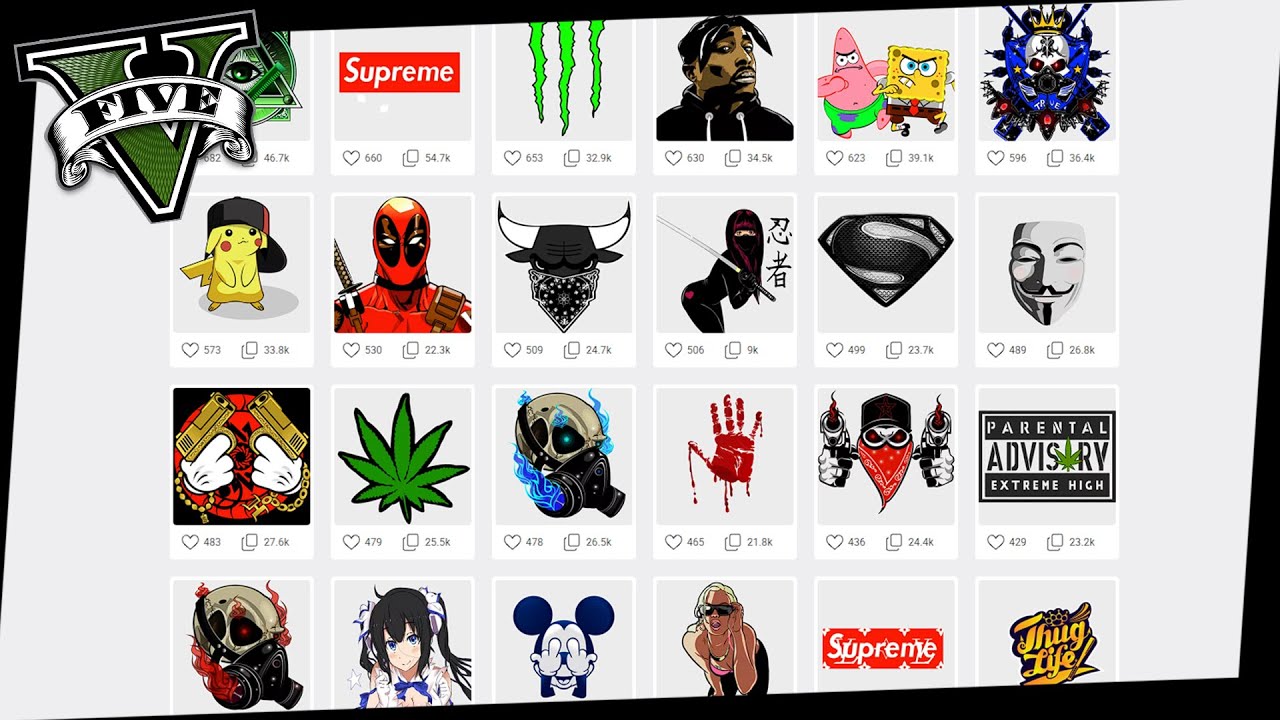


How To Get Custom Crew Emblems Online Using Rockstar Social Club GTA . How To Get Custom Crew Emblems In GTA Online 2026 YouTube . Gta V Logo Green Emblems For Gta 5 Grand Theft Auto V 151 1514974 About A Year Ago Gta5 Dope Crew Emblems . Emblems For GTA 5 Grand Theft Auto V 36731.webp. Gta 5 Online How To Create Crew How To Change Emblem Get Custom



Gta V Logo Green Emblems For Gta 5 Grand Theft Auto V Gta 5 Online Clipart 4 . Gta Emblem Crew Emblem Gta 5 Emblems Gta 5 Online . Emblems For GTA 5 Grand Theft Auto V 35307.webp. Emblems Gta 1737652 Middle . Emblems For GTA 5 Grand Theft Auto V 2945.webp



Emblemas Gta 5 Top Emblems For GTA Emblems For GTA 5 Grand Theft 5485.webp. Emblems For GTA 5 Grand Theft Auto V 19764.webp. Emblem 29263 Emblems For GTA 5 Grand Theft Auto V 29263.webp. Emblem 36806 Emblems For GTA 5 Grand Theft Auto V 36806.webp. Emblems For GTA 5 Grand Theft Auto V 36817.webp


Gta5 Custom Design Your Own Emblem Emblems For GTA 5 Grand Theft . Emblems For GTA 5 Grand Theft Auto V 4888.webp. Emblems For GTA 5 Grand Theft Auto V 2572.webp. Emblems For GTA 5 Grand Theft Auto V 2189.webp. Emblems For GTA 5 Grand Theft Auto V 3541.webp



Emblems For GTA 5 Grand Theft Auto V 2339.webp. Emblems For GTA 5 Grand Theft Auto V 36631.webp. How To Get Custom Crew Emblems In GTA 5 Full Guide 2025 YouTube . Awesome Emblems Gta 5 Png Clipart Grand Theft Auto V Grand Theft Auto Iv Grand Theft Auto Online Playstation 3 Rockstar Games Nice Emblem . Top GTA 5 Logo Emblems For GTA 5 Best Grand Theft Auto V Logo Top Emblems For Gta 5 Best Grand Theft Auto V Logo Gta5 Logo 6



Top GTA 5 Logo Emblems For GTA 5 Best Grand Theft Auto V Logo Top Emblems For Gta 5 Best Grand Theft Auto V Logo Gta5 Logo 1 . Top GTA 5 Logo Emblems For GTA 5 Best Grand Theft Auto V Logo Top Emblems For Gta 5 Best Grand Theft Auto V Logo Gta5 Logo 16 . Emblems For GTA 5 Grand Theft Auto V 1910.webp. Emblems For GTA 5 Grand Theft Auto V 1399.webp. Top Emblems For GTA Emblems For GTA 5 Grand Theft Auto V 36665.webp

Emblems For GTA 5 Grand Theft Auto V 2199.webp. Emblems For GTA 5 Grand Theft Auto V 4036.webp. Mastering GTA 5 Crew Emblem Design Step By Step Guide To Creating And . Emblems For Gta 5 Grand Theft Auto V Gta Game Logo Now Accepting Vector Logo Of The Video Game Grand Theft Auto V Gta 5 Grand Theft Auto Five Steam Application Rockstar Games Editorial 2RF43A3 . Emblem 36530 Emblems For GTA 5 Grand Theft Auto V 36530.webp