Are you a Roblox player or developer looking to add a unique flair to your creations and experiences without breaking the bank or diving into complex coding? Abstract Roblox decals offer an incredible avenue for personalization and visual enhancement. In the fast-paced world of gaming where self-expression is key, these versatile graphic elements provide a simple yet powerful way to customize everything from game environments and UI to character accessories. This comprehensive guide will navigate you through understanding, finding, creating, and effectively utilizing abstract decals within Roblox. Discover how to elevate your game aesthetics, stand out in the bustling Roblox universe, and connect with a community that values creativity and unique design. We will cover common challenges and provide actionable solutions, ensuring even busy gamers can effortlessly integrate these trending visual assets into their digital lives. Get ready to transform your Roblox presence with stunning abstract visuals.
What is an abstract decal in Roblox?
An abstract decal in Roblox is a graphic image focusing on shapes, colors, lines, and textures rather than depicting a recognizable object or character. These non-representational designs are uploaded to the platform and can be applied to surfaces within games or on avatar items to add unique visual flair, patterns, or atmospheric effects, promoting creativity and personalization.
How do you get abstract decals in Roblox?
You can get abstract decals in Roblox primarily by searching the Roblox Creator Marketplace for keywords like 'abstract pattern' or 'aesthetic texture,' which provides a unique ID. Alternatively, you can create your own using graphic design software like GIMP or Canva, upload the image to Roblox's 'Create' section, and then use the generated Decal ID in your game or on applicable avatar items.
Where can I find abstract decal IDs for Roblox?
Abstract decal IDs for Roblox can be found on the official Roblox Creator Marketplace by browsing or searching, on various fan-made websites dedicated to compiling Roblox decal IDs, and within community groups or Discord servers focused on Roblox building and aesthetics. Always verify the ID and preview the decal before integrating it into your project.
Are abstract decals safe to use in Roblox?
Yes, abstract decals are generally safe to use in Roblox, provided they adhere to Roblox's Community Standards. Avoid decals that might contain hidden inappropriate imagery, copyrighted material without permission, or offensive content. Always exercise caution and test decals in a private environment before public use to ensure compliance and safety.
Can I make my own abstract decals for Roblox?
Absolutely! You can create your own unique abstract decals for Roblox using free graphic editing software such as GIMP, Paint.NET, or online tools like Canva. Design your pattern, save it as a PNG or JPG, then upload it through the 'Create' section on the Roblox website. Roblox will assign a unique ID that you can use in your games.
How do Abstract Decals differ from regular decals in Roblox?
Abstract decals differentiate themselves from regular decals by focusing on non-representational art, utilizing pure shapes, colors, and textures to evoke a mood or pattern rather than illustrating a specific object or character. Regular decals often depict literal images, logos, or memes. Abstract decals offer greater versatility for aesthetic design without being tied to a concrete subject, ideal for modern and minimalist builds.
Why should I use Abstract Roblox Decals in my game?
You should use Abstract Roblox Decals in your game to significantly enhance its visual appeal and give it a unique, polished aesthetic. They allow for quick, impactful customization of environments, UI, and character elements, making your game stand out. For creators balancing game development with other life commitments, abstract decals provide a time-efficient way to implement modern and engaging visual styles without complex scripting or extensive art assets, optimizing player engagement and making your game more memorable.
What are the best practices for applying Abstract Roblox Decals effectively?
To apply Abstract Roblox Decals effectively, always consider the scale and orientation relative to the surface. Use Roblox Studio's properties like 'TextureID,' 'Face,' and 'StudsOffset' to precisely position and fine-tune the decal's appearance. Experiment with 'Transparency' and 'Color' properties to blend them seamlessly or make them pop. For busy gamers, pre-planning your decal layout can save time, ensuring a cohesive and visually appealing final design.
Can Abstract Decals be animated in Roblox?
While an abstract decal itself is a static image, you can create the *illusion* of animation in Roblox by strategically scripting changes to its properties or by rapidly switching between multiple decal images. For instance, you could script a decal's 'Transparency' to fade in and out, or cycle through a series of slightly different abstract decals on a surface to create a flickering or evolving visual effect, leveraging basic animation principles.
How do Abstract Decals contribute to a game's atmosphere?
Abstract Decals contribute significantly to a game's atmosphere by setting a mood, adding visual depth, or reinforcing a theme through non-literal means. A cool-toned gradient abstract decal might create a futuristic ambiance, while a grunge texture can enhance a post-apocalyptic setting. By carefully selecting and placing abstract designs, creators can evoke specific feelings or environmental contexts, enriching the player's immersive experience without explicit imagery.
Are there community resources for sharing and finding Abstract Roblox Decal IDs?
Yes, numerous community resources facilitate sharing and finding Abstract Roblox Decal IDs. Beyond the official Creator Marketplace, many active Discord servers dedicated to Roblox development and aesthetic design often have channels where users share their latest creations and IDs. Websites like Roblox Decal IDs Hub or similar fan-made repositories also compile extensive lists, allowing creators to explore and utilize a wide array of abstract designs contributed by the community.
In today's dynamic gaming landscape, where over 87% of US gamers play regularly, often dedicating 10+ hours a week, and mobile gaming continues its dominance, players are constantly seeking ways to personalize their experiences. Many adult gamers, balancing jobs, families, and life's demands, crave relaxation and fun but also opportunities for skill-building and social play. The desire to stand out, to make a game or avatar uniquely 'theirs,' is a powerful motivator. Yet, not everyone has the time or expertise for intricate scripting or high-level development. This is where the magic of Abstract Roblox Decals comes in. They offer a fantastic, budget-friendly solution for adding distinct visual flair, allowing you to optimize your aesthetic performance without significant investment or technical hurdles.
You might be tired of generic textures or struggling to find that perfect background element to complete your build. Perhaps you've seen other players with stunning, modern designs and wondered how they achieved it. Abstract decals can solve these common pain points. They are a game-changer for anyone looking to inject personality and a sophisticated touch into their Roblox projects. From subtle backgrounds to bold visual statements, these versatile assets provide an accessible path to creativity. This guide will walk you through everything you need to know about abstract Roblox decals, from discovery to implementation, ensuring your creations stay current and captivating.
What Exactly Are Abstract Roblox Decals and Why Should I Care?
Abstract Roblox decals are essentially image files uploaded to the Roblox platform that feature non-representational designs. Unlike traditional decals that might depict a specific object, character, or logo, abstract decals focus on shapes, colors, lines, and textures to create a mood, pattern, or aesthetic without a literal subject. Think minimalist gradients, geometric patterns, digital art textures, or expressive brushstrokes. They are incredibly versatile for developers and players alike, offering a quick way to add visual depth, modern aesthetics, or even subtle atmospherics to any Roblox experience. For busy adult gamers, they offer a fast track to customization without the need for extensive graphic design skills.
How Can Abstract Decals Enhance My Roblox Experience?
Abstract decals provide a myriad of ways to elevate your Roblox gameplay and development. On the player side, you can use them to customize your avatar's clothing with unique patterns, decorate your personal spaces in games like Adopt Me or Bloxburg, or even personalize game UI elements if the game allows. For creators, these decals are invaluable for:
- Creating stunning visual backdrops and skyboxes that aren't tied to specific themes.
- Adding intricate patterns and textures to builds, giving them a professional, polished look.
- Designing unique UI elements, buttons, and loading screens that stand out.
- Developing immersive environmental details, like sci-fi panels or futuristic floor textures.
- Quickly prototyping visual styles for new game concepts, saving development time.
They are a powerful tool for visual storytelling and atmosphere generation, highly trending in current Roblox development for their flexibility and modern appeal.
Where Do I Find High-Quality Abstract Roblox Decal IDs?
Finding the right abstract decals is crucial. The Roblox Creator Marketplace is your primary hub. You can search using terms like 'abstract pattern,' 'geometric texture,' 'aesthetic gradient,' or 'minimalist background.' Keep an eye out for user-created libraries and decal collections. Additionally, many dedicated Roblox decal ID websites and community forums compile lists of popular and trending decals. Discord servers focused on Roblox development or aesthetics are also excellent resources where creators share their latest designs and IDs. When searching, remember to look for unique IDs (usually a long string of numbers) rather than just names. Always preview the decal before use to ensure it meets your quality expectations and fits your vision.
What's the Easiest Way to Upload and Apply Abstract Decals in Roblox?
Applying an abstract decal in Roblox is straightforward. For developers, in Roblox Studio:
- Open your project and select the part or surface you want to apply the decal to.
- In the Properties window, find the 'TextureID' property (for parts) or add a 'Decal' object as a child of the part.
- Paste the Abstract Decal ID into the 'TextureID' field.
- Adjust properties like 'Transparency,' 'Color,' and 'Face' to position and blend the decal perfectly.
For players customizing avatars or in-game items, look for customization options that allow 'Image' or 'Decal' input. Copy the Decal ID and paste it into the designated field. Always ensure the game or item supports custom decals, as some might have limitations. This process is designed to be user-friendly, allowing even time-constrained gamers to quickly personalize their experiences.
Are There Any Common Issues When Using Abstract Roblox Decals and How Can I Fix Them?
While generally simple, you might encounter a few common issues:
- Decal Not Showing Up: Double-check the Decal ID for typos. Ensure the part you're applying it to has a 'Decal' object or that the 'TextureID' property is correctly set. Also, verify the 'Face' property is set to the correct side of the part.
- Low Resolution/Blurry Decal: This often happens when a small image is stretched too large. Try to find higher-resolution decals, or if creating your own, ensure your source image is sufficiently large (e.g., 512x512 or 1024x1024 pixels).
- Decal Clipping or Z-Fighting: This occurs when two decals or surfaces are too close together. Adjust the part's position slightly or increase the 'StudsOffset' property of the decal to move it marginally off the surface, preventing visual glitches.
- Moderation Issues: Roblox has strict content policies. Ensure your abstract decal doesn't inadvertently contain inappropriate imagery, even if abstract. Always upload and test privately first.
Addressing these issues is usually a quick fix, letting you get back to building and playing.
How Do I Create My Own Unique Abstract Roblox Decals?
Creating your own abstract decals allows for ultimate personalization. You don't need expensive software:
- Use Free Graphic Editors: Programs like GIMP, Paint.NET, or even online tools like Canva or Photopea are excellent for beginners.
- Experiment with Shapes and Colors: Start with basic geometric shapes, gradients, and a limited color palette. Overlapping shapes, adjusting transparency, and using different blend modes can create complex effects.
- Incorporate Textures: Find royalty-free texture images (e.g., grunge, fabric, metallic) and blend them with your abstract shapes to add depth.
- Consider Negative Space: Sometimes, what you don't include is as important as what you do. Minimalist designs are often very impactful.
- Export as PNG or JPG: Ensure your image is a standard format and reasonable resolution (e.g., 512x512 to 1024x1024).
- Upload to Roblox: Go to the 'Create' section on the Roblox website, navigate to 'Decals,' and upload your image. Roblox will generate a unique Decal ID for you to use.
This process encourages creativity and provides a sense of accomplishment, especially for gamers who enjoy skill-building.
What Are the Rules and Best Practices for Using Decals in Roblox?
Roblox maintains clear Community Standards regarding all uploaded content, including decals. Adhering to these rules is paramount to avoid moderation actions on your account or game. Always ensure your decals are appropriate for all ages, do not contain copyrighted material you don't have rights to use, and are free from any offensive or misleading content. Even abstract designs can sometimes be misinterpreted, so use good judgment. Best practices include:
- Respecting Copyright: Only use images you have created or have explicit permission/licenses for.
- Age-Appropriate Content: Keep everything suitable for Roblox's broad age range.
- Testing in Studio: Always upload and test your decals in a private Studio place before making them public or using them in a live game.
- Organizing Decal IDs: Keep a spreadsheet or document of your favorite or most used Decal IDs for easy access.
- Optimizing Performance: While decals are generally lightweight, excessively complex or numerous high-resolution decals can impact game performance, especially on mobile devices. Balance aesthetics with optimization, a key concern for the 60% of US gamers who play regularly.
Can Abstract Decals Improve My Game's Visual Appeal for Other Players?
Absolutely. In the competitive Roblox ecosystem, visual appeal is a major factor in attracting and retaining players. A well-placed, high-quality abstract decal can instantly elevate your game's aesthetic, making it look more professional, modern, and engaging. Consider the trends of social and cozy games, which often rely on inviting and unique visual styles. Abstract decals can:
- Create a distinct brand identity for your game.
- Enhance user interface clarity and attractiveness.
- Add depth and realism (or stylized unreality) to environments.
- Contribute to a unique game atmosphere that stands out from the crowd.
A visually polished game often correlates with higher player engagement, reviews, and overall success, providing great value for money spent (even if it's just your time creating the decals).
How Do Abstract Decals Fit into Modern Roblox Game Development Trends?
Abstract decals are highly relevant in current Roblox game development. With the platform's emphasis on creator empowerment and diverse experiences, developers are constantly seeking tools that offer flexibility and efficiency. Abstract decals align perfectly with trends such as:
- Stylized Graphics: Many popular games move away from hyper-realism towards unique, stylized visual identities where abstract elements shine.
- UI/UX Design: Clean, modern, and intuitive user interfaces are paramount, and abstract decals offer excellent components for crafting these.
- Asset Creation Efficiency: For developers looking to quickly iterate on designs or add detail without modeling every single element, decals are a time-saving solution.
- Community-Driven Content: The sharing of decal IDs fosters a creative community, mirroring the social gaming trends prevalent among Gen Z and Millennials.
- Cross-Platform Optimization: Being image-based, decals are generally performant across PC, console, and mobile, which is crucial given mobile gaming's large share of the US market.
They represent a simple yet sophisticated approach to visual design that resonates with the evolving demands of Roblox's developer community.
Conclusion
Abstract Roblox decals are a powerful, accessible tool for any Roblox player or developer looking to enhance their creative projects and personalize their gaming experience. From finding and applying existing designs to creating your own unique works of art, these versatile assets offer endless possibilities to stand out and express yourself. They embody the spirit of modern gaming—accessible creativity, community connection, and continuous innovation. By leveraging abstract decals, you can transform your Roblox journey into something truly extraordinary, making your mark without the common headaches of complex development. What's your biggest gaming challenge when it comes to personalization? Comment below!
FAQ Section
Are Abstract Roblox Decals Free to Use?
Most abstract decals found on the Roblox Creator Marketplace or shared by the community are free to use, as long as they are publicly available and adhere to Roblox's content policies. Uploading your own custom decals also falls under this free usage model, though you must respect copyright if using external images.
Can I use Abstract Decals on my Roblox Avatar's Clothes?
Yes, if the clothing item you are customizing (e.g., a shirt, pants) allows for custom textures or decals. Many avatar customization systems within specific games on Roblox support applying unique abstract decals to your clothing, allowing for truly personalized outfits and gear.
What's the best resolution for Abstract Roblox Decals?
For optimal quality and performance, a resolution of 512x512 pixels is generally recommended for most abstract decals. For larger surfaces or more detailed patterns, 1024x1024 pixels can provide sharper results, but always balance detail with load times, especially for mobile users.
Do Abstract Decals affect game performance?
While individual decals are lightweight, using an excessive number of very high-resolution decals in a small area or having many unique decal assets loaded can slightly impact game performance, particularly on lower-end devices. It's always a good practice to optimize where possible, but for typical usage, the impact is minimal.
How do I report an inappropriate Abstract Decal?
If you encounter an abstract decal that violates Roblox's Community Standards, you can report it directly through the Roblox platform. Navigate to the decal's item page on the Creator Marketplace, find the report button, and follow the prompts to submit your concern. Roblox's moderation team will then review it.
Can I sell creations that use Abstract Roblox Decals?
Yes, you can sell your creations (like game passes, virtual items, or game access) that incorporate abstract decals you've created or have permission to use. Ensure all content within your creation, including decals, complies with Roblox's Terms of Use and Community Standards to avoid any issues.
Unlock creative Roblox personalization with abstract decals. Easily find and apply unique graphic IDs. Learn to design your own custom abstract decals. Understand Roblox decal rules and best practices. Enhance game visuals and stand out with trending aesthetics.
35




Roblox Colorful Abstract Painting Decal Artofit . Roblox Painting Decal Artofit . 100 Unofficial Roblox Annual 2026 4687858526 2 . Roblox Painting Decal Artofit . Roblox Colorful Abstract Painting Decal Artofit


Roblox Colorful Abstract Painting Decal Artofit . What Are Roblox Ice Decals For 2026 . Why Are Roblox NWA Decals So Popular . Roblox Colorful Abstract Painting Decal Artofit . Roblox Painting Decal Artofit




Roblox Painting Decal . Roblox Decals Abstract Decal Bloxburg Decal Codes Modern Decals . Roblox Colorful Abstract Painting Decal Artofit . Roblox En 2026 Juega En Roblox NoFilter. Roblox Decal Brown Canvas Painting Simple Brown
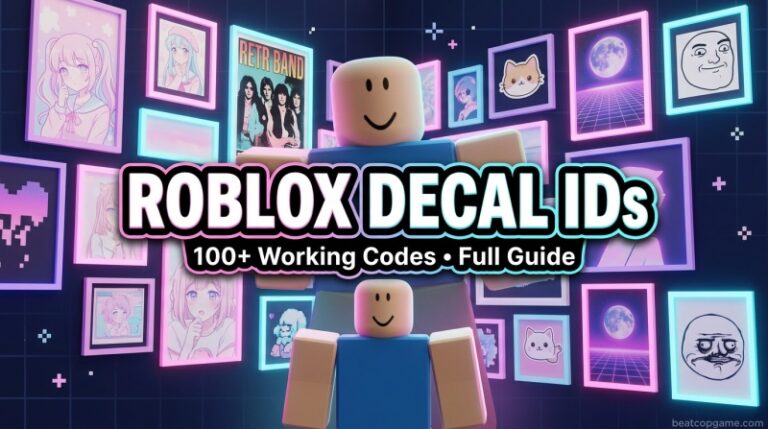


110 Roblox Decal IDs July 2026 Aesthetic Anime Horror Working Codes Roblox Decal IDs 768x429 . Roblox Painting Decal Artofit . Roblox Bloxburg The Best Bloxburg Art Decal Codes Artofit . How To Message On Roblox 2026 A Quick Guide . Roblox Painting Decal Artofit




Wall Roblox Decal At Susan Keefe Blog . Roblox Painting Decal . Roblox Painting Decal Artofit . What Exactly Is A Roblox Decal And How Can You Use Them Id Decal Roblox Image . Unlocking Creativity What Are Roblox Texture Decals
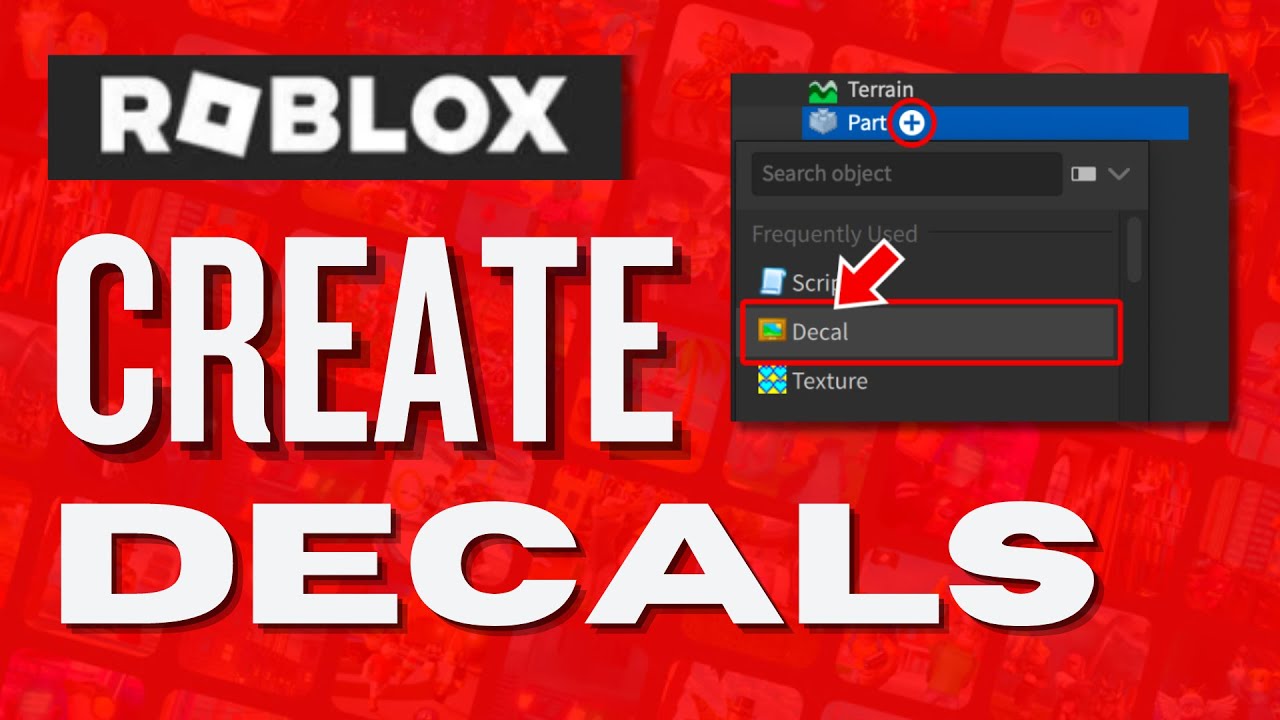

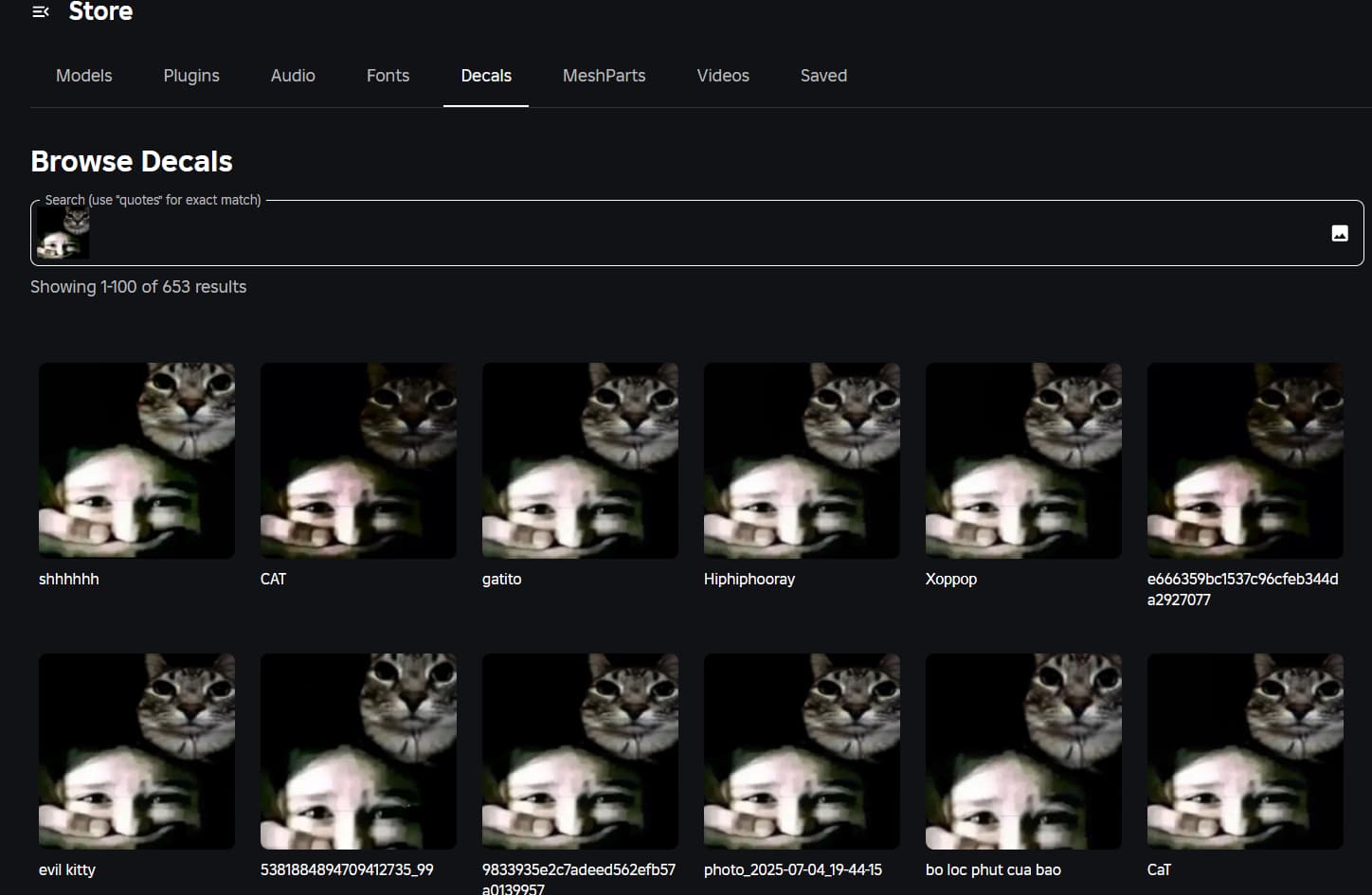


Flipped Decals Fixing Roblox Studio Woes . Unlocking Creativity What Are Roblox Texture Decals . Account Permanently Ban Cause Of A Decal That Still Could Be Found . How To Make Decals In Roblox YouTube . What Is Abstract Download Roblox Really About In 2026 2026 Abstract Coloring Calendar


Abstract Paintings For Roblox Decals . What Is The Roblox Assessment Experience On Reddit Oar2 . 100 Best Decal IDs In Roblox June 2026 Beebom Best Decal IDs In Roblox 1 . Flipped Decals Fixing Roblox Studio Woes . Cute Roblox Decal Codes Cute Photo Id Roblox Pfp Ids Decal Codes