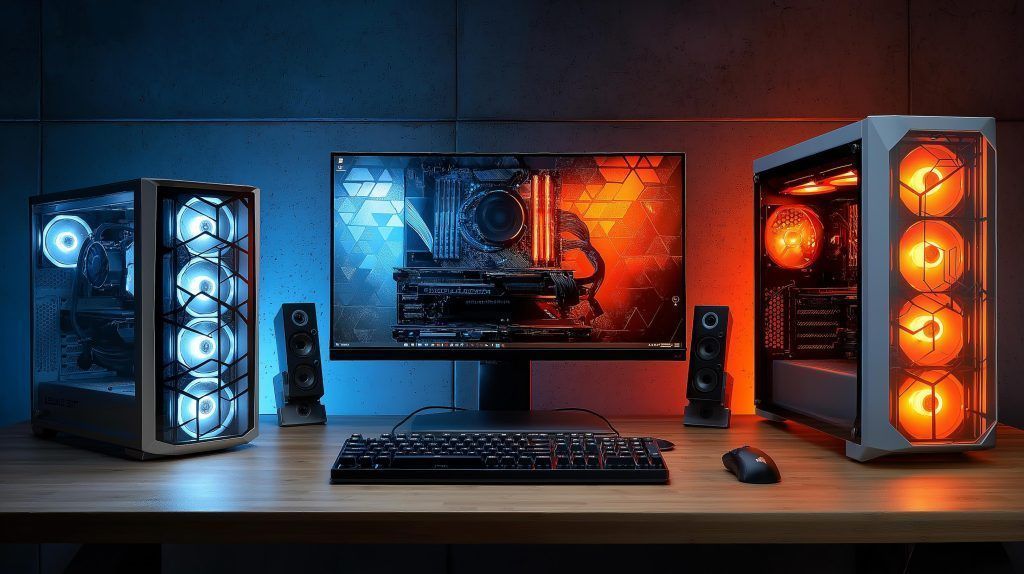
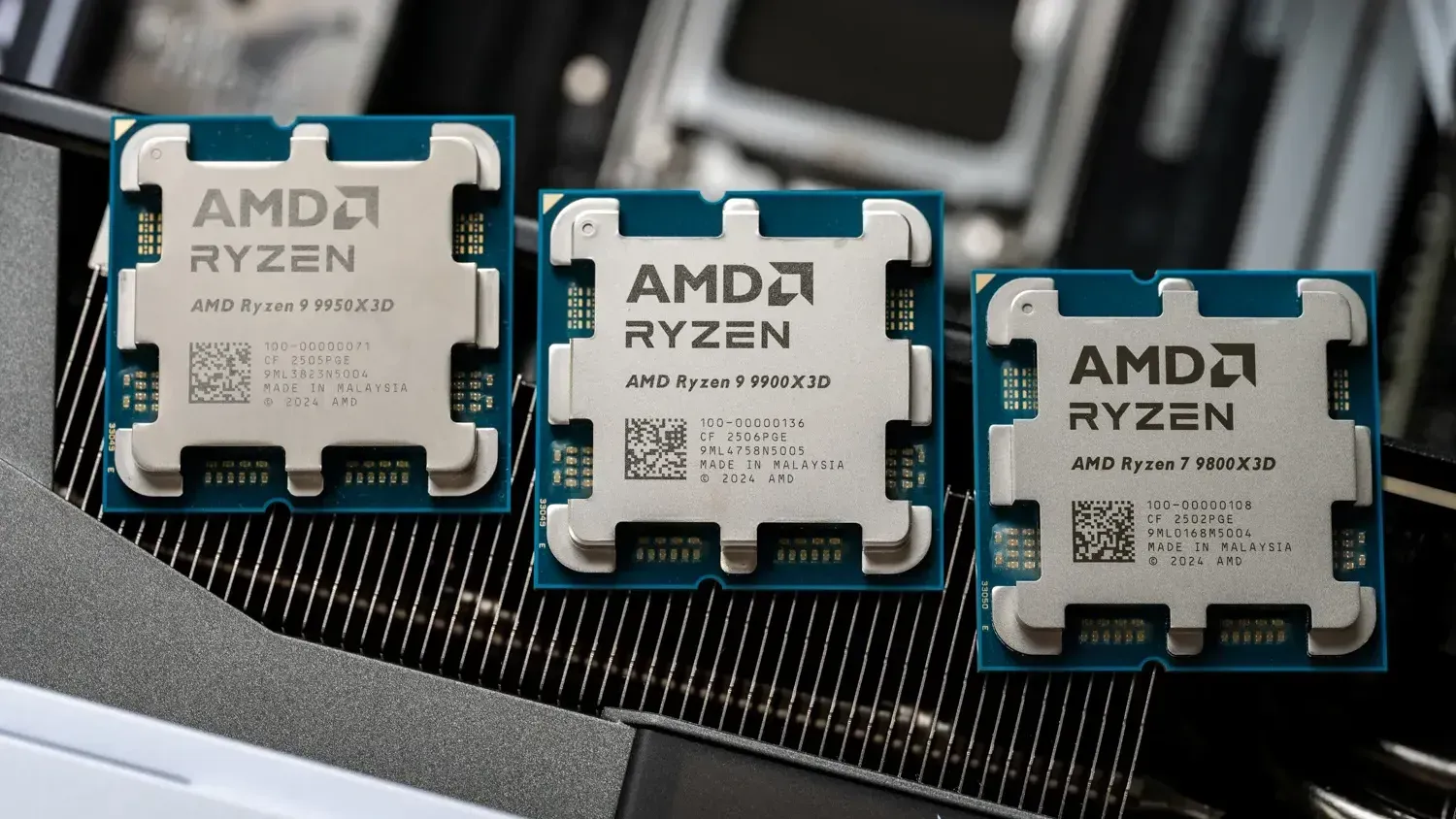
Ryzen desktop computers deliver unparalleled performance and value for todays busy gamers blending work and play. With advanced multi-core capabilities they effortlessly handle demanding titles streaming and productivity tasks making them a smart choice for balancing lifes demands and digital adventures. This comprehensive resource explores how Ryzen platforms support high-end gaming content creation and multitasking providing essential insights for modern gamers seeking reliable and future-proof systems. Understanding the latest Ryzen innovations from CPU cores to integrated graphics ensures you make the best investment for your gaming setup and daily productivity.
Juggling a job, family, and personal life while still wanting to conquer virtual worlds can feel like an impossible quest. You crave those precious moments of relaxation, skill-building, and social connection that gaming offers, but limited time and a tight budget often mean compromises. Sound familiar? You are not alone. Across the US, 87% of gamers play regularly, often dedicating 10+ hours a week to their passion, even while balancing demanding schedules. Many, like you, want a powerful machine that delivers an optimized experience without breaking the bank or requiring a PhD in PC building.
That's where Ryzen desktop computers come in. AMD's Ryzen processors have revolutionized the PC landscape, offering incredible multi-core performance and impressive value, making them a top choice for gamers who demand both power and practicality. This guide is designed for the modern gamer like you – someone who values performance and staying current without succumbing to hype, who wants practical solutions to common pain points like setup woes, performance dips, and budget-friendly upgrades. We'll cut through the jargon and provide clear, actionable advice to help you get the most out of your Ryzen desktop computer, ensuring your gaming sessions are as smooth and enjoyable as possible in 2026.
Why Choose Ryzen Desktop Computers for Gaming in 2026
Ryzen desktop computers offer a compelling blend of performance, efficiency, and value that makes them an excellent choice for gamers today. AMD's continuous innovation has led to processors that excel not just in pure gaming frames per second but also in multi-tasking capabilities. This is crucial for gamers who often stream, chat on Discord, or have multiple applications running in the background while playing.
The Ryzen platform is also known for its longevity. With AMD's commitment to socket compatibility, many motherboards support multiple generations of Ryzen CPUs, offering a clearer upgrade path. This means a smarter long-term investment for your gaming rig, allowing you to upgrade your processor without necessarily overhauling your entire system, a significant advantage for budget-conscious gamers.
How Do Ryzen Processors Enhance Your Gaming Experience
Ryzen processors boost your gaming experience through their core count and efficient architecture. Modern games, especially AAA titles and those in the social/cozy genre popular this month, increasingly leverage multiple CPU cores for smoother gameplay and background processes. A Ryzen CPU provides the headroom to handle not just the game itself, but also simultaneous streaming to Twitch or YouTube, running voice chat with friends, and even managing a game capture for later highlights.
Beyond raw power, Ryzen's advanced technologies like Precision Boost and Smart Access Memory (when paired with an AMD GPU) work in the background to dynamically optimize performance. This translates to higher frame rates, more stable gameplay, and faster loading times. For competitive gamers, these milliseconds can make all the difference, while for casual players, it simply means a more enjoyable and immersive experience without frustrating stutters or delays.
What are the Best Ryzen Desktop Computers for Different Budgets
Finding the right Ryzen desktop computer depends heavily on your budget and gaming priorities. AMD offers a range of processors to suit every wallet and need:
- Entry-Level Gaming (Ryzen 3/5 with integrated graphics or budget GPU): For casual gamers or those on a tight budget, a Ryzen 3 or 5 processor, especially those with integrated Radeon Graphics (APUs), can provide a surprisingly capable experience for popular free-to-play titles like Valorant, Fortnite, or League of Legends. Pair it with an affordable dedicated GPU for solid 1080p performance.
- Mid-Range Gaming (Ryzen 5/7 with mid-range GPU): This is the sweet spot for most gamers. A Ryzen 5 7600X or Ryzen 7 7700X paired with a mid-range graphics card offers excellent 1080p and 1440p performance for current AAA titles. This setup provides great value, allowing you to enjoy most games at high settings without breaking the bank.
- High-End Gaming & Content Creation (Ryzen 7/9 with high-end GPU): For competitive gamers, streamers, or content creators who demand the absolute best, a Ryzen 7 7800X3D or a Ryzen 9 series processor combined with a top-tier GPU delivers uncompromising performance. This configuration excels in 4K gaming, high-refresh-rate monitors, and demanding productivity tasks, ensuring a future-proof system for years to come.
Tips for Optimizing Your Ryzen Desktop for Peak Performance
Getting the most out of your Ryzen desktop computer involves a few key optimization steps:
- Update Drivers Regularly: Always keep your GPU drivers (AMD Adrenalin) and chipset drivers (from AMD's website) up to date. These updates often include game-specific optimizations and performance enhancements.
- Enable XMP/DOCP: Make sure your RAM is running at its advertised speed by enabling its XMP (Extreme Memory Profile) or DOCP (D.O.C.P.) profile in your motherboard's BIOS/UEFI settings. Incorrect RAM speeds can significantly bottleneck Ryzen performance.
- Adjust Power Plan: In Windows, use the 'Ryzen Balanced' power plan if available (installed with chipset drivers) or the 'High Performance' plan. This ensures your CPU boosts correctly under load.
- Monitor Temperatures: Use software like HWInfo or AMD Ryzen Master to keep an eye on your CPU and GPU temperatures. High temperatures can lead to throttling, reducing performance. Ensure good airflow in your case.
- Close Background Applications: Before gaming, close unnecessary applications and browser tabs. Every bit of RAM and CPU cycle saved contributes to better game performance.
How to Balance Gaming and Life with a Powerful Ryzen Setup
A powerful Ryzen desktop computer can actually help you balance your life, not just consume it. By having a system that runs games smoothly and loads quickly, you maximize your limited gaming time. Instead of troubleshooting or waiting, you're *playing*. This month's popular cozy games or social multiplayer experiences, for instance, are perfect for quick, stress-relieving sessions.
Moreover, the multitasking prowess of Ryzen means your PC isn't just a gaming machine. It's a productivity hub for work, a creative station for hobbies, and a communication center for family. This versatility allows your single investment to serve multiple facets of your life, making it easier to justify the cost and integrate gaming into your routine without guilt. Think of it as a tool for both relaxation and accomplishment.
Which Games Run Best on a Ryzen Desktop Computer Today
Ryzen desktop computers are fantastic for a vast array of games, from demanding AAA titles to popular esports and indie gems. Given the trends of 2026, where social and cozy games are seeing immense popularity alongside major releases, Ryzen shines across the board.
- AAA Blockbusters: Games like Cyberpunk 2077 Phantom Liberty, Alan Wake 2, and upcoming titles benefit from Ryzen's strong multi-threading capabilities, especially when paired with a capable GPU. Expect smooth framerates and excellent performance at high settings.
- Esports Titles: For competitive games like Valorant, CS2, Overwatch 2, or Apex Legends, Ryzen CPUs deliver the high, stable framerates crucial for fast-paced action. Their responsiveness ensures your inputs are registered precisely, giving you an edge.
- Simulation & Strategy: CPU-intensive games such as Cities Skylines II, Starfield, or Factorio benefit immensely from Ryzen's core count, handling complex simulations and vast worlds without a hitch.
- Cozy & Social Games: Even for less demanding titles like Palia, Disney Dreamlight Valley, or Lethal Company (which are trending this month), a Ryzen system ensures a flawless, lag-free experience, perfect for unwinding or connecting with friends.
Is Upgrading a Ryzen Desktop Cost-Effective in 2026
Absolutely, upgrading a Ryzen desktop can be incredibly cost-effective in 2026, largely thanks to AMD's commitment to platform longevity. Many older AM4 motherboards can still support newer Ryzen 5000 series CPUs with a simple BIOS update, offering a significant performance boost for a relatively low cost compared to a full system rebuild. For those on AM5, the future looks even brighter, with AMD promising support for future CPU generations on the same socket.
This means you can often upgrade just your CPU, GPU, or add more RAM without needing to buy a new motherboard, which is a major cost saving. This modular approach is ideal for gamers on a budget who want to incrementally improve their system over time, rather than facing one large, daunting expense every few years. Always check motherboard compatibility and BIOS requirements before purchasing new components.
Where Can I Find Reliable Ryzen Desktop Build Guides and Support
Finding reliable resources for building and troubleshooting Ryzen desktop computers is easier than ever. The online gaming community is vibrant and incredibly helpful:
- YouTube Channels: Tech channels like Gamers Nexus, Hardware Unboxed, and JayzTwoCents offer in-depth reviews, build guides, and performance comparisons specific to Ryzen.
- Reddit Communities: Subreddits like r/AMD, r/buildapc, and r/Amorphous are fantastic places for peer support, asking questions, and getting up-to-date advice on Ryzen builds and optimizations.
- Manufacturer Websites: AMD's official website provides drivers, software (like Ryzen Master), and detailed documentation. Your motherboard manufacturer's website will also have BIOS updates and specific support information.
- PC Part Picker: This website is invaluable for planning builds, checking component compatibility, and comparing prices across different retailers. It's a must-use for any aspiring PC builder.
These resources, combined with a little research, will equip you with everything you need to confidently build, optimize, and maintain your Ryzen desktop computer.
Understanding Ryzen APUs for Budget-Friendly Gaming
Ryzen APUs (Accelerated Processing Units) are a game-changer for budget-conscious gamers or those looking to build a compact, powerful system without a dedicated graphics card. These processors combine CPU cores and capable integrated Radeon Graphics on a single chip, offering a surprisingly strong gaming experience for lighter titles.
While they won't run the latest AAA games at max settings, APUs like the Ryzen 5 5600G or newer Ryzen 7000 series APUs (when they become widely available for desktop) can comfortably handle popular esports games like Rocket League, League of Legends, CS2, and even some older AAA titles at 1080p with reduced settings. They are perfect for students, secondary gaming rigs, or anyone who wants a functional PC that can also game right out of the box, with the option to add a dedicated GPU later for an upgrade.
Ryzen vs Intel What Gamers Need to Know in 2026
The Related games
- Begin Roblox: Your 2026 Starter Guide to the Metaverse
- Guide to Roblox Running Animation IDs 2026
- Guide: Is 8 Cores Good for Gaming in 2026? Find Out!
- Guide: Roblox Error Code 277 Explained & Fixes
- Guide What Is Real Money Gaming In 2026 A Gamers FAQ
High performance gaming, excellent multitasking capabilities, great value for money, future-proof platform, efficient for content creation and streaming, suitable for various budgets, strong community support for builds and optimization, energy efficient processors.
AMD Revives Ryzen AI X3D CPUs For 2026 Laptops And Desktops DigitrendZ Ryzen AI 400 Series 05 1152x648 1 Best Ryzen Gaming CPUs In 2026 AM5 Champi Gaming PC Guru Best Ryzen Gaming Featured Ultimate 2025 2026 Desktop PC All In One Showdown Top Picks For Desktop Pc 1024x574
Bester Ryzen 7000 Mini PC Zum Gaming 2026 GEEKOM DE Ryzen 7000 Series Gaming Mini Pc.webpRyzen AI 400 Gorgon Point Desktop Chips Rumored For Q1 2026 Gorgon Point Ryzen AI 400 Best Ryzen 5 Desktop Computers 2026 Best Mamba Expert Reviews IBUYPOWER Pro Gaming PC Computer Desktop SlateMR 281a AMD Ryzen 5 5600G 3 AMD Reveals New Ryzen AI 400 Series Ryzen AI Max And Ryzen 7 9850X3D AMD CES 2026 Ryzen AI 400 Series 1068x601
Best Ryzen 7 Desktop Computers 2026 Best Mamba Expert Reviews Best Asus Desktop Computers 12 Best All In One Desktop Computers In 2026 Tested Reviewed Best AMZ Ryzen CPU For Gaming 1024x576 10 Best AMD Ryzen CPUs For Gaming June 2026 Processors Tested Best AMD Ryzen CPUs For Gaming 768x419 AI PC 2026 Intel Panther Lake Vs AMD Ryzen AI 400 Wer Dominiert Das Intel Panther Lake Vs. AMD Ryzen AI 400 Wer Dominiert Den AI PC 2026
AMD Reheats Last Year S Ryzen AI And X3D CPUs For 2026 S Laptops And Ryzen 400 03 2 AMD Reheats Last Year S Ryzen AI And X3D CPUs For 2026 S Laptops And Ryzen 400 Pro 2 Best Ryzen 7 Desktop Computers 2026 Best Mamba Expert Reviews Best Ryzen 7 Desktop Computers AMD Reheats Last Year S Ryzen AI And X3D CPUs For 2026 S Laptops And Ryzen 9850 X3d 02 2
Ryzen 9 9950X3D Review 2026 The Ultimate Gaming PC Guru AC SL1500 MWC 2026 Zw Lf Neue Desktop APUs Der Ryzen AI PRO 400 Serie NBB Blog Amd Ryzen Ai Pro 400g E 1 Best Ryzen 7 Desktop Computers 2026 Best Mamba Expert Reviews ROG Strix GA15DH Gaming Desktop PC AMD Ryzen 7 3800X GeForce RTX 2070 SUPER 16GB DDR4 RAM 512GB PCIe SSD 1TB HDD Best Ryzen CPU Right Now 2026 8 Models Tested Best Ryzen CPU Right Now 1024x559
2026 CPU Roadmap AMD Zen 6 Intel Core Ultra 400 Nvidia N1X NoobFeed Amd Best Ryzen 7 Desktop Computers 2026 Best Mamba Expert Reviews HP Victus Gaming Desktop AMD Ryzen 7 5700G Processor Radeon RX 6600XT 8GB RTX 3060 32GB RAM 2TB PCIe SSD Best Ryzen 7 Desktop Computers 2026 Best Mamba Expert Reviews Gamer Supreme Liquid Cool Gaming PC AMD Ryzen 7 7800X3D 4 Best Desktop Computers With AMD Ryzen Processors 2026 Best Mamba Best Desktop Computers With Ryzen Processors
AMD S Ryzen AI Halo Enters 2026 Taking On Nvidia DGX Spark Mini PC 1024 80 Ryzen 7 9700X Review 2026 The Mid Range Gaming PC Guru AC SL1500 AMD CES 2026 9850X3D Ryzen AI 400 Ryzen AI Max Ryzen Client Graphics Press Deck 5 2The 10 Best AMD Ryzen CPUs For Gaming In 2026 Reviewed Ranked Best Business Desktop Computers
CES 2026 AMD Reveals New Ryzen CPUs For Laptops And Desktops KitGuru Ryzen AI Max Slide 1 1 MWC 2026 Zw Lf Neue Desktop APUs Der Ryzen AI PRO 400 Serie NBB Blog Amd Ryzen Ai Pro 400g E 3 Best Ryzen 7 Desktop Computers 2026 Best Mamba Expert Reviews Skytech Gaming Azure PC Desktop - AMD Ryzen 7 7800X3D 4 Best Ryzen 5 Desktop Computers 2026 Best Mamba Expert Reviews Best AMD Ryzen 5 Processors
AMD Reveals New Roadmap For Its Ryzen CPUs Teasing Zen 7 As The True AMD Expands AI Leadership Across Client Graphics And Software With 1427457 Taipei TOP Gaming PC 2026 RYZEN 7 9800X3D RTX5080 16GB D7 32GB 6800MHZ 2222 2026 1200x1200 MWC 2026 Zw Lf Neue Desktop APUs Der Ryzen AI PRO 400 Serie NBB Blog AMD Ryzen 9800X3D Test Vergleich