Navigating the social landscape of Roblox in 2026 requires understanding its robust messaging system. This comprehensive guide will walk you through the essential steps on how to message in Roblox ensuring you can connect with friends and other players efficiently and securely. From sending direct messages to managing privacy settings and utilizing group chats this article covers all you need to know. We will delve into the nuances of Roblox's communication tools offering practical tips and tricks for seamless interaction across various platforms. Discover how to initiate conversations respond to messages and keep your interactions safe and enjoyable within the ever evolving Roblox universe. Whether you are a seasoned player or new to the platform mastering Roblox messaging is key to enhancing your gaming experience and building strong in game communities. This resource is designed to be your ultimate companion for all Roblox communication needs in the current year.
Welcome to the 2026 guide on how to message in Roblox, your go-to resource for connecting with players in one of the world's most dynamic gaming platforms. As PC gamers aged 20-45, we understand the importance of efficient and secure communication. Whether you're coordinating strategies in a fast-paced game, planning a virtual hangout, or just trying to connect with a new friend you made in a popular experience, mastering Roblox messaging is crucial. Roblox's social features have continually evolved, and in 2026, they offer a sophisticated yet user-friendly system designed for seamless interaction. This article will answer all your burning questions about direct messages, group chats, privacy settings, and keeping your conversations safe and fun. By the end, you'll be an expert at sending messages in Roblox, making your gameplay and social interactions smoother than ever.
How do you send a direct message in Roblox in 2026?
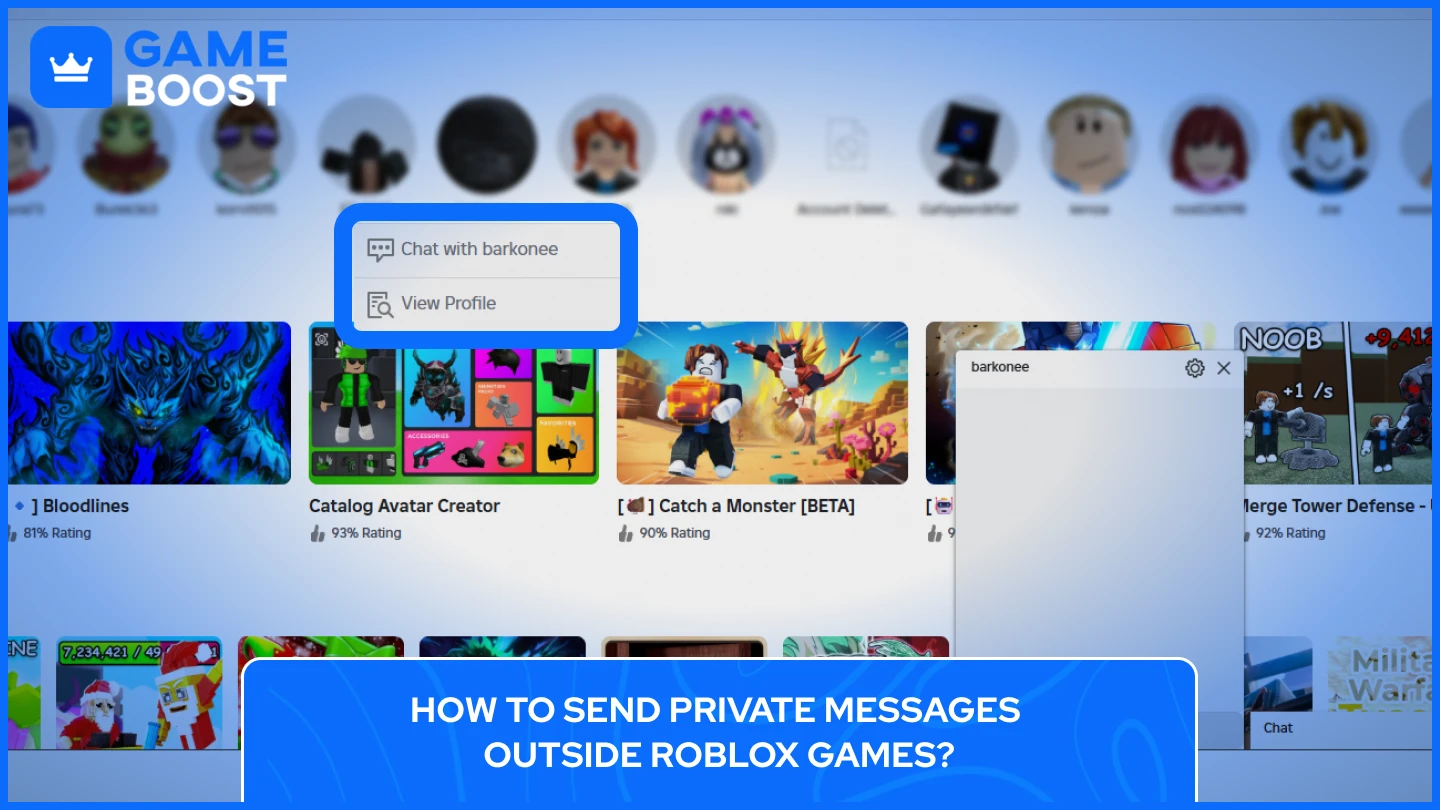
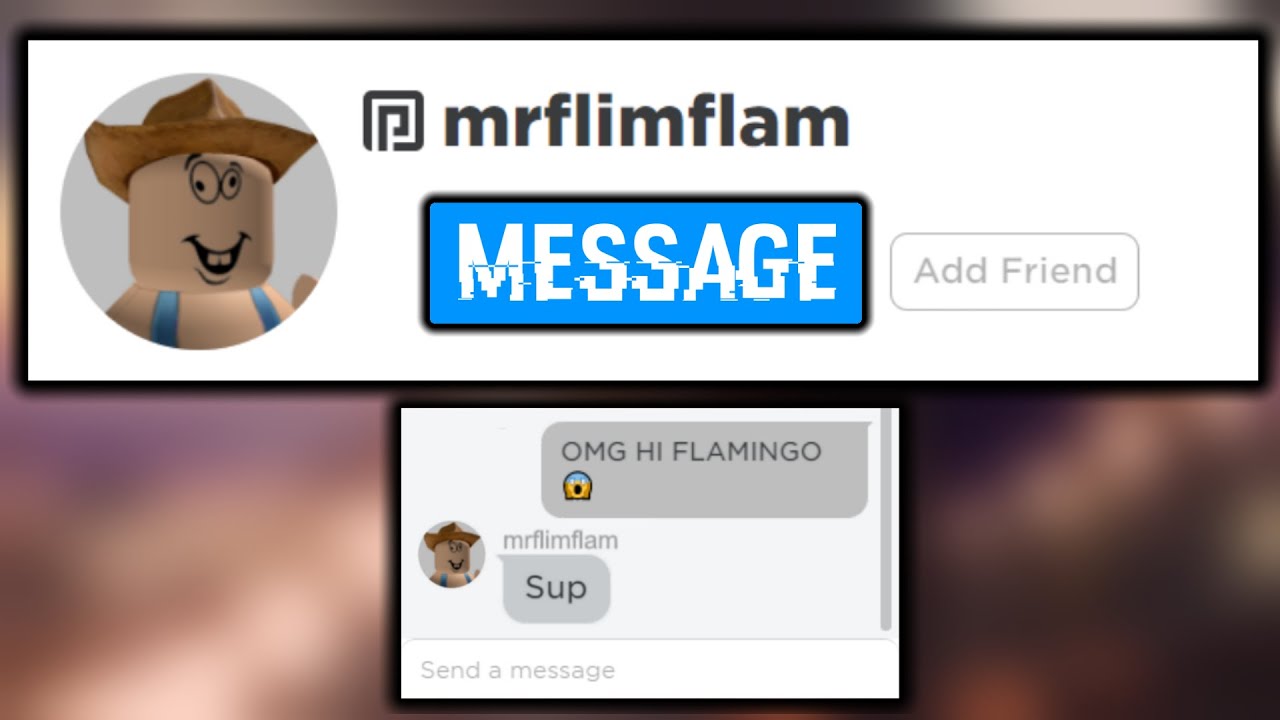
Sending a direct message in Roblox is straightforward, primarily done through the Friends tab on the main Roblox website or within the game client. You need to be friends with someone to send them a private message. To start, log into your Roblox account. On the left-hand navigation bar, click on 'Friends'. Locate the friend you wish to message from your friends list. Clicking on their profile will reveal a 'Message' button. This button typically appears as a speech bubble icon or explicitly says 'Message'. Once clicked, a chat window will pop up where you can type and send your private message. This system ensures that communication remains organized and private between two users, offering a reliable way to connect one-on-one without needing to be in the same game.
What are the privacy settings for messaging in Roblox?
Roblox offers robust privacy settings that allow players to control who can message them, a critical feature for users aged 20-45 who value their digital safety and boundaries. To access these settings, navigate to the 'Settings' gear icon on the top right of the Roblox website, then select 'Privacy'. Here, you'll find options under 'Who can message me?' or similar headings. You can typically choose between 'Friends', 'Friends of Friends', or 'No one'. It's highly recommended to review these settings regularly to ensure they align with your comfort level. For those with younger players on their accounts, Roblox also has 'Account Restrictions' which can further limit communication options, but for most adult users, managing the 'Who can message me?' option is sufficient for personalized control over incoming messages. These settings are dynamic and can be changed at any time.
Can you message non-friends in Roblox?
Generally, Roblox's private messaging system is designed for communication between friends for safety and privacy reasons. However, there are limited scenarios where you can interact with non-friends. The primary way to communicate with non-friends is through public in-game chat or within private server chats if you're invited. Some games also implement their own in-game communication systems that might allow broader interaction, but these are specific to the experience. For direct, private, one-on-one communication, becoming friends is almost always a prerequisite. If you want to message someone you've met in a game, the standard procedure is to send them a friend request first. Once they accept, their name will appear on your friends list, and you can then initiate private messages.
Why can't I message someone in Roblox? Common Troubleshooting.
Several reasons might prevent you from messaging another player in Roblox. The most common is that you are not friends with them. Roblox's default privacy settings often restrict private messages to friends only. Another reason could be their personal privacy settings; they might have configured their account to only receive messages from 'Friends' or even 'No one'. Furthermore, if either you or the recipient has 'Account Restrictions' enabled, messaging capabilities can be severely limited. The Roblox chat filter might also be a culprit, blocking messages that contain inappropriate language or personal information, even if unintentional. Finally, a temporary server glitch or an outdated Roblox client could occasionally interfere with messaging functionality. Always check your internet connection, restart your Roblox client, and verify friend status and privacy settings for both parties to troubleshoot.
Are there safe chat features for younger players?
Absolutely, Roblox prioritizes safety, especially for its younger audience. The platform employs a sophisticated 'Safe Chat' system that filters out inappropriate content, personal identifiable information, and anything that violates Roblox's Community Standards. For users under 13, this filtering is much more restrictive, limiting communication to a pre-approved whitelist of words and phrases. Even for older players, the filter is always active, though it's less restrictive. This system is designed to create a secure environment and prevent cyberbullying or predatory behavior. Parents and guardians can further enhance these safety measures through 'Account Restrictions' in the privacy settings, which can disable chat entirely or limit it to only friends. These features are continuously updated to adapt to new online safety challenges, making Roblox a relatively secure social platform for all ages in 2026.
How to use group chat effectively in Roblox?
Group chats in Roblox are an excellent way to coordinate with multiple players, whether for a clan, a development team, or just a circle of friends. To create or join a group chat, you typically need to be part of a Roblox Group. Once you're a member of a group, you can usually access its dedicated chat feed from the group's page. Some experiences also allow for in-game group chats or party chats. For effective use, keep discussions relevant to the group's purpose. Utilize the features provided, such as mentioning specific users (by typing '@' followed by their username) to grab their attention. Be mindful of the group's rules and moderators, as misuse can lead to temporary mutes or permanent bans. Group chats are dynamic, allowing for real-time strategy planning, social events, and community building, making them a powerful communication tool within the Roblox ecosystem.
What are the rules for messaging on Roblox?
Roblox has clear and strict Community Standards that govern all forms of communication, including messaging. These rules are designed to ensure a safe, respectful, and positive environment for everyone. Key rules include no bullying, harassment, hate speech, or discrimination. Sharing personal information (like real names, addresses, phone numbers, or email) is strictly prohibited. Discussions or sharing of inappropriate content, real-world illegal activities, or off-site links are also against the rules. Users should avoid spamming, scamming, or phishing attempts. Violating these rules can lead to warnings, temporary suspensions, or even permanent bans from the platform. It's essential for all players, especially adults, to familiarize themselves with these guidelines to avoid issues and contribute to a healthy community. Roblox moderates messages both automatically and through user reports, so always communicate responsibly.
Tips for communicating securely in Roblox.
Communicating securely in Roblox involves a combination of utilizing platform features and adopting smart personal habits. Firstly, always keep your privacy settings stringent, ideally set to 'Friends' for messages. Never share personal identifiable information such as your real name, location, school, or contact details in any chat. Be wary of suspicious links or offers of 'free Robux' or 'hacks' – these are usually scams designed to steal your account credentials. Use strong, unique passwords for your Roblox account and enable Two-Step Verification (2SV) for an extra layer of security. If you encounter any inappropriate or suspicious messages, utilize the built-in 'Report' feature immediately. Also, consider muting or blocking users who make you uncomfortable. Educating yourself about common online safety practices, as you would on any social platform, is key to a secure and enjoyable Roblox experience in 2026.
How to block or report inappropriate messages.
Roblox provides straightforward tools to block users and report inappropriate messages, empowering players to maintain a safe environment. If you receive a message that is harassing, offensive, or violates Roblox's Community Standards, you can report it. To report a message, click on the message itself within the chat window or go to the user's profile and look for the 'Report Abuse' button. When reporting, you'll typically be asked to specify the reason for the report. Roblox's moderation team will then review the content and take appropriate action. To block a user, which prevents them from messaging you or interacting with you in games, you can do so from their profile page by clicking the 'Block User' button. This action is irreversible for a certain period and provides an immediate solution to unwanted contact, ensuring your peace of mind while gaming.
Is there a mobile app for Roblox messaging?
Yes, the core Roblox mobile app for iOS and Android fully integrates all messaging features available on the PC client and website. This means you can send and receive direct messages, participate in group chats, and manage your friends list and privacy settings directly from your smartphone or tablet. The mobile experience is designed to be intuitive, replicating the functionality of the desktop version in a touch-friendly interface. This cross-platform consistency ensures that you can stay connected with your Roblox friends and community whether you're at your gaming PC, on the go, or lounging with your mobile device. There isn't a separate, standalone messaging app for Roblox; all communication is handled within the main Roblox application, offering a unified user experience across all supported devices in 2026.
What new messaging features are coming to Roblox in 2026?
Roblox is constantly innovating, and 2026 brings several exciting advancements to its messaging capabilities. We're seeing enhanced AI-powered moderation filters that are even better at detecting nuanced violations and context, improving overall chat safety. There are also discussions around integrating richer media sharing options directly within private chats, allowing players to share in-game screenshots or short video clips more seamlessly. Furthermore, expect more granular control over notification settings, letting you customize alerts for different types of messages or specific friends. Roblox is also exploring more accessible ways to initiate 'whisper' or proximity-based chat within experiences without needing to friend someone first, fostering more spontaneous interaction while maintaining privacy. These updates aim to make communication more versatile, secure, and user-friendly for the diverse Roblox community.
How does cross-platform messaging work?
One of Roblox's strengths is its ubiquitous presence across multiple platforms, and messaging is no exception. Whether you're playing on a PC, Mac, Xbox, PlayStation, iOS, Android, or even VR devices, the messaging system is fully integrated and consistent. This means you can send a message from your PC to a friend playing on their phone, and vice-versa, without any compatibility issues. Your friends list, chat history, and privacy settings are all tied to your Roblox account, not the device you're currently using. This seamless cross-platform functionality ensures that communication flows effortlessly, allowing the Roblox community to connect and interact regardless of their preferred gaming hardware. It’s a testament to Roblox's unified ecosystem, making it easy to stay in touch with your virtual buddies anytime, anywhere.
Communicating effectively and safely in Roblox is a core part of the experience. By understanding the direct messaging system, leveraging privacy settings, and adhering to community guidelines, you can enhance your social interactions and enjoy the platform to its fullest in 2026. Stay smart, stay safe, and happy gaming!
Authored by a veteran PC gamer and tech enthusiast, I've spent countless hours in virtual worlds, analyzing game mechanics and optimizing hardware for peak performance. My goal is to equip fellow gamers with the knowledge to make smart decisions and truly enjoy their digital adventures.
Instant direct messaging with friends. Robust privacy controls for all users. Secure chat filters protect younger players. Easy access to group chats and private servers. Cross platform messaging on any device. Simple blocking and reporting tools for safety. Whisper messaging in game for direct communication.
How To Message Someone On Roblox Step By Step Guide 2026 YouTube How To Message On Roblox 2026 A Quick Guide How To Message ANYONE On ROBLOX Without Being FRIENDS With HIM WORKING
How To Message On Roblox 2026 A Quick Guide How To Message On Roblox 2026 A Quick Guide V4 460px Delete Roblox Messages Step 4 How To Publish A Game On Roblox In 2026 Roblox YouTube How To Message On Roblox 2026 A Quick Guide
How To Message On Roblox 2026 A Quick Guide How To Make GLOBAL MESSAGES In Roblox Studio Easy RemoteEvent Roblox 2026 Logo REVEALED New Color New Look YouTube Maxres2 HOW To ENABLE VOICE CHAT On ROBLOX In 2026 How To Get Voice Chat Img
How To Message On Roblox 2026 A Quick Guide How To Message On Roblox 2026 A Quick Guide Private Chat In Roblox Step 11 How To Send A Message On Roblox Tutorial YouTube How To Make SERVER MESSAGES In Roblox Studio 2026 YouTube
How To Message On Roblox 2026 A Quick Guide How To Get Voice Chat On Roblox 2026 Enable VC Without ID Izoate How To Enable Voice Chat In Roblox 2026How To Make A System Message In Roblox Studio YouTube How To Send A Message To Someone On Roblox Without Being Friends YouTube
How To Message On Roblox 2026 A Quick Guide How To Delete Chat Messages On Roblox Full Guide YouTube How To Message On Roblox 2026 A Quick Guide How To Message On Roblox 2026 A Quick Guide
How To Message On Roblox 2026 A Quick Guide How To Message On Roblox 2026 A Quick Guide How To Message On Roblox 2026 A Quick Guide SL1500 Definitive Guide To Roblox 2026 TM 07169 Definitive Guide To Roblox 2026
How To FIX Your Chat Settings Prevent You From Sending Messages In All 5 Ways To Private Chat In Roblox Step By Step Guide 4ff228a0 5dc2 49c0 8c5dHow To Message On Roblox 2026 A Quick Guide How To Chat And Message Your Roblox Friends In 2026 Beginners Guide
How To Message On Roblox 2026 A Quick Guide How To Delete Roblox Chat Messages 2026 YouTube How To Unlock Chat On Roblox Fix Locked Chat On Roblox 2026 YouTube How To Message On Roblox 2026 A Quick Guide